
Free Microsoft Access tools
Built around the problems I see most often in client databases. No signup and no trial limits. The browser tools process your file on your own computer, so nothing is uploaded, and the add-in runs inside your own copy of Access.
-
TOOL-01 · Browser tool
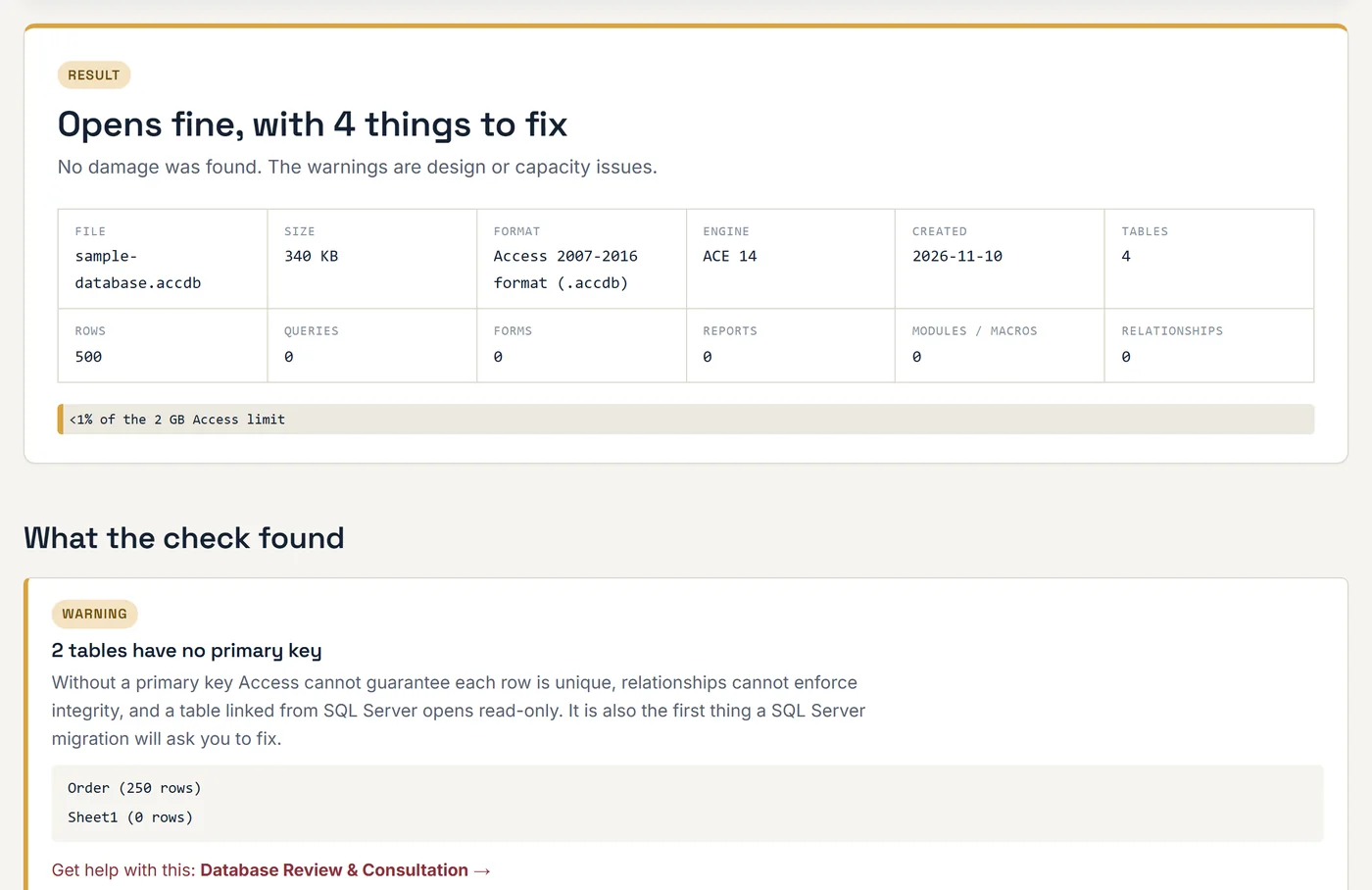
Access Database Health Check
Drop in an .accdb or .mdb file and see whether it opens, which tables are damaged, how close it is to 2 GB, and what would block a SQL Server migration. Also works as a viewer with CSV and Excel export. The file is read in your browser and never uploaded.
Check a database → -
TOOL-02 · Browser tool
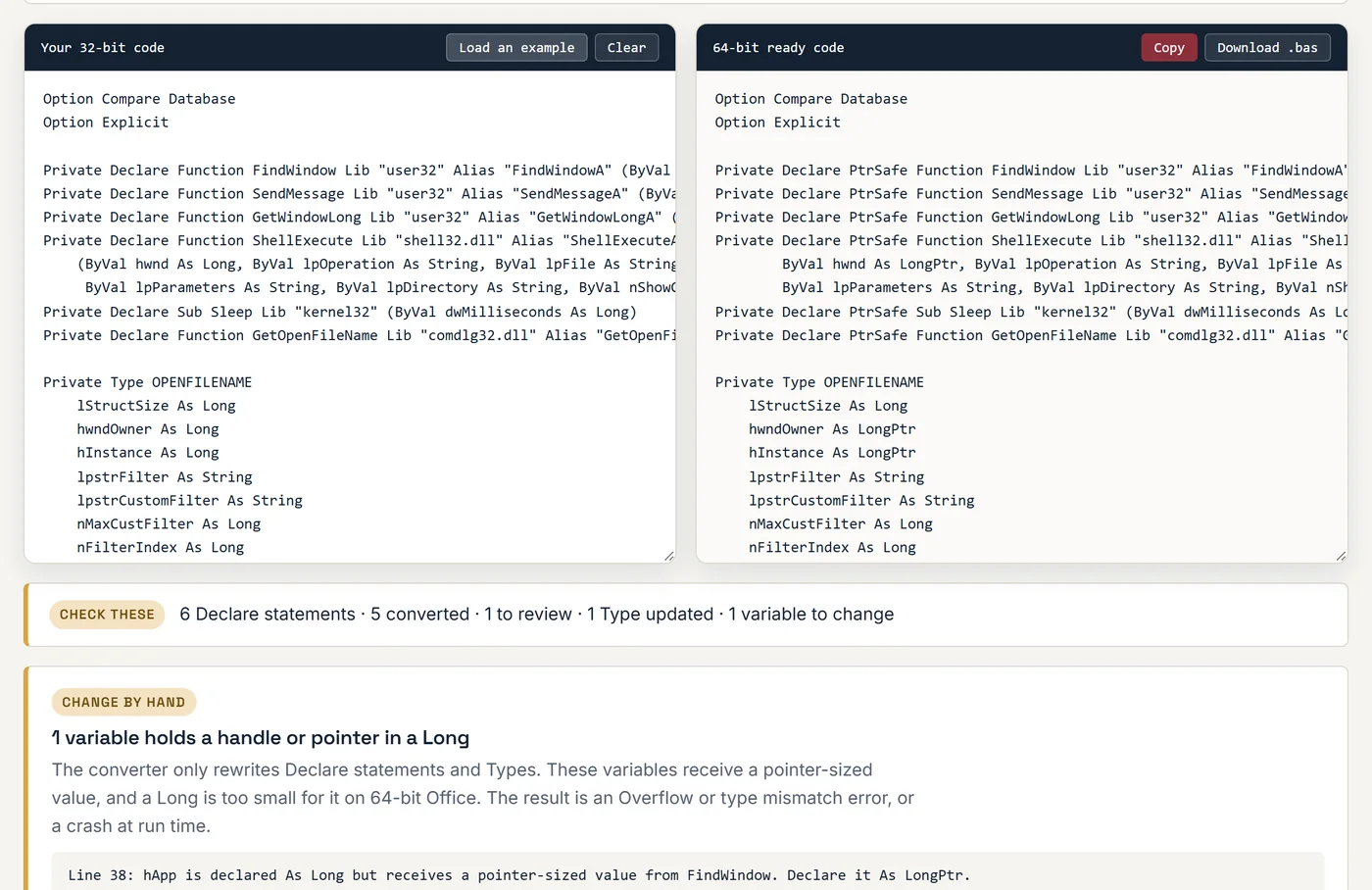
VBA 64-Bit Declare Converter
Paste 32-bit Declare statements, or a whole module, and get PtrSafe versions with LongPtr in the right places. Each API is checked against Microsoft's list of 1,500 declarations, and the report lists the variables you still need to change.
Convert my code → -
TOOL-03 · Quiz
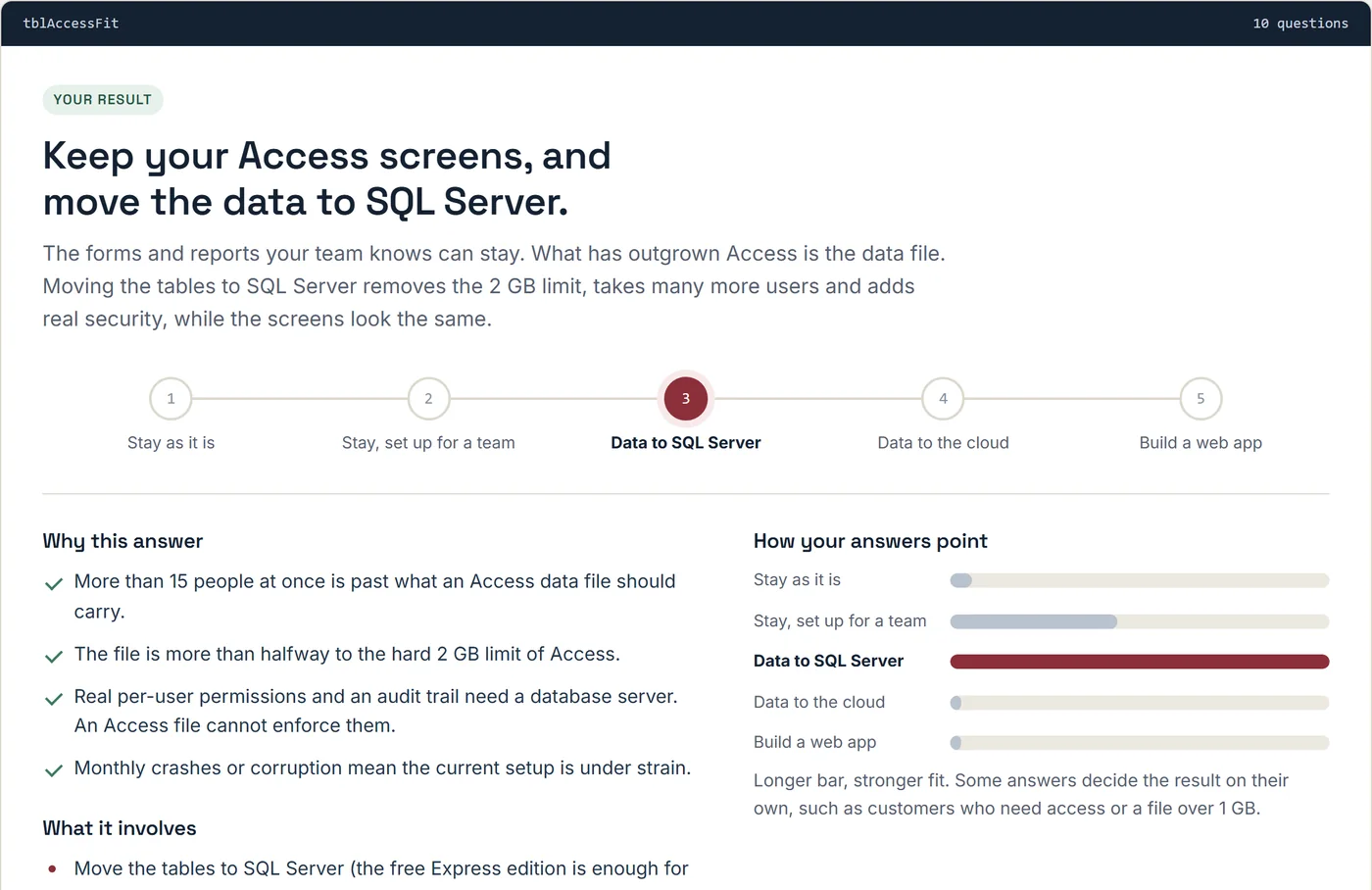
Should I Stay on Access?
Ten questions about your users, file size and remote access. You get a plain answer: stay as you are, fix the setup, move the data to SQL Server or the cloud, or build a web app, with the reasons behind it.
Take the quiz → -
TOOL-04 · Browser tool
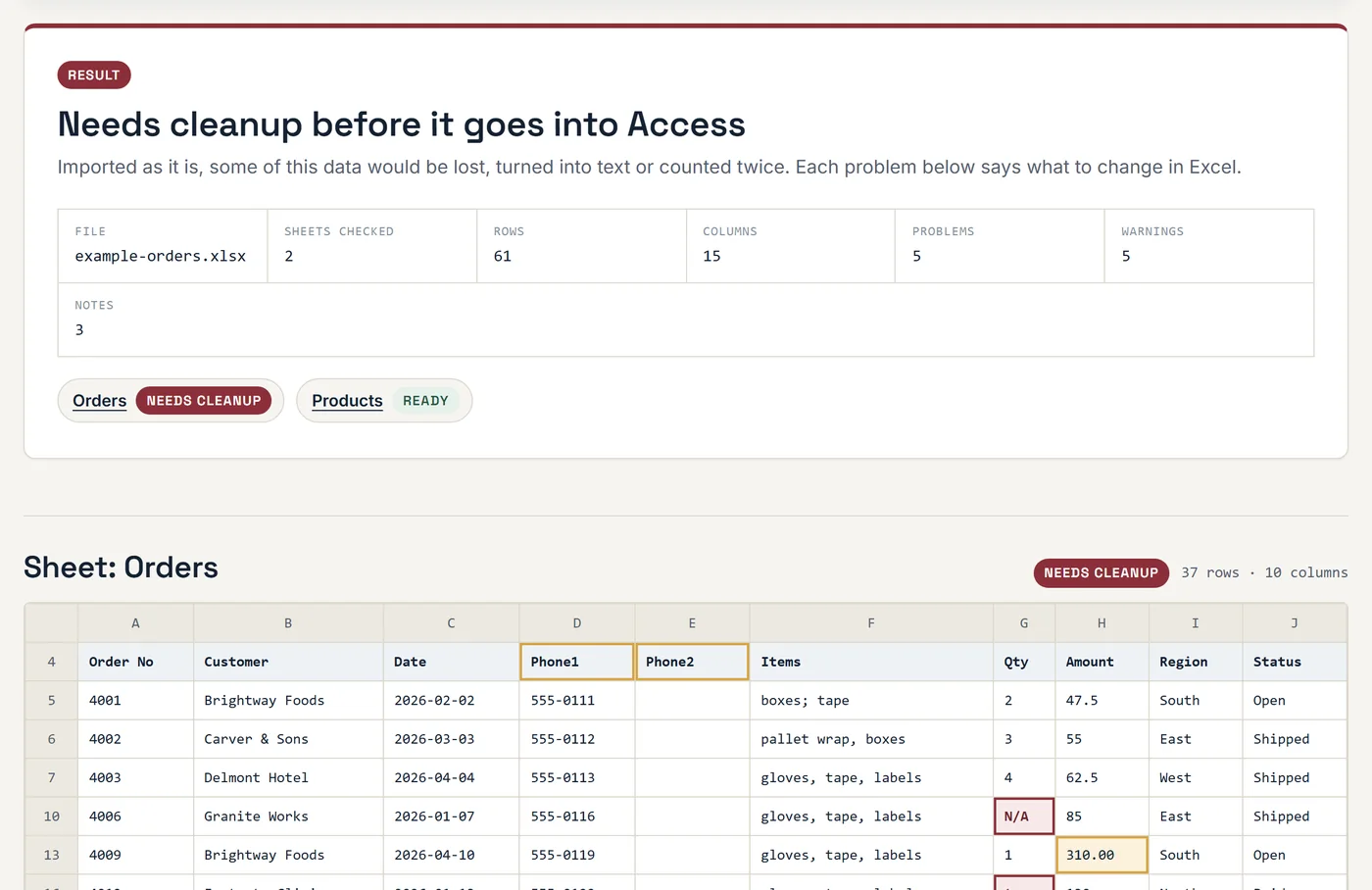
Excel to Access Readiness Checker
Drop in the spreadsheet you have outgrown and see what would break in a database: mixed data types, merged cells, total rows, numbered columns. You also get a suggested Access table design. The file is read in your browser and never uploaded.
Check a spreadsheet → -
ADDIN-01 · Access add-in
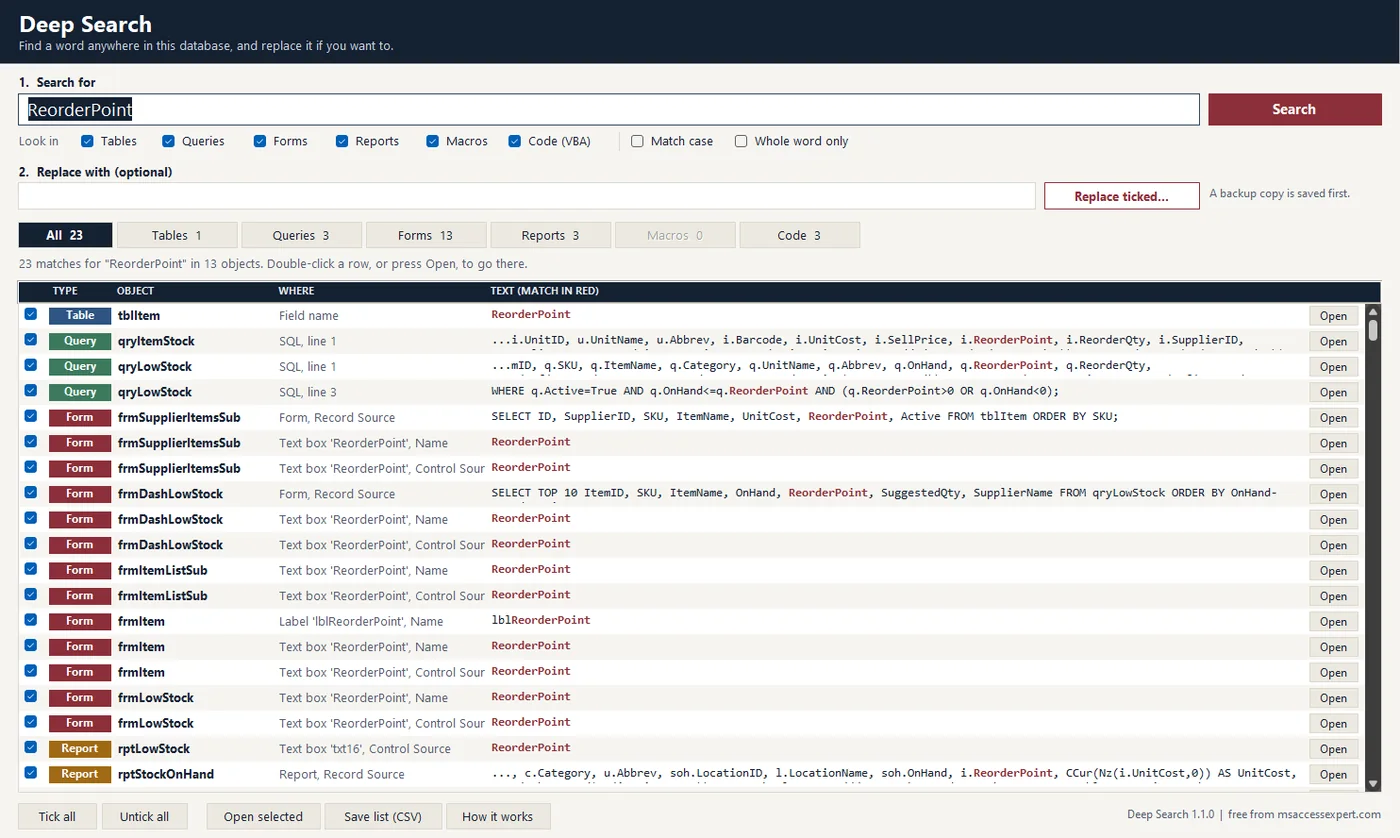
Deep Search: Find & Replace
An add-in that finds a field, table or word in every query, form, report, macro and VBA module of your database, and replaces it everywhere. A backup copy is saved before any change. Free download, no trial.
Get the add-in →
Need a tool that is not here yet?
Tell me what you keep doing by hand in Access. If it is a common problem, it may become the next free tool.