
Outgrowing Access? Move up to SQL Server.
We migrate and convert your existing Access database — forms, tables, data, and relationships — to Microsoft SQL Server for enhanced performance and scalability.
- Fast Query Execution
- Supports Larger Databases
- Reduced Risk of Database Corruption
- Advanced Security Protocols
See our pricing plans → — starting from $40/hour, no obligation.
You'll work directly with Mr. Ali, not get routed through a call center.
From MS Access database to SQL Server
This isn't a one-click conversion. Here's the actual sequence of steps.
Analyze & Prepare
We map your current tables, relationships, and queries to plan how they translate to SQL Server.
Data Migration
Your data is transferred to SQL Server with integrity checks to confirm nothing is lost or altered.
Rebuilding Queries
Queries are rebuilt for the new backend so performance actually improves, not just changes location.
Link Access to SQL Server
Access is relinked as the front end, so your team keeps the interface they already know.
Testing & Deploy
Every form, report, and query is tested against the new backend before go-live.
Users Training
We walk your team through what's changed so the transition doesn't disrupt daily work.
What survives the migration untouched, and what has to be rebuilt
An Access-to-SQL migration splits cleanly into what transfers easily and what needs actual judgment. Tables, data, and relationships move well, with a few precise decisions along the way: AutoNumbers become identity columns, Access dates map to appropriate SQL types, and Yes/No fields need explicit defaults, or you meet the classic bug where a form silently stops accepting edits because a bit column allows nulls. I also add rowversion columns to the migrated tables, an unglamorous detail that makes editing through linked tables far more reliable.
Queries are where the judgment goes. Simple selects re-link and just work. But Access-specific functions (Nz, domain lookups, any VBA function used inside a query) don't exist on the server, and a query that was slow in Access can stay slow if it's merely re-pointed rather than rethought. The heavy lifters get rewritten as views or stored procedures so the server does the aggregation and only results cross the network. That rewrite, not the data transfer, is where the performance you're migrating for actually comes from.
Your forms and reports mostly survive as-is, which is the whole point of keeping Access as the front end. The exceptions are patterns that were only ever viable against local tables, like forms bound directly to a large table that now drag too much across the wire; those get re-based on filtered queries that fetch only what the screen needs. VBA that edits data through DAO needs small, specific adjustments for linked SQL tables, the dbSeeChanges requirement being the one everybody hits first.
On cost: the server itself is often free. SQL Server Express handles databases up to 10 GB at no license cost, which comfortably covers most systems graduating from Access, and it can run on a machine you already own or a modest cloud instance. Azure SQL suits teams that want the database reachable from multiple sites without hosting anything themselves. So the real project cost is the migration work, not the software, and the Express-to-full upgrade path exists if you ever genuinely outgrow the free tier.
I migrate to a test SQL database and run both systems side by side against real work before anything cuts over. The rule of thumb I give clients: if you're approaching the 2 GB file limit, pushing past roughly ten concurrent users, or losing sleep over corruption, you've outgrown the Access back-end, and this migration is the fix built for exactly that situation.
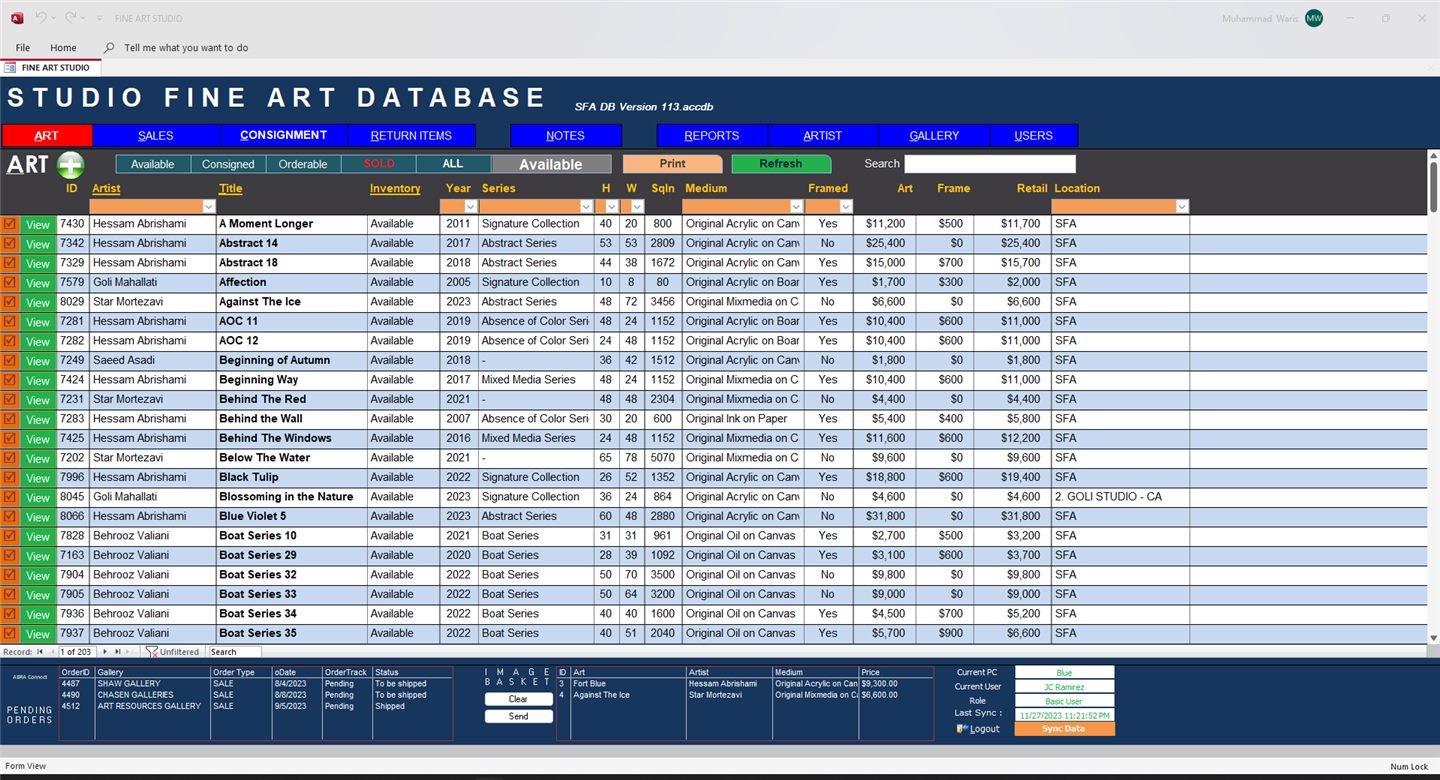
See it built for a real business
Frequently asked questions
Do I lose Access as a front end after migrating to SQL Server?
No — Access can stay as your front-end interface while SQL Server takes over as the back-end, giving you a familiar UI with a much more capable database engine.
How much data can SQL Server handle compared to Access?
Far more. Access has practical file-size and concurrent-user limits that SQL Server doesn't share, which is usually the reason to migrate.
Will our existing queries and reports still work?
We rebuild and re-link queries during migration so your existing reports and forms continue to work against the new backend.
How long does an Access-to-SQL migration take?
It depends on database size and complexity, but most migrations — including testing — take one to a few weeks.
Not sure if you've actually outgrown Access?
Tell me your user count and data size and I'll give you a straight answer on whether SQL Server is worth the move yet.