
Custom Microsoft Access Database Development
Stop making Access fit your business. Let's make it bend.
I design and build bespoke Microsoft Access databases around the way your business already works: your tables, your forms, your reports, with a structure that still holds up when the data grows.
- Tables built around your data
- Forms that stop bad data at entry
- Queries that answer your real questions
- Commented code that you own
See pricing: from $40/hour, free quote, no obligation.
You'll work directly with Mr. Ali, not get routed through a call center.
How I build a custom Access database
From the first sketch to a system your team uses every day, this is how a custom build runs.
Design the Structure
I design the tables, relationships, and structure around how your business actually works, not a generic template.
Indexes and Queries
Queries and indexes are tuned from day one so the database stays fast as your data grows.
Features That Work Together
Forms, reports, and automation are built as one connected system, not bolted-on pieces that only sort of talk to each other.
Structural Refinement
I adjust the schema as requirements firm up, catching design issues while they're still cheap to fix.
Data Flow Improvement
Entry forms validate data at the source and reports pull straight from the tables, so nobody retypes the same information twice.
Room to Grow
The database is built to scale with your business, so adding users, tables, or features later doesn't mean starting over.
What the first week of a custom build looks like
Most custom builds start the same way: someone sends me the spreadsheets, Word forms, or paper process they're currently limping along with, and I map out what the data actually is. That first pass matters more than any code written later. If a customer's name is typed fresh into every order row, that becomes a customers table linked to orders by an ID. If three staff members each keep their own copy of a price list, that becomes one table everyone reads from. Getting the structure right at this stage is what makes everything downstream (queries, forms, reports) simple instead of fragile.
Once the schema is agreed, I build the core tables and one working entry form, not the whole system. There's a reason for that order. Seeing real data in a real screen surfaces requirements no requirements document captures: a field that turns out to need three values instead of one, a status code that means different things to different departments, a report grouping nobody thought to mention. Catching those in week one costs minutes. Catching them after twenty forms are built costs days.
From there the build proceeds module by module. Entry forms get validation so bad data can't get in at the source, queries answer the questions you actually ask, and reports come out formatted for the people who read them. I write VBA where automation genuinely saves time and skip it where a simple bound form does the job, because every line of code is something you'll have to maintain later. You get working software to test at each stage rather than a big reveal at the end.
A typical small build, five to eight tables with a handful of forms and reports, is done inside two weeks. Larger systems with user permissions, automated imports, or Outlook integration take longer, and I'll say so upfront rather than discover it midway. Either way you own the file, the code is commented, and nothing about the design locks you into me for routine changes.
To quote accurately, I need surprisingly little from you: the spreadsheets or forms you use today, a rough count of who will use the system, and half an hour on a call to hear how the work actually flows. You don't need to write a specification. Describing your Tuesday in ordinary language tells me more about the database you need than most requirements documents do, and it's where nearly every good build I've done started.
What custom Microsoft Access database development includes
Custom development means the database is designed for one organisation. It is not a generic package with the settings changed. The starting point is how work moves through your business, and the finished system should feel familiar to your staff because it follows what they already do. A professionally built Access database has five parts:
- Relational tables. Each fact stored once, in tables linked by keys, so the same customer or price is never typed twice.
- Entry forms. Screens that take users through each task and refuse bad data at the point of entry.
- Reports. Invoices, statements and summaries produced from live data with one click, laid out for the people who read them.
- Business rules. Validation and automated steps that make the process run the same way every time, whoever is at the keyboard.
- Permissions. Control over who can view, edit or delete which records.
Custom Access database or off-the-shelf software?
Packaged software makes your process fit its screens, and you pay for that twice: in licence fees and in workarounds. A custom database is a one-off build. You own the file, and the running cost is the Microsoft 365 licence most offices already have. It is not the right answer for everyone, so here is how the options compare.
| Approach | Strengths | Where it falls short |
|---|---|---|
| Custom Access database | Fits your workflow exactly, one-off cost, you own it, can be changed whenever the business changes | Needs a proper design at the start; very large or web-facing systems need SQL Server or a web app behind it |
| Off-the-shelf software | Quick to start, vendor support, regular updates | Monthly fees for as long as you use it, features you cannot change, your data in the vendor's format |
| Spreadsheets | Free, familiar, no training | Duplicate entry, no validation, breaks down with several users or a few thousand rows |
| Enterprise database system | Handles very large data and user counts | Cost and build time far beyond what a small or mid-sized team needs |
What businesses use custom Access databases for
The same tool suits very different trades, because each build starts from that trade's own paperwork. These are systems I have built, each written up as a case study:
- Property management. Unit tracking, CAM and tax billing, and automated invoicing for a commercial property manager.
- Insurance agency. Customer and family profiles, policies across several lines, renewal and payment alerts.
- Construction. Job costing for a roofing contractor, with square-footage and waste calculations and commission tracking.
- Art gallery. Inventory, consignment and sales orders, with an Access front end on a SQL Server back end.
- Commercial cleaning. Client profiles, recurring service packages and automated billing.
- Manufacturing. A weekly inventory forecast that had been recalculated by hand in Excel.
- Fundraising. A donation tracker for student-led fundraising, with live dashboards.
See it built for a real business
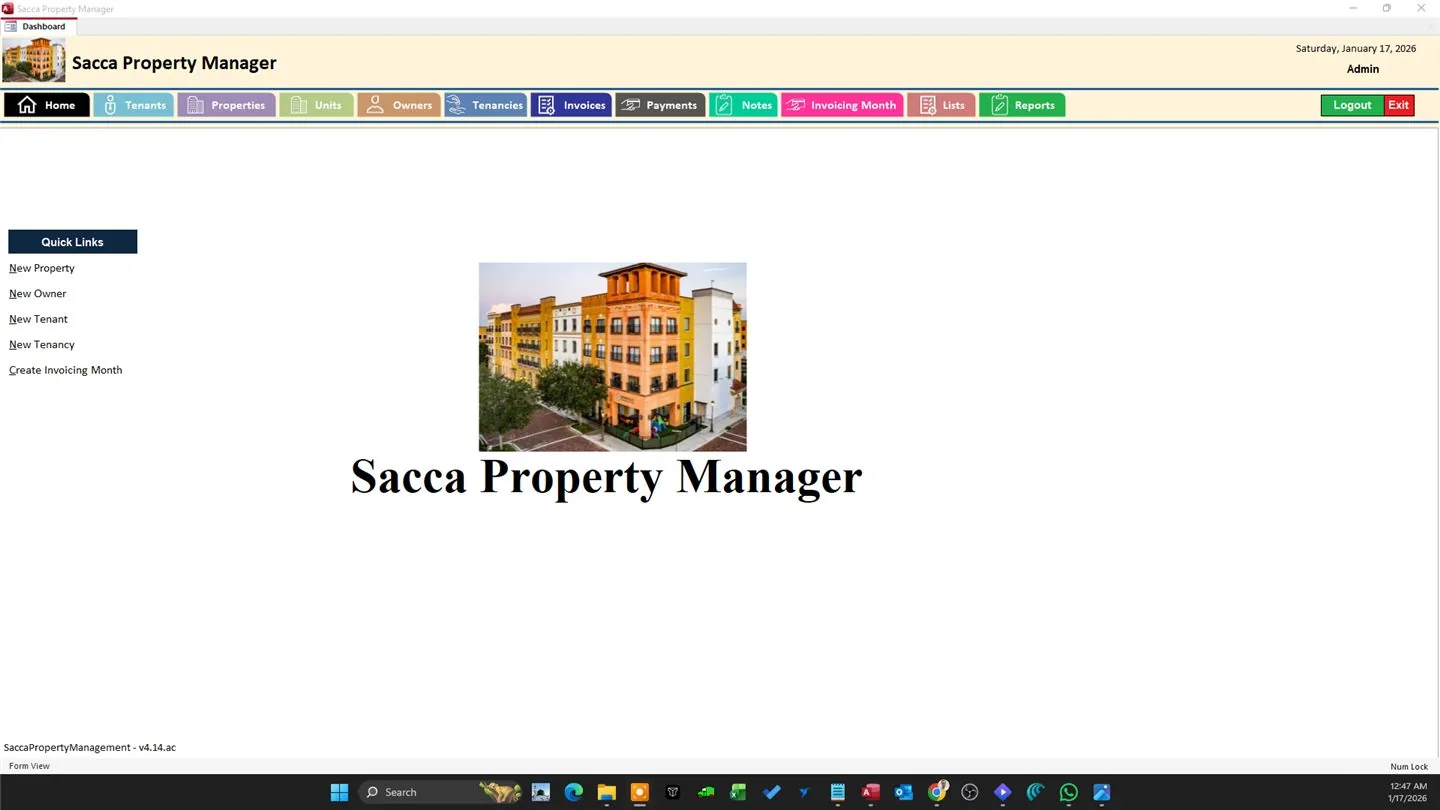
Commercial Property & Lease Management System
A custom MS Access system replacing spreadsheets for a commercial property manager — unit tracking, CAM/tax billing, and automated invoicing.
View case study →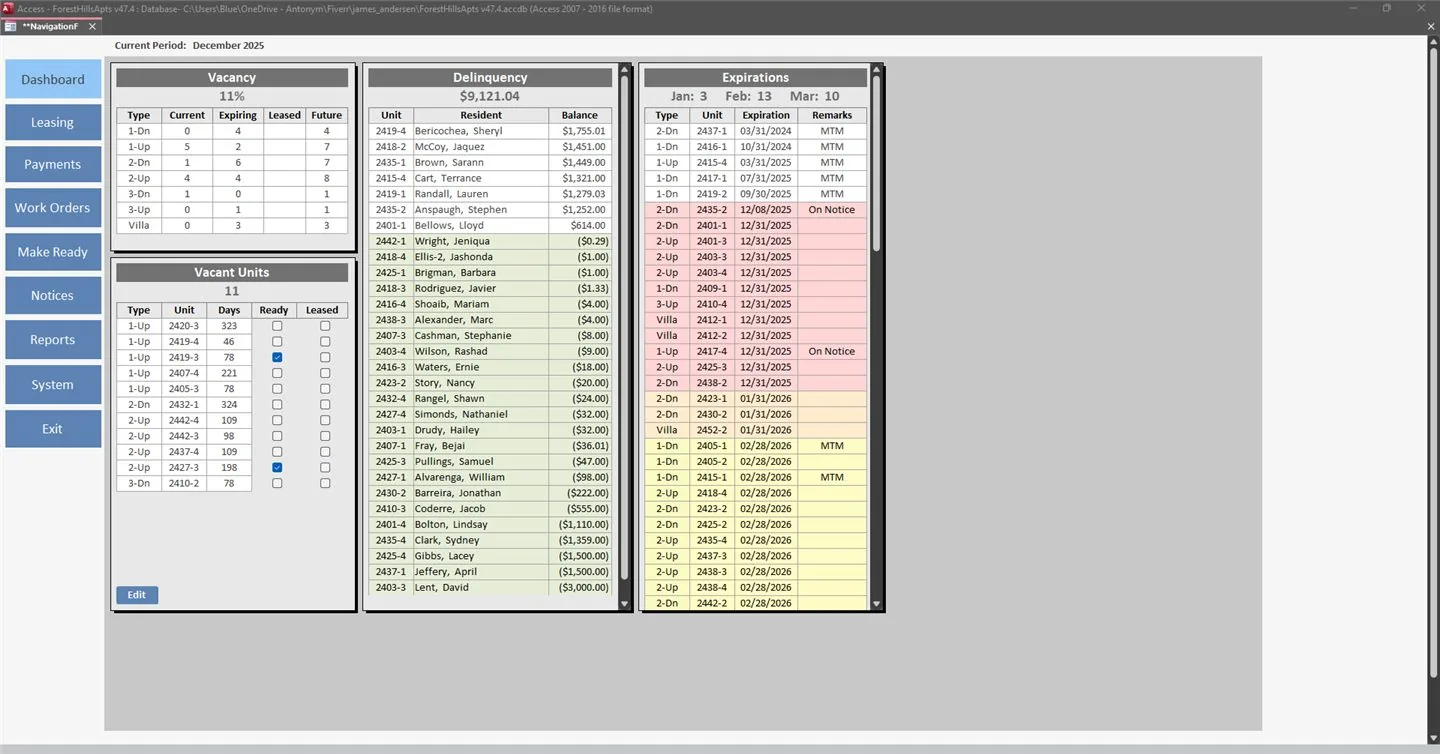
Residential Apartment Management System
A custom MS Access system for a residential apartment community — lease lifecycle, resident ledgers, delinquency tracking, and legal notices.
View case study →Related guides and tools
Frequently asked questions
How long does a custom MS Access database take to build?
A small, well-defined build can take a few days. A full system with multiple modules can take a few weeks, and I'll give you a realistic timeline after a short call.
Can you build on top of an existing spreadsheet or database?
That's often where a build starts. I design the new database from your existing Excel sheet or legacy database and bring the data in as part of the build.
Will I be able to make changes myself after it's built?
Yes. The code is commented and I walk you through the structure, so routine changes don't need me. I can also handle them under a support plan.
How much does a custom database cost?
The pricing page gives a starting point. For a firm quote I need the spreadsheets or forms you use now, a rough user count and a short call.
Can a custom Access database connect to other software?
Access exchanges data with Excel and sends email through Outlook directly. It links to SQL Server and SharePoint lists, and reaches most other systems through ODBC or scheduled imports and exports. I plan those connections at the design stage so data moves between systems without being retyped.
What happens if we outgrow Access?
The usual next step is to move the tables to SQL Server and keep the Access forms and reports as the front end. A database with sound table design makes that a contained job, which is one reason I spend the first week on structure. Many businesses run on Access alone for years before they need it.
Send me the spreadsheets you use today
Need a new Access database, or want to improve the one you have? Book a free call and describe how the work flows now.