
Case File
Quick Invoice: Free Microsoft Access Invoicing Template
A free Microsoft Access invoicing template with a live dashboard, one-click branded PDF invoices, 8 ready-made reports and secure user roles.
IndustrySmall Business & Freelancers
Built WithMicrosoft Access, VBA, Access SQL, DAO, Access Reports, Windows CNG (SHA-256), Ribbon XML
EngagementFull System Build
The challenge
Many small businesses and freelancers still invoice from spreadsheets or Word templates, retyping customer details, working out VAT by hand and losing track of who still owes them money. Subscription invoicing tools solve that, but they come with monthly fees and keep your data in someone else's cloud.
The solution
Quick Invoice is a complete invoicing app built in Microsoft Access, delivered as a single .accdb file that runs on your own computer. It doesn't look like a typical Access database: it has a clean teal-and-mint interface, a sign-in screen and simple menus.
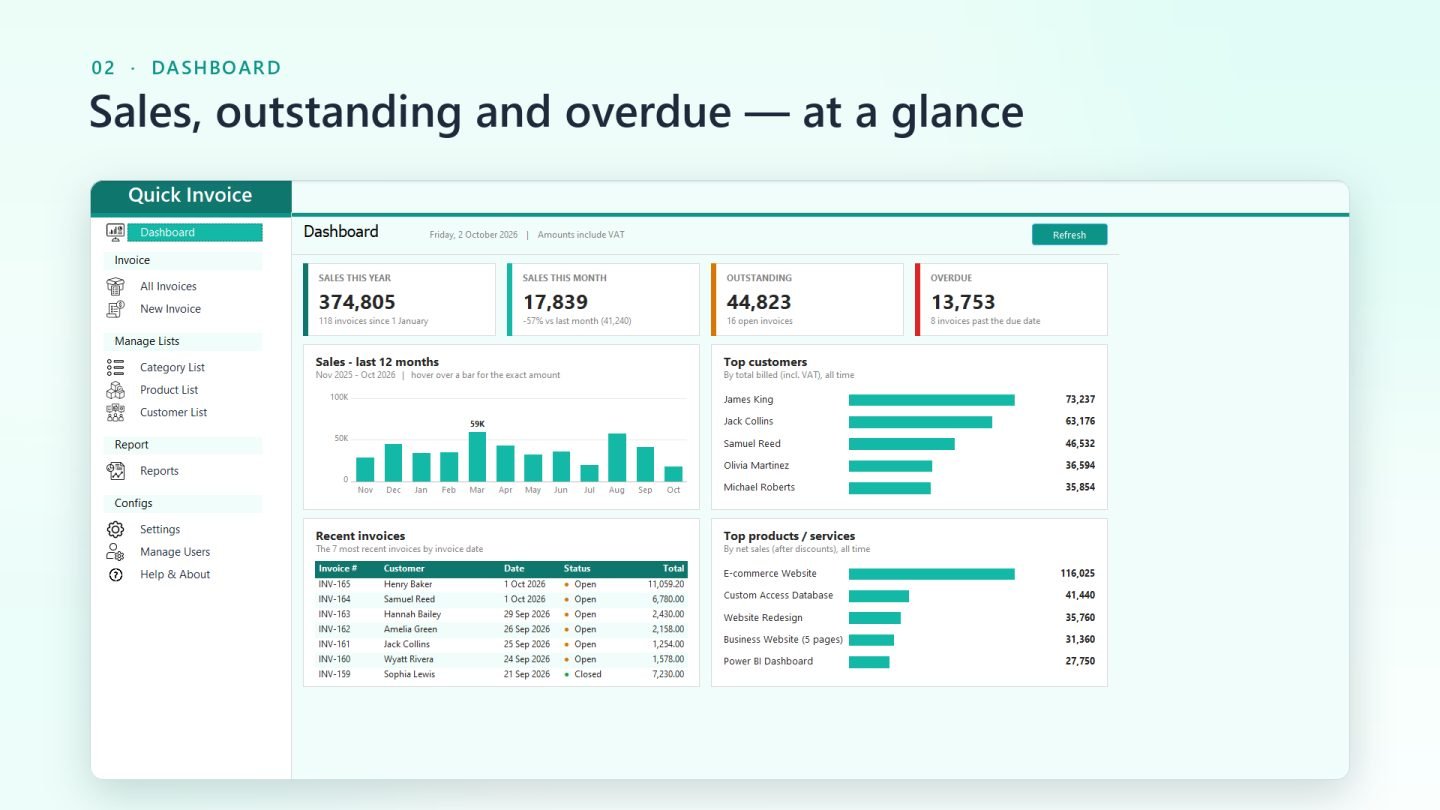
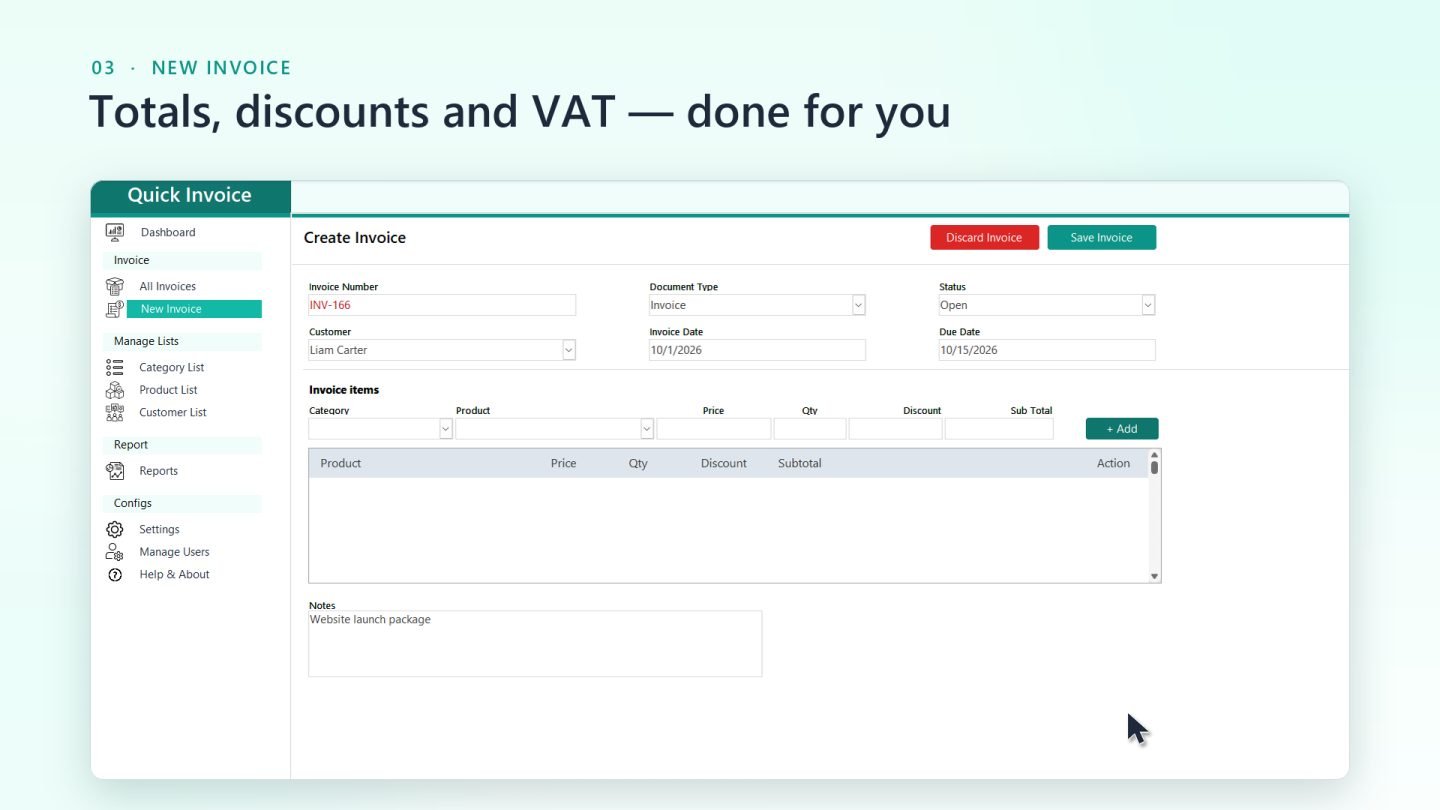
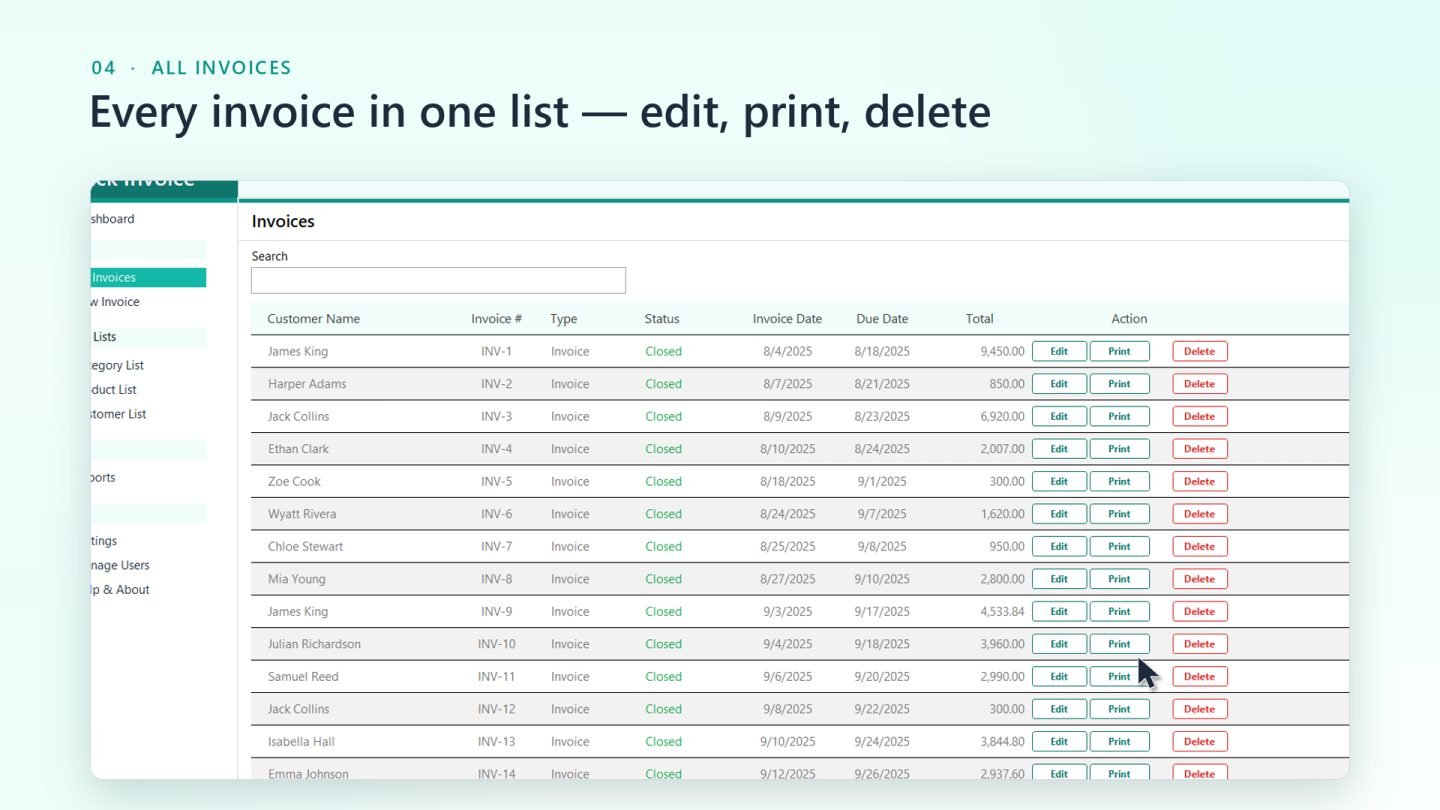
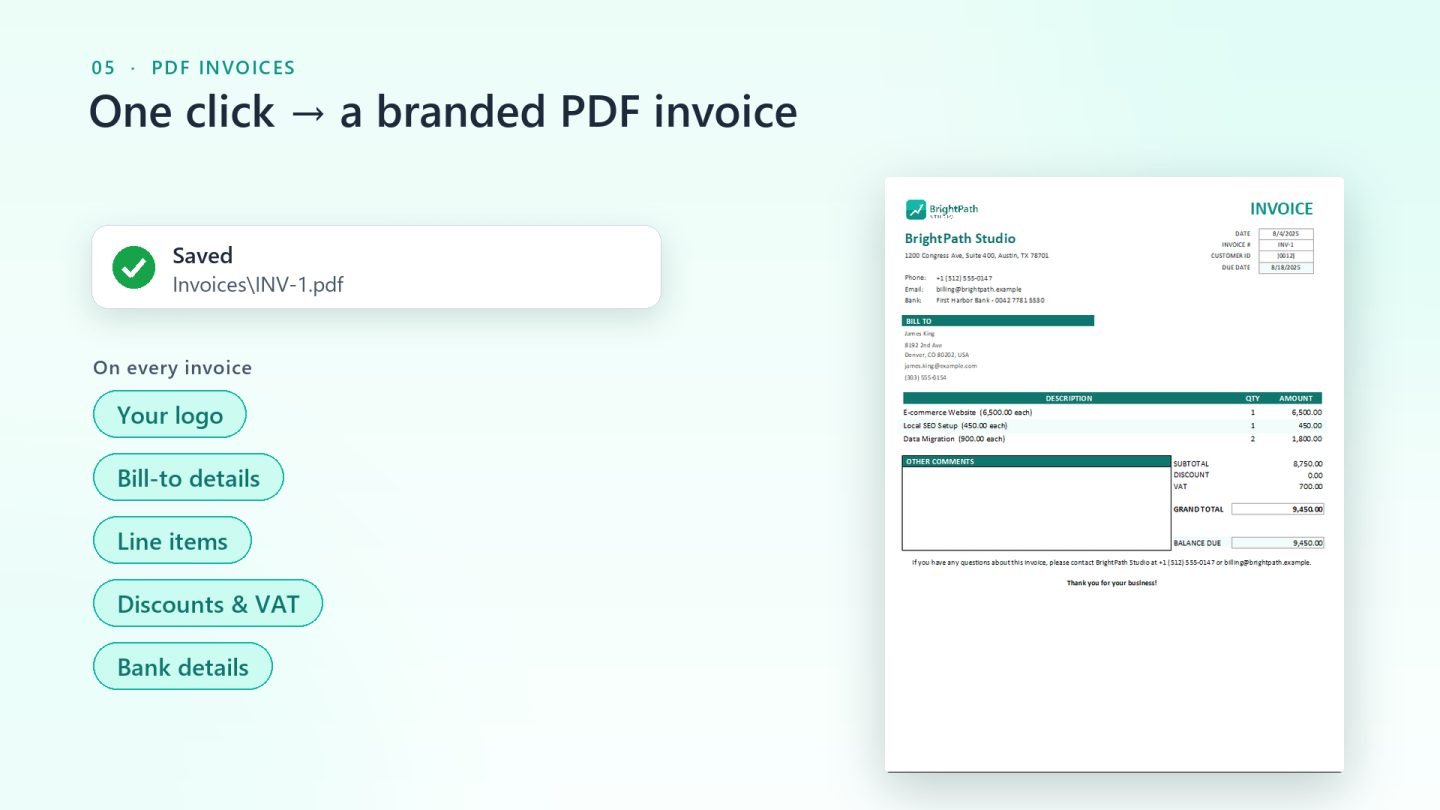
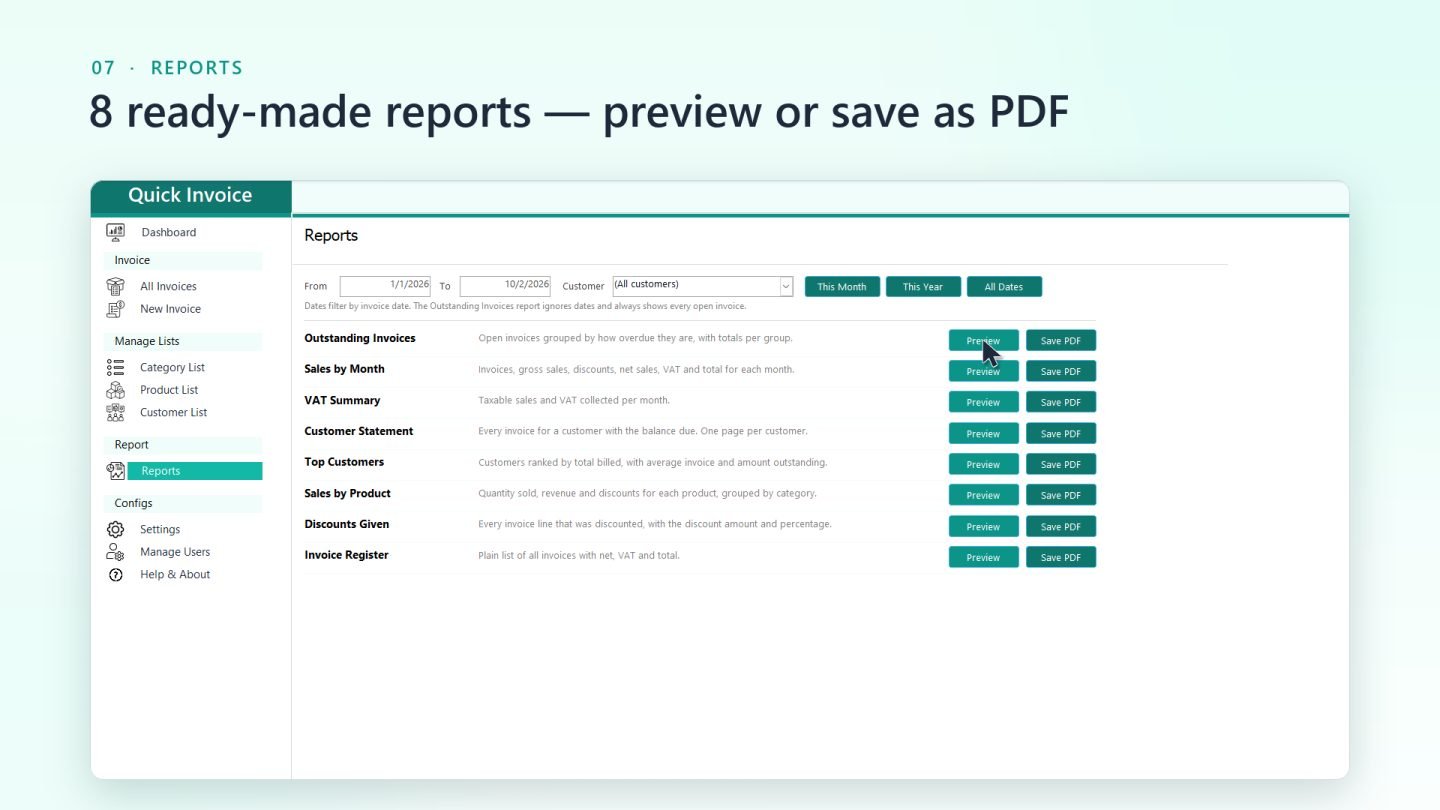
Pick a customer, add items, and prices, discounts, VAT and the grand total are calculated for you. One click saves a branded PDF invoice with your logo and bank details, ready to email. The dashboard shows sales, outstanding and overdue amounts at a glance, and eight ready-made reports cover everything from VAT to customer statements.
Built for real use
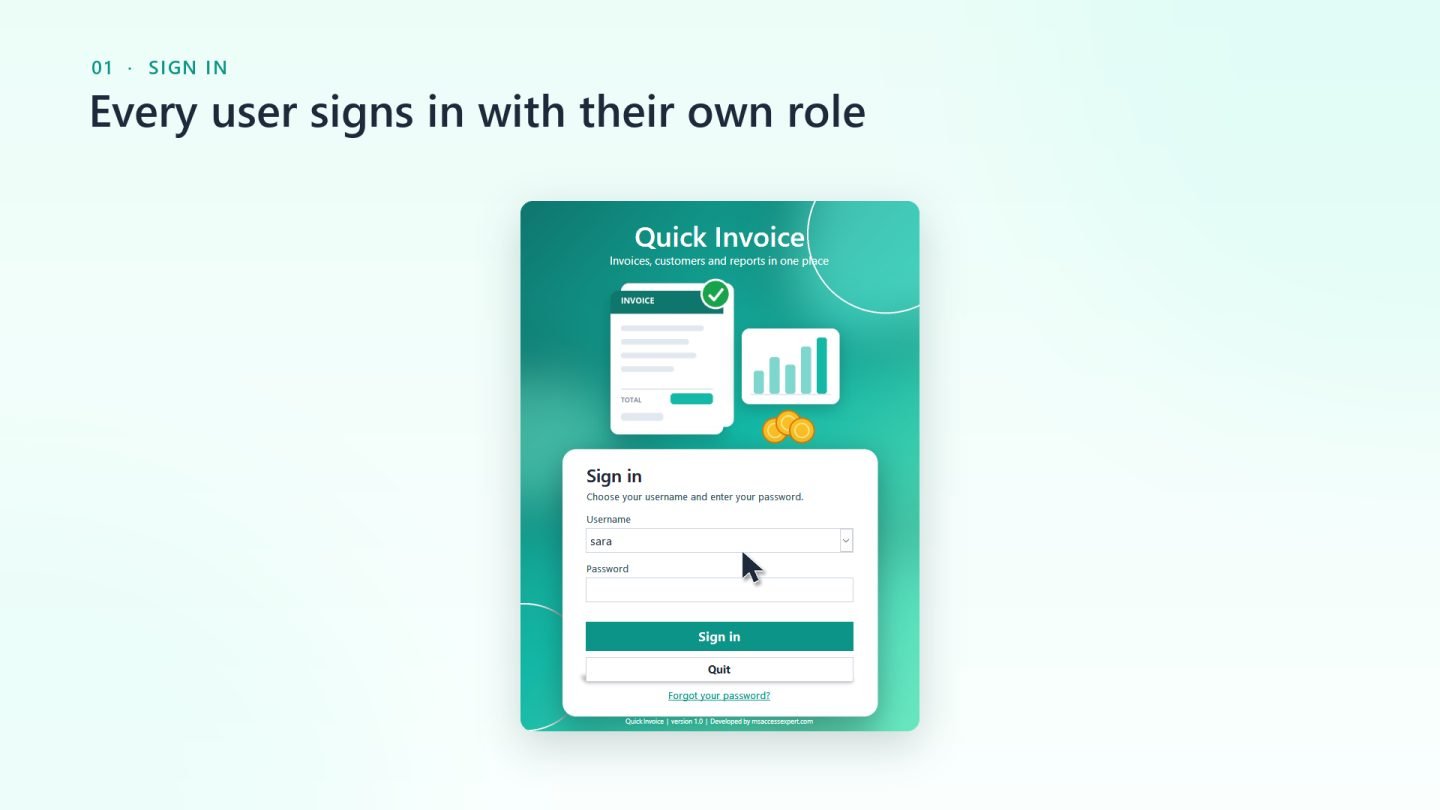
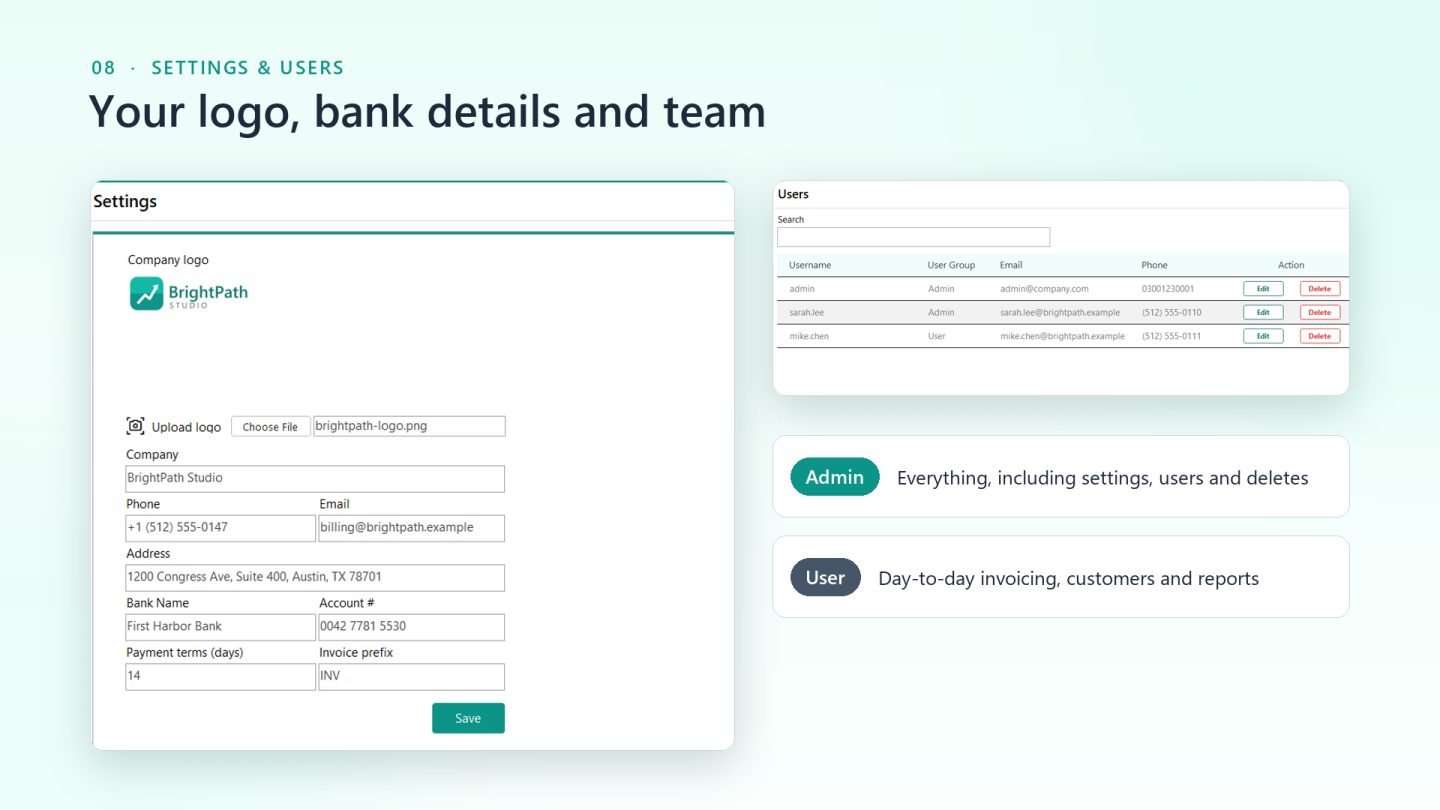
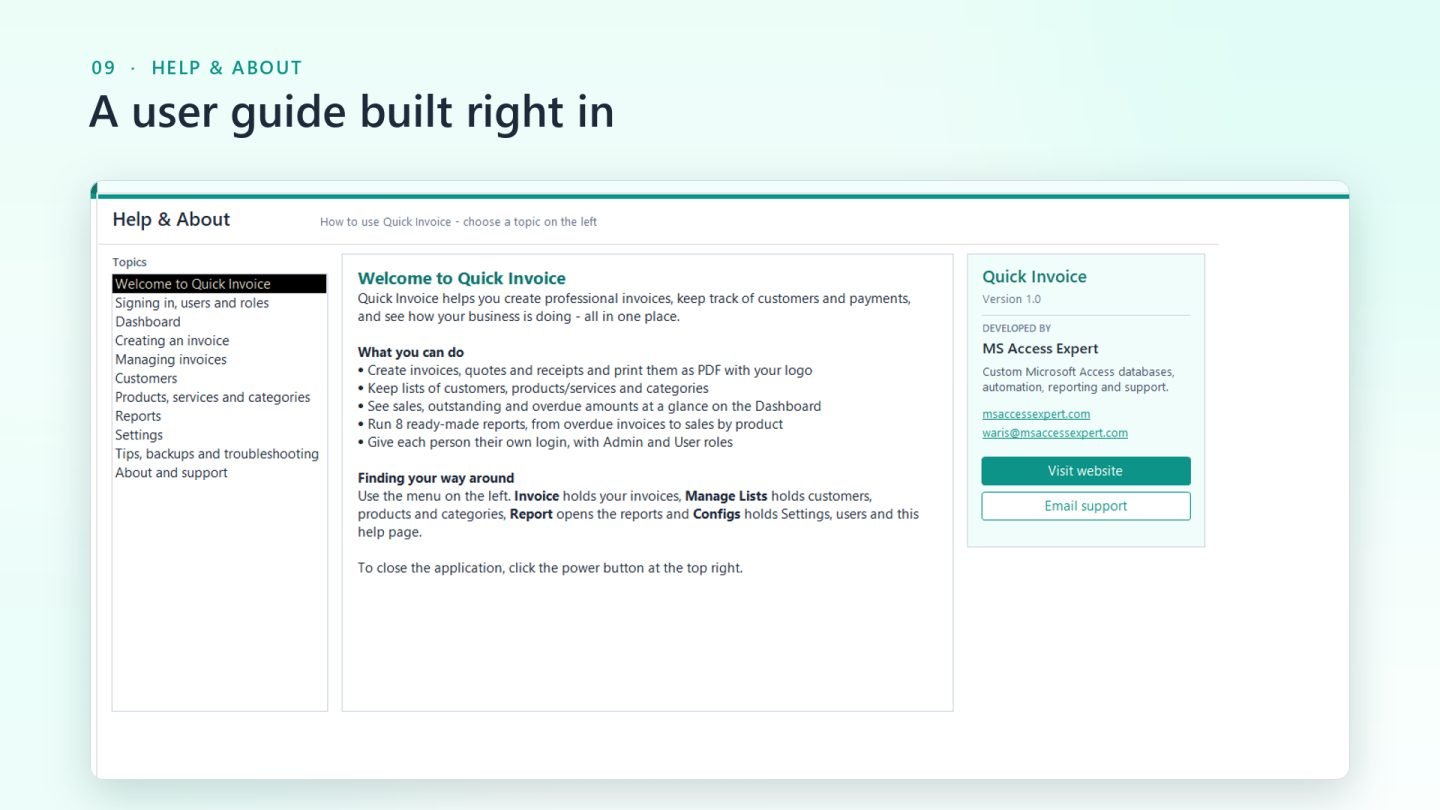
Each person signs in with their own account. Passwords are securely hashed, and two roles keep things safe: Admins manage settings, users and deletions, and everyone else focuses on day-to-day invoicing. Records still in use can't be deleted by mistake, and Access's own menus are hidden so the app stays clean and hard to break. A built-in Help page explains every screen, and demo data is included so you can try it straight away.
Many small businesses and freelancers still invoice from spreadsheets or Word templates, retyping customer details, working out VAT by hand and losing track of who still owes them money. Subscription invoicing tools solve that, but they come with monthly fees and keep your data in someone else's cloud.
The solution
Quick Invoice is a complete invoicing app built in Microsoft Access, delivered as a single .accdb file that runs on your own computer. It doesn't look like a typical Access database: it has a clean teal-and-mint interface, a sign-in screen and simple menus.
Pick a customer, add items, and prices, discounts, VAT and the grand total are calculated for you. One click saves a branded PDF invoice with your logo and bank details, ready to email. The dashboard shows sales, outstanding and overdue amounts at a glance, and eight ready-made reports cover everything from VAT to customer statements.
Built for real use
Each person signs in with their own account. Passwords are securely hashed, and two roles keep things safe: Admins manage settings, users and deletions, and everyone else focuses on day-to-day invoicing. Records still in use can't be deleted by mistake, and Access's own menus are hidden so the app stays clean and hard to break. A built-in Help page explains every screen, and demo data is included so you can try it straight away.
- Create invoices, quotes and receipts with automatic numbering
- Automatic subtotal, discount, VAT and grand total calculations
- One-click branded PDF invoices with your logo and bank details
- Live dashboard: sales, outstanding and overdue at a glance
- 12-month sales chart, top customers and top products
- 8 ready-made reports, each viewable on screen or saved as PDF
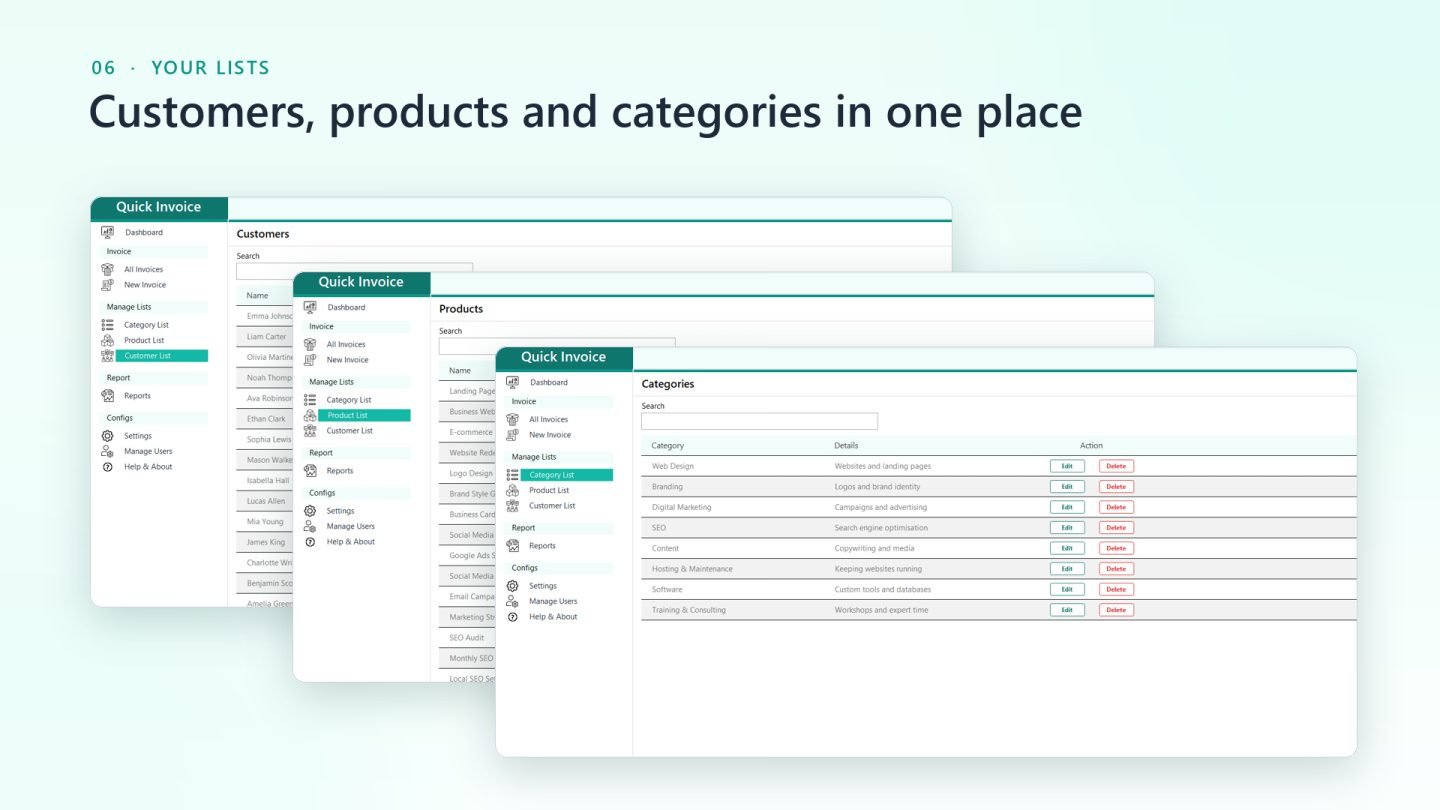
- Customer, product and category lists with instant search
- Secure sign-in with hashed passwords
- Admin and User roles with permission controls
- Protection against deleting records that are still in use
- Company settings: logo, address, bank details, payment terms
- Built-in Help & About guide for every screen
- Demo data included for instant testing
- Runs locally in Microsoft Access, no subscription needed
Want something like this for your business?
Tell us what you're trying to solve — we'll give you a straight answer on scope and cost.