
Construction
Plumbline Job Costing: Construction Job Cost and Billing System in Microsoft Access and SQL Server
A job costing system for a building contractor in Microsoft Access on SQL Server: budgets by cost code, daily crew timesheets with weekly approval, change orders, applications for payment with retention, and a WIP schedule.
- INDUSTRY
- Construction
- BUILT_WITH
- Microsoft Access, VBA, SQL Server, T-SQL views, stored procedures and triggers, ODBC (DSN-less linked tables), Access Reports
- ENGAGEMENT
- Full System Build
- STATUS
- Delivered
The project
The challenge
A general contractor running eight jobs at a time kept its numbers in spreadsheets. Supplier invoices sat in a folder, crew hours came in on paper, and the budget for each job lived in a different file from the billing. A project manager usually found out a job was over budget after the month had closed, when it was too late to do anything about it. Billing the client meant copying figures by hand into a schedule of values, and nobody could say with confidence which jobs were billed ahead of the work and which were behind.
The solution
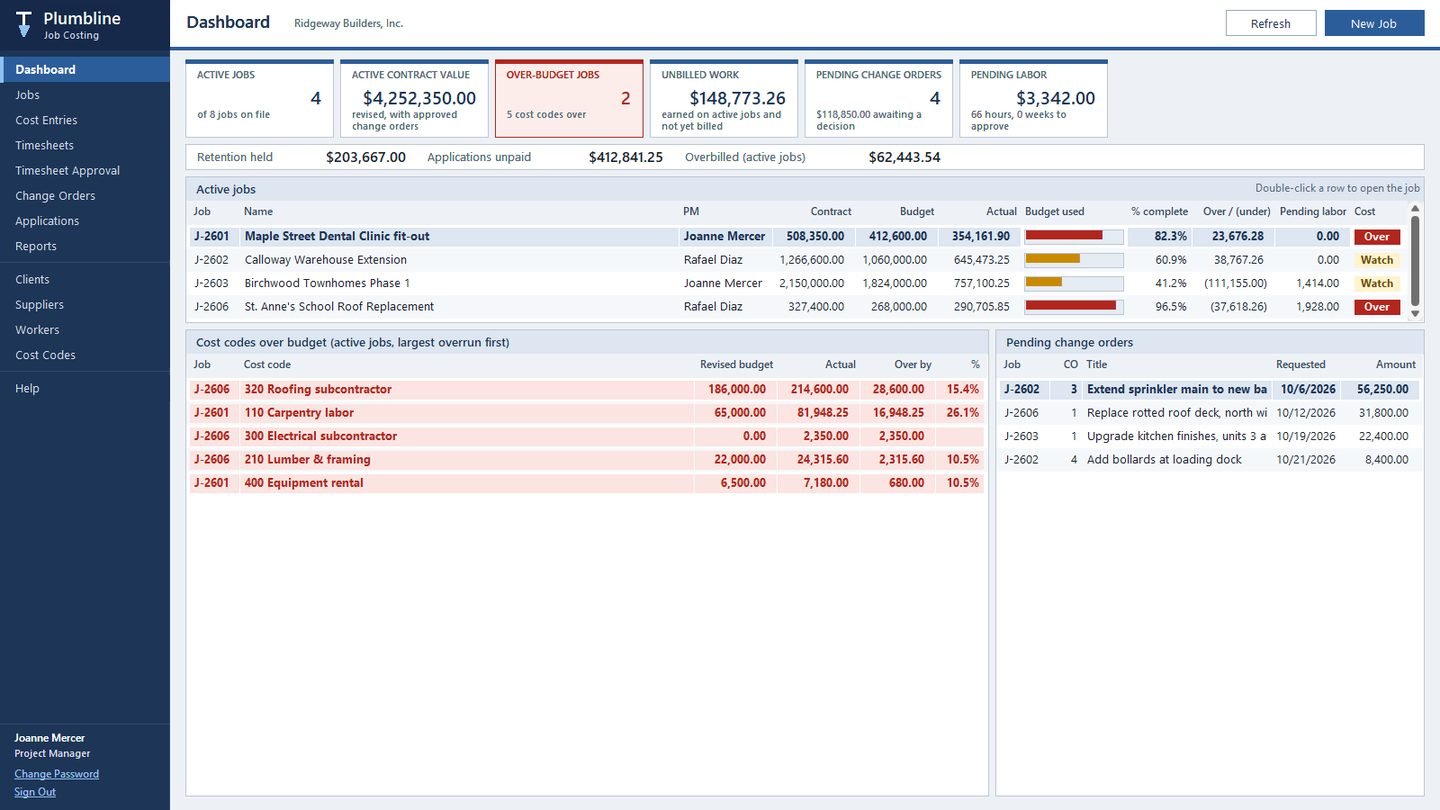
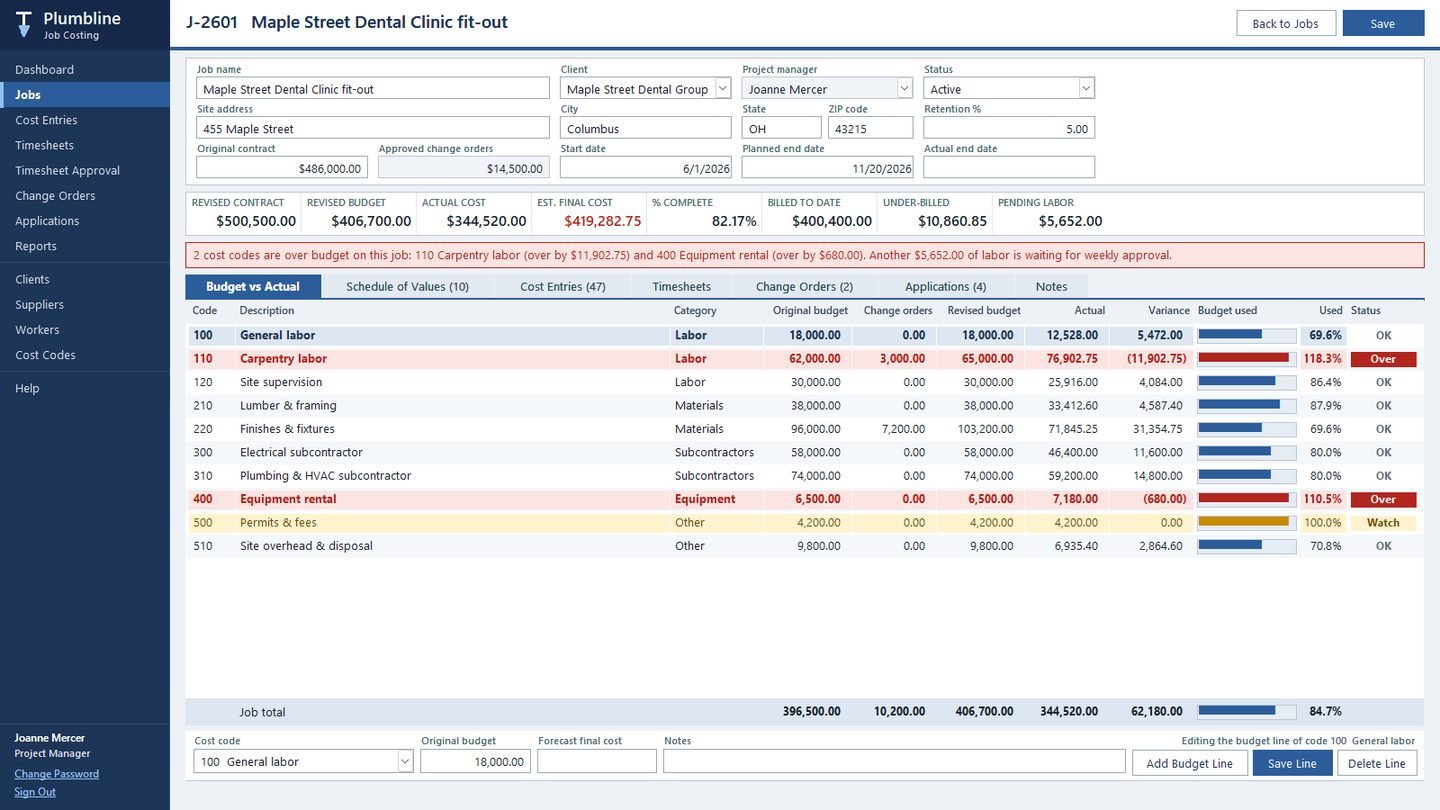
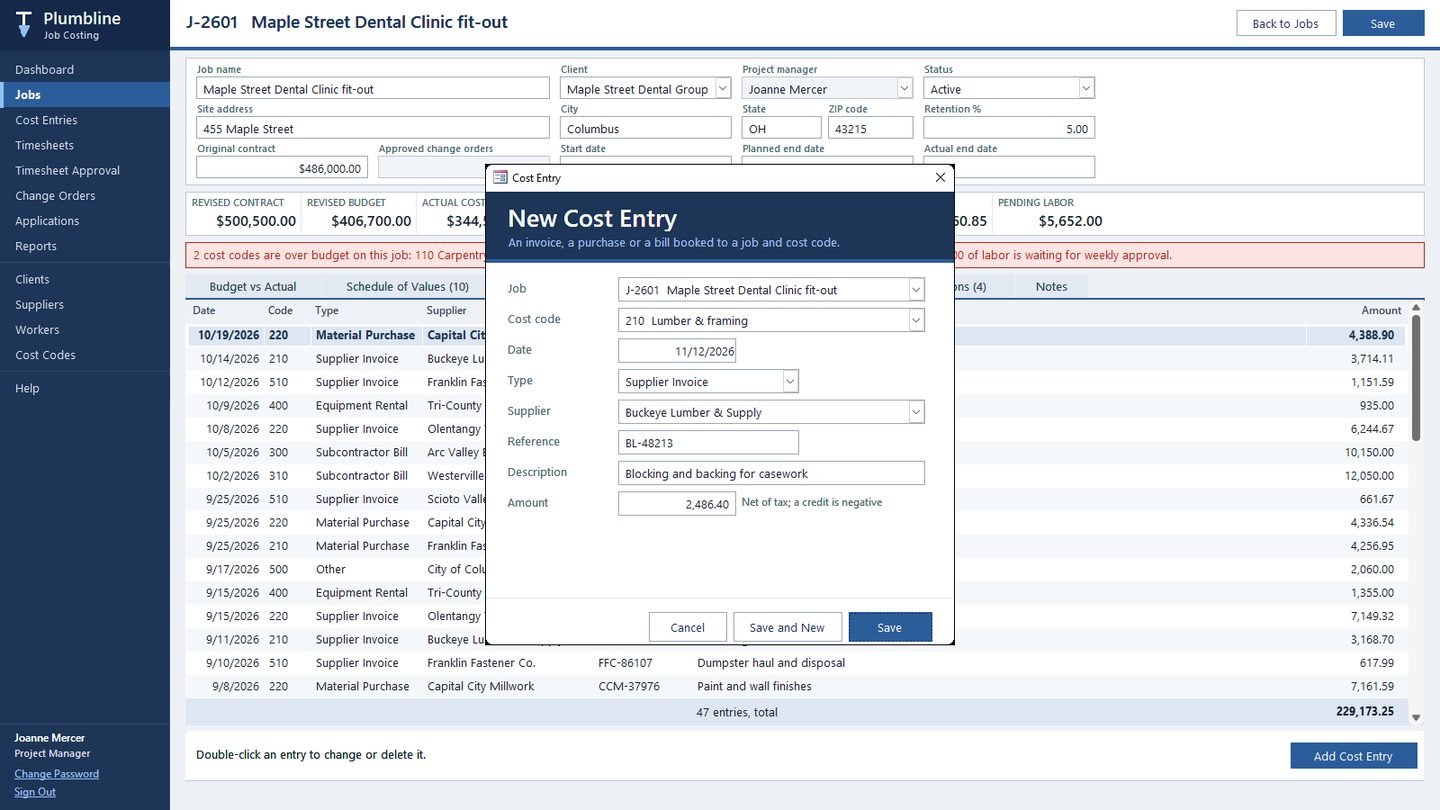
We built Plumbline Job Costing so that every cost lands on a job and a cost code the day it happens. Each job has a budget per cost code and a schedule of values that splits the contract into the lines the client pays against. Supplier invoices, material purchases, subcontractor bills and equipment rentals are entered against a cost code, and the job screen shows budget against actual straight away. A cost code turns amber as it nears its budget and red when it goes over, and a banner on the job names the codes that are over.
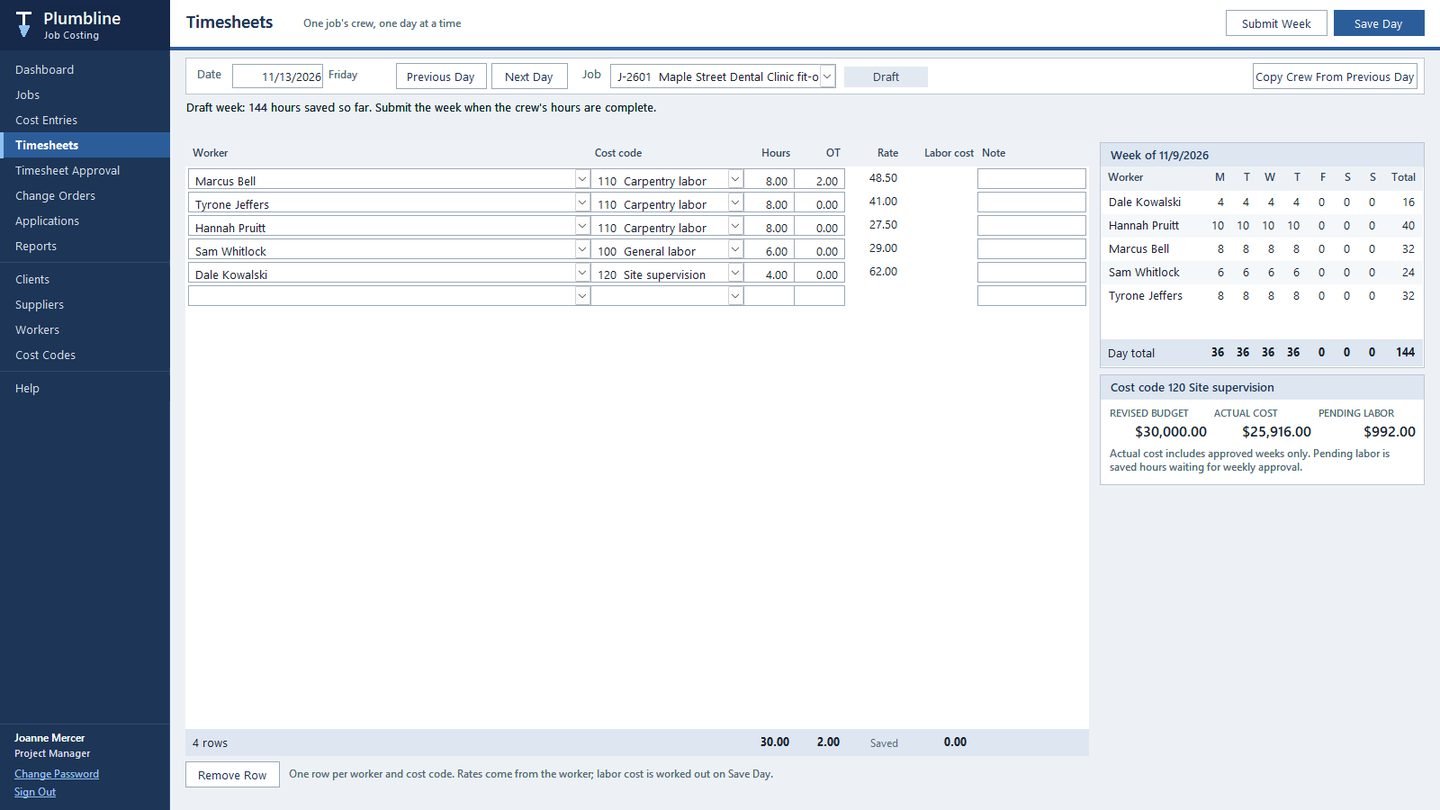
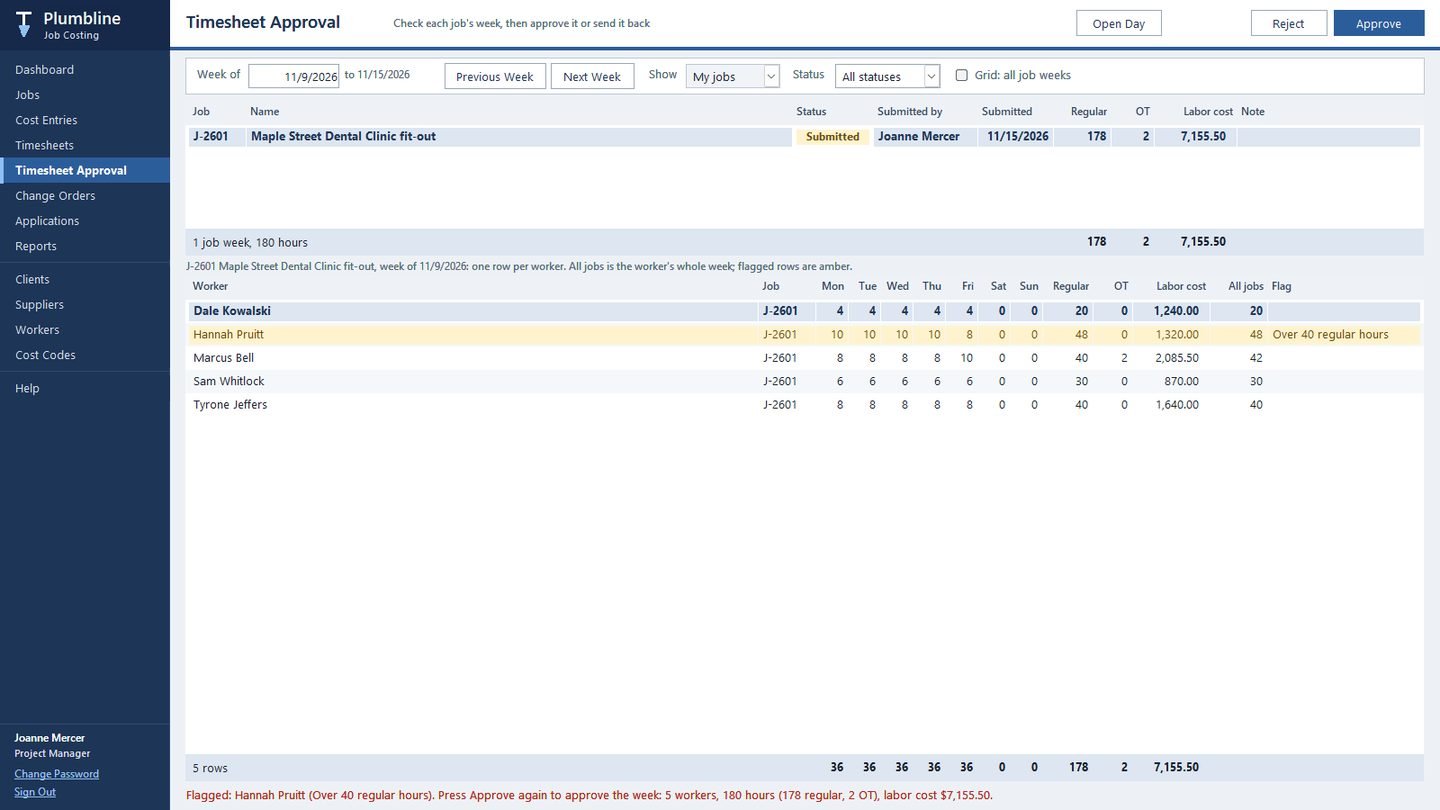
Site staff enter crew hours by job and day. At the end of the week the hours are submitted, and the project manager approves or rejects the week with a note. Rows that need a second look, such as a worker over 40 regular hours or at the daily cap, are flagged before approval. Only approved hours count as cost, priced at each worker's cost rate with overtime at the company's multiplier.
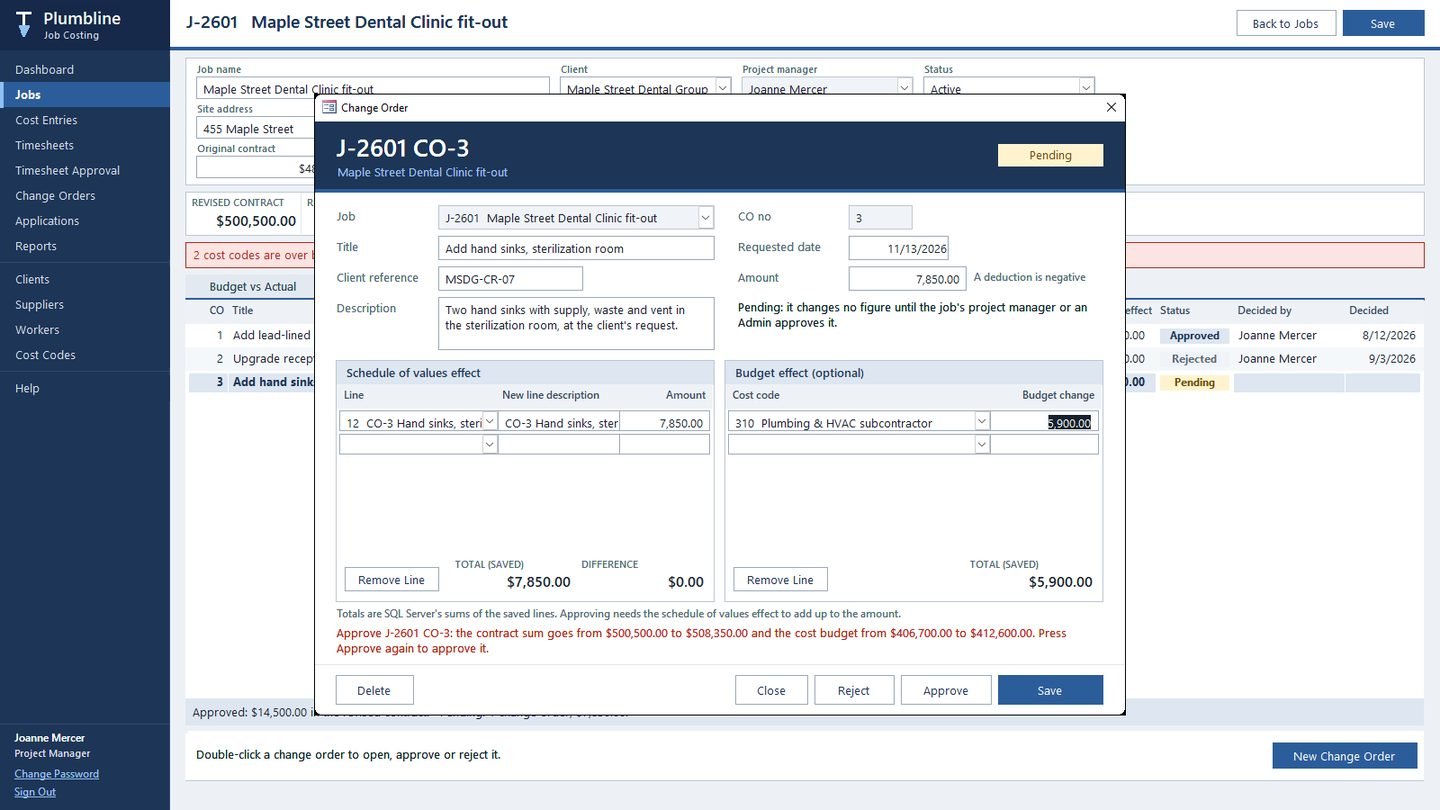
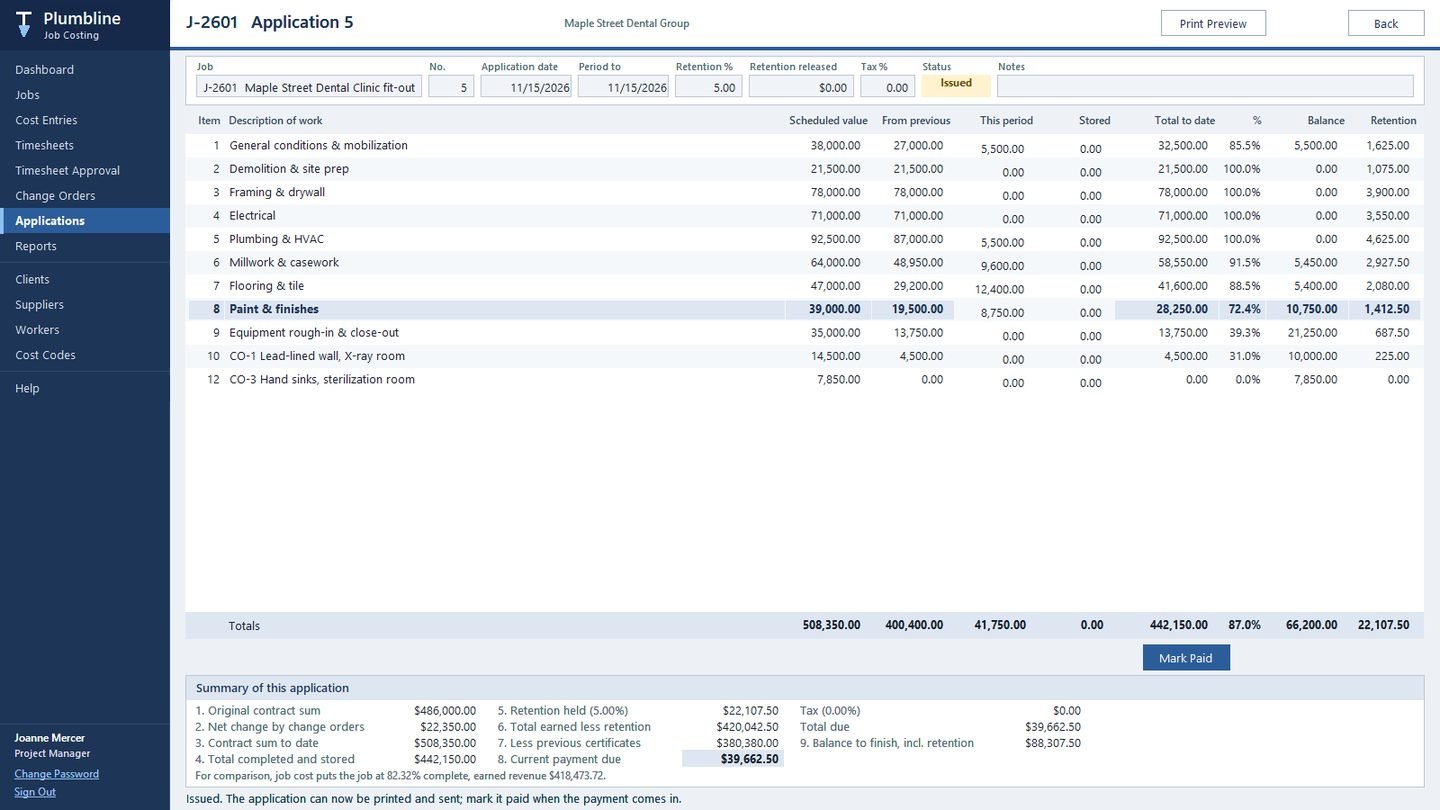
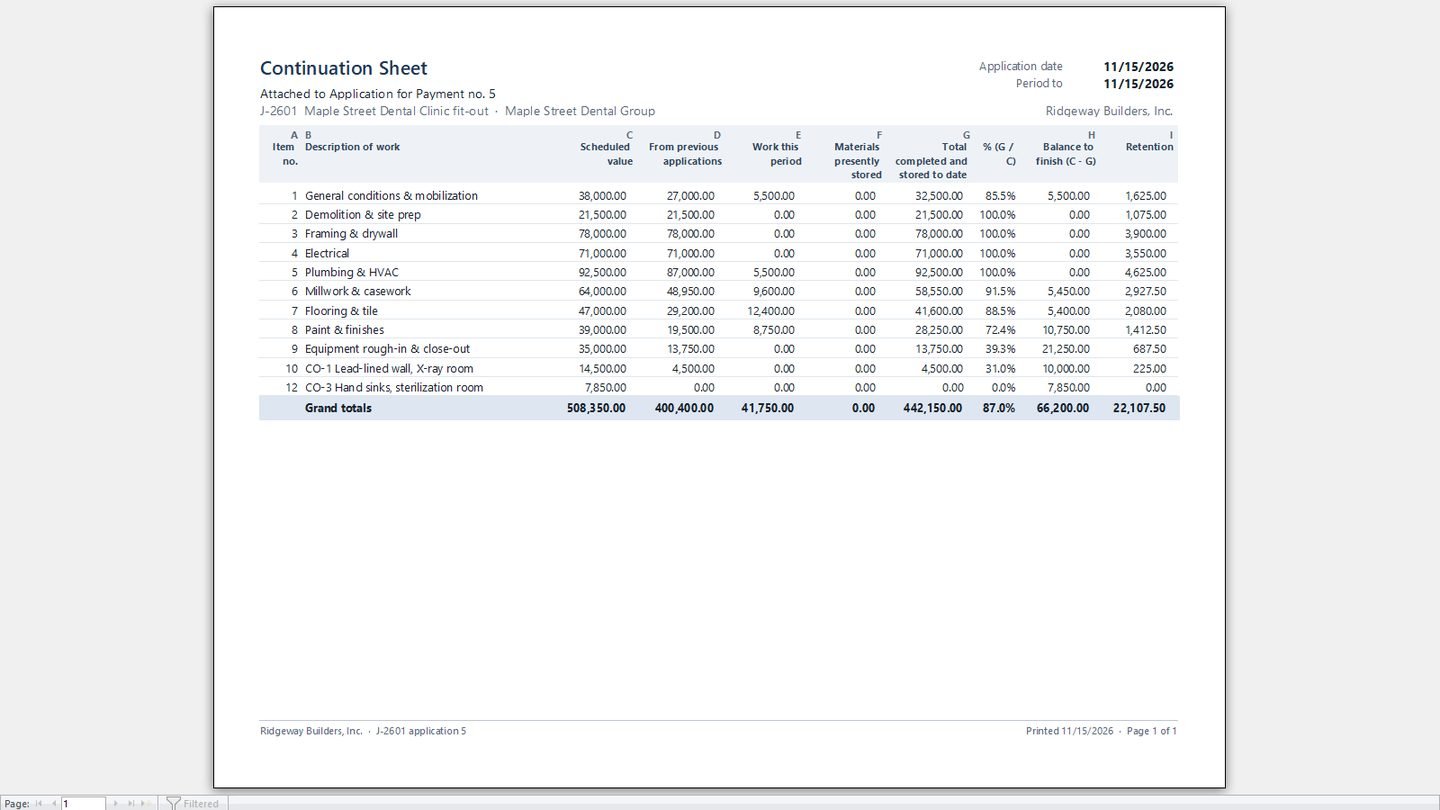
Change orders carry their effect on the contract, the schedule of values and the budget. A pending change order changes no figure. Once approved, the contract sum and the budget move together. At the end of the month the project manager creates an application for payment, types the work completed this period on each line, and Plumbline works out retention, previous certificates and the payment due. It prints as an Application for Payment with its Continuation Sheet.
Built for real use
The screens are a Microsoft Access front end and the data lives in Microsoft SQL Server, so the office and the project managers can work at the same time. Every money figure is worked out once, in SQL Server views and procedures, so the job screen, the dashboard and the reports always agree. Rules that protect the books are enforced in the database itself: hours in a submitted week cannot be changed, an issued application cannot be edited, and an approved change order cannot be reopened once a later application exists. A first-run screen creates the database and links it; a second PC only needs the server name.
Everyone signs in with their own account. Admins manage settings, users and cost codes. Project managers approve hours and change orders on their own jobs only. Data entry staff enter costs and timesheets without seeing contract values or pay rates. Nine reports cover job cost, budget against actual, over-budget codes, profitability, the WIP schedule, timesheets, change orders, retention and the application for payment, each ready to print or save as PDF. The build is covered by more than a thousand automated tests. The screenshots and the video show fictional data.
Inside the system
SCREEN 01 / 08
What's in the system
What the finished database does, feature by feature.
- Dashboard with active contract value, over-budget jobs, unbilled work, pending change orders and labor waiting for approval
- Budget by cost code for every job, with original budget, change orders and revised budget
- Budget against actual on the job screen, with amber and red warnings by cost code
- Cost entries for supplier invoices, material purchases, subcontractor bills and equipment rentals
- Daily crew timesheets by job, with the week's hours by worker beside them
- Weekly approval by the project manager, with flags for overtime and the daily hours cap
- Only approved hours count as cost, priced at each worker's cost rate and overtime multiplier
- Change orders with their effect on the contract, the schedule of values and the budget
- Schedule of values for every job, locked once an application has been issued
- Applications for payment with retention, previous certificates and payment due
- Printable Application for Payment and Continuation Sheet
- WIP schedule with earned revenue, overbilling and underbilling per job
- 9 reports, each viewable on screen or saved as PDF
- Roles for Admins, project managers and data entry staff
- Money rules enforced in SQL Server, not only on the screen
- SQL Server back end, created and linked by a first-run setup screen
- Screens fill the window at any size
- Built-in help for every area, written in plain language
Want something like this for your business?
Tell us what you're trying to solve. We'll give you a straight answer on scope and cost.