
Case File
NextStep CRM: Free Microsoft Access CRM Template on SQL Server
A free Microsoft Access CRM template with a SQL Server back end: a Today screen for follow-ups, a pipeline board, email templates, Excel import, a weighted forecast and 8 ready-made reports.
IndustrySmall Business & Sales Teams
Built WithMicrosoft Access, VBA, SQL Server, T-SQL views and stored procedures, ODBC (DSN-less linked tables), Access Reports, Ribbon XML
EngagementFull System Build
The challenge
Small sales teams rarely lose customers because they lack software. They lose them because a call that was promised for Thursday never happens. Customer details sit in a spreadsheet, the history lives in someone's inbox, and nobody can say which deals have gone quiet. Most CRM products answer this with more screens and more fields, and people stop filling them in.
The solution
NextStep CRM is built around one rule: every person and every open deal has a next step with a date. The Today screen opens with what is overdue, what is due today, new leads nobody has called yet and deals that have gone quiet. When you finish a call you record how it went and book the next step in the same small window, so the follow-up is never left to memory.
Deals move through stages you can rename. The pipeline board shows a column per stage with its total, and a deal with no contact for a set number of days gets an amber edge, then a red one. Each stage carries a win chance, so the forecast by month needs no extra typing. Emails start from saved templates with the name and company filled in, open in Outlook for you to send, and are logged on the person's timeline.
Built for real use
The screens are a Microsoft Access front end and the data lives in Microsoft SQL Server, so several people can work at once and the 2 GB Access file limit does not apply. A first-run screen creates the database and links it; a second PC only needs the server name. It runs on the free SQL Server Express or a SQL Server on your network. Everyone signs in with their own account: Admins manage settings, users and lists, staff work their own follow-ups and deals. An existing customer list can be imported from Excel or CSV with duplicates skipped. Eight reports cover the pipeline, the forecast, which lead sources turn into sales, why deals were lost, activity by user and quiet deals, each ready to print or save as PDF. Sample data for a fictional business services company is included, and the file is fully editable, so it can be adapted to how your team sells.
- Today screen: overdue and due follow-ups, untouched leads and quiet deals
- Finish an activity and book the next step in one window
- Pipeline board with a column per stage, counts and totals
- Quiet deals flagged amber, then red, after a number of days you set
- Quick add for a new person, company and deal, with a duplicate warning
- Timeline of every call, email, meeting and note for each person, company and deal
- Email templates with merge fields, opened in Outlook and logged automatically
- Call, WhatsApp, website and map links on every person
- Import people from Excel or CSV with automatic column matching
- Search across people, companies and deals from one box
- Weighted forecast by month from each stage's win chance
- 8 ready-made reports, each viewable on screen or saved as PDF
- Tags, lead sources, lost reasons and three custom fields you can name
- Export any list to Excel
- Sign-in with hashed passwords and Admin and User roles
- SQL Server back end, created and linked by a first-run setup screen
- Screens fill the window at any size
- Built-in help for every area, written in plain language
- Fictional sample data included for instant testing
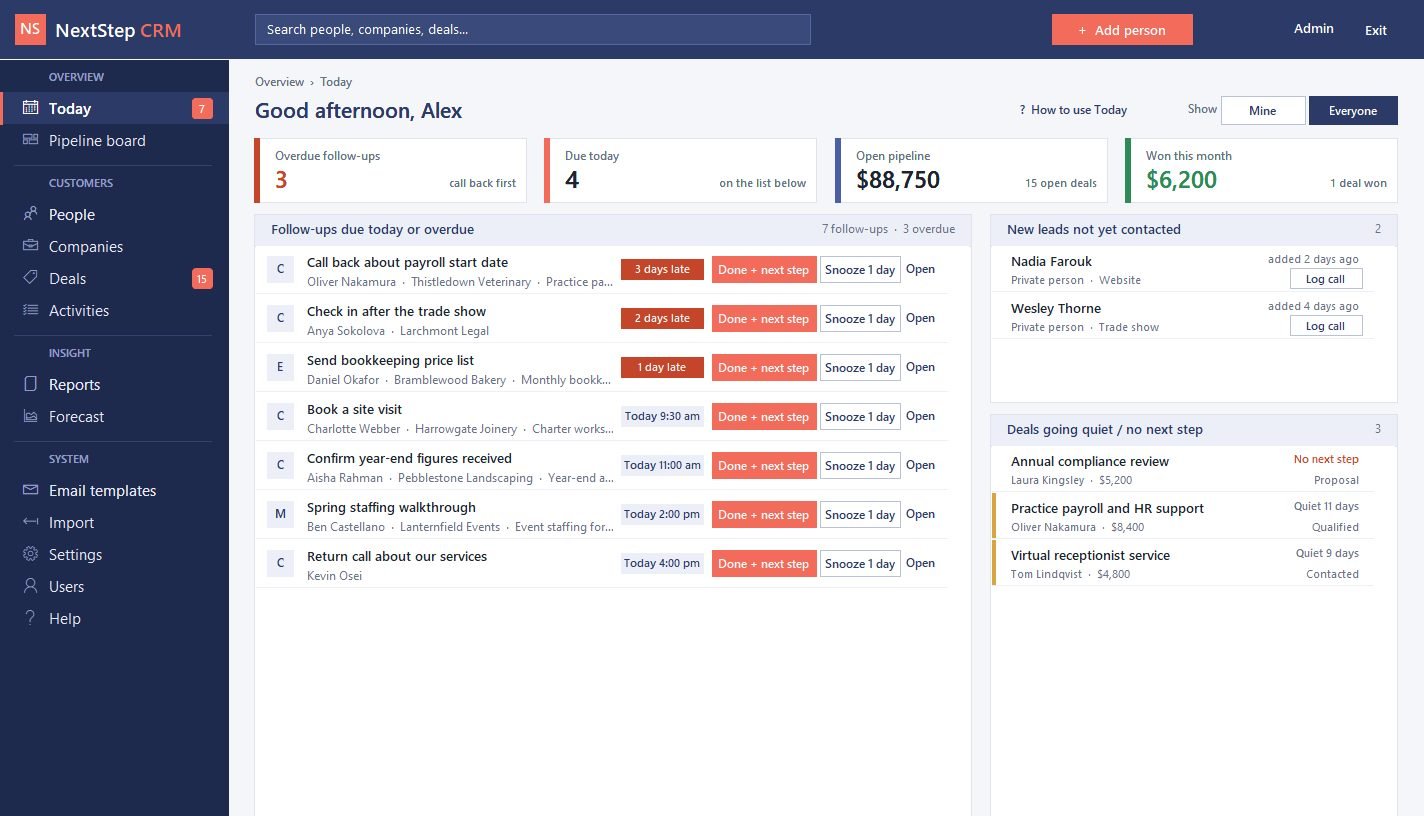 Today screen: overdue and due follow-ups, new leads and deals going quiet
 Pipeline board with a column per stage and amber or red edges on quiet deals
 A person's page with every call, email and meeting on one timeline
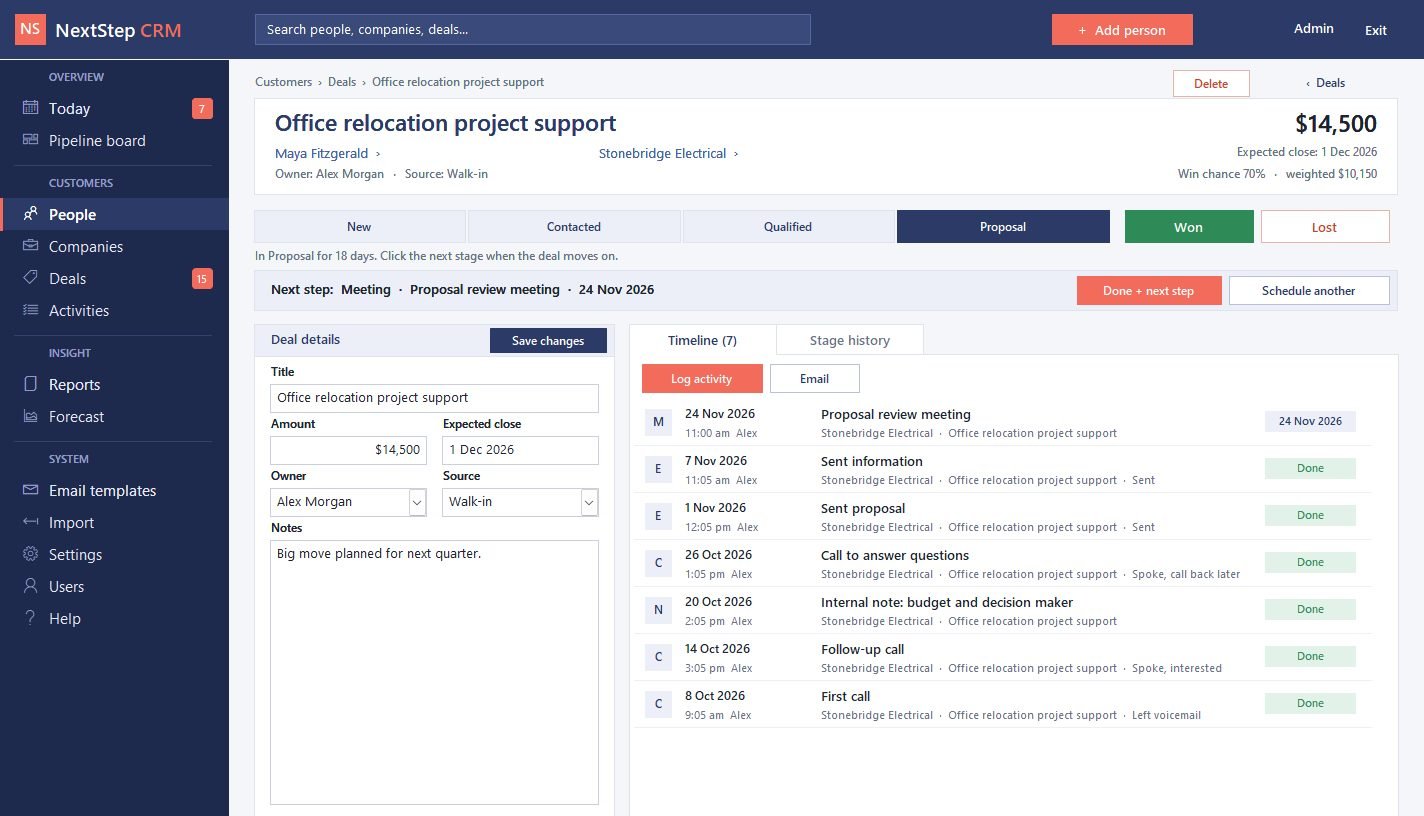 Deal page: click a stage to move the deal, with its next step and history
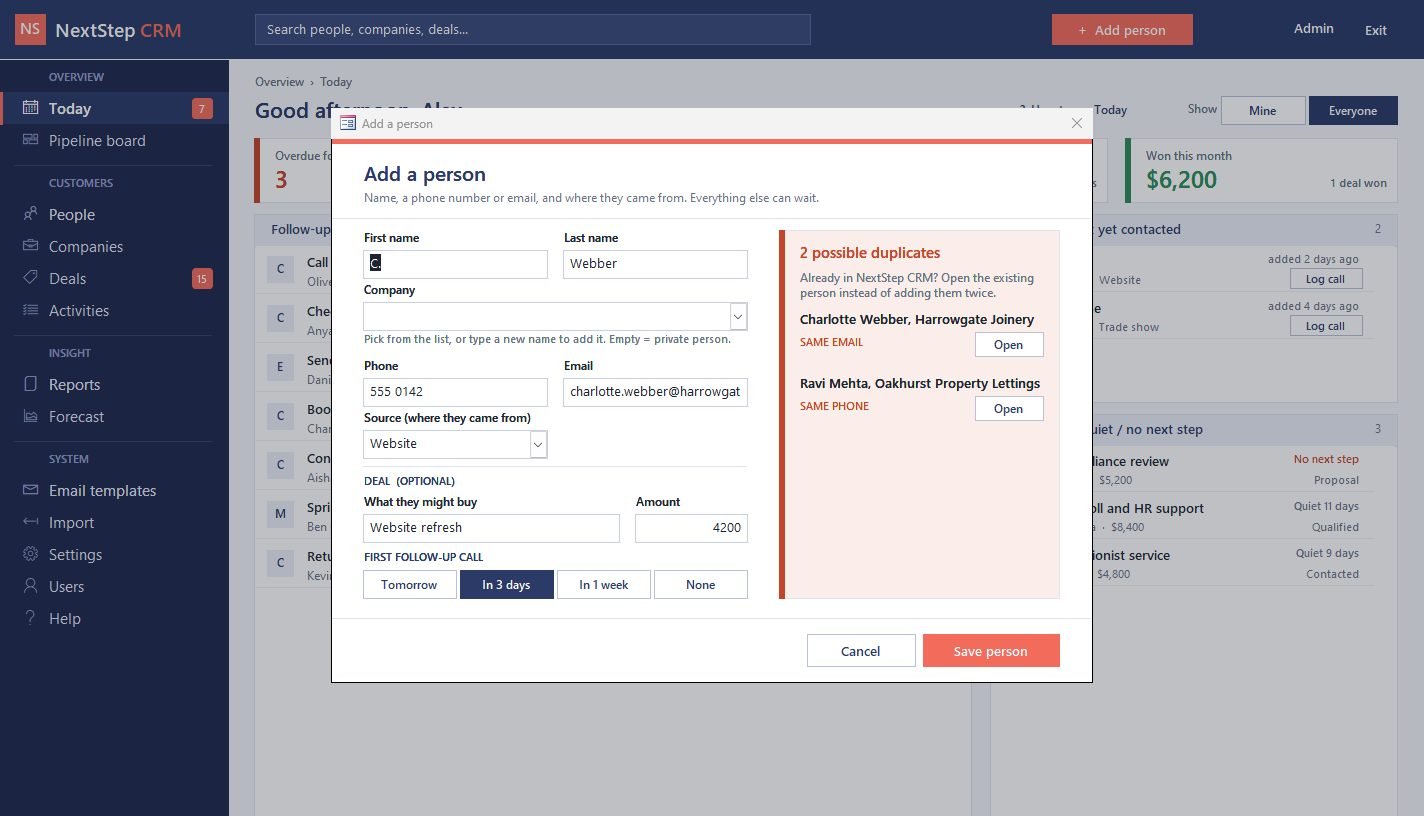 Quick add with a warning when the person is already in the CRM
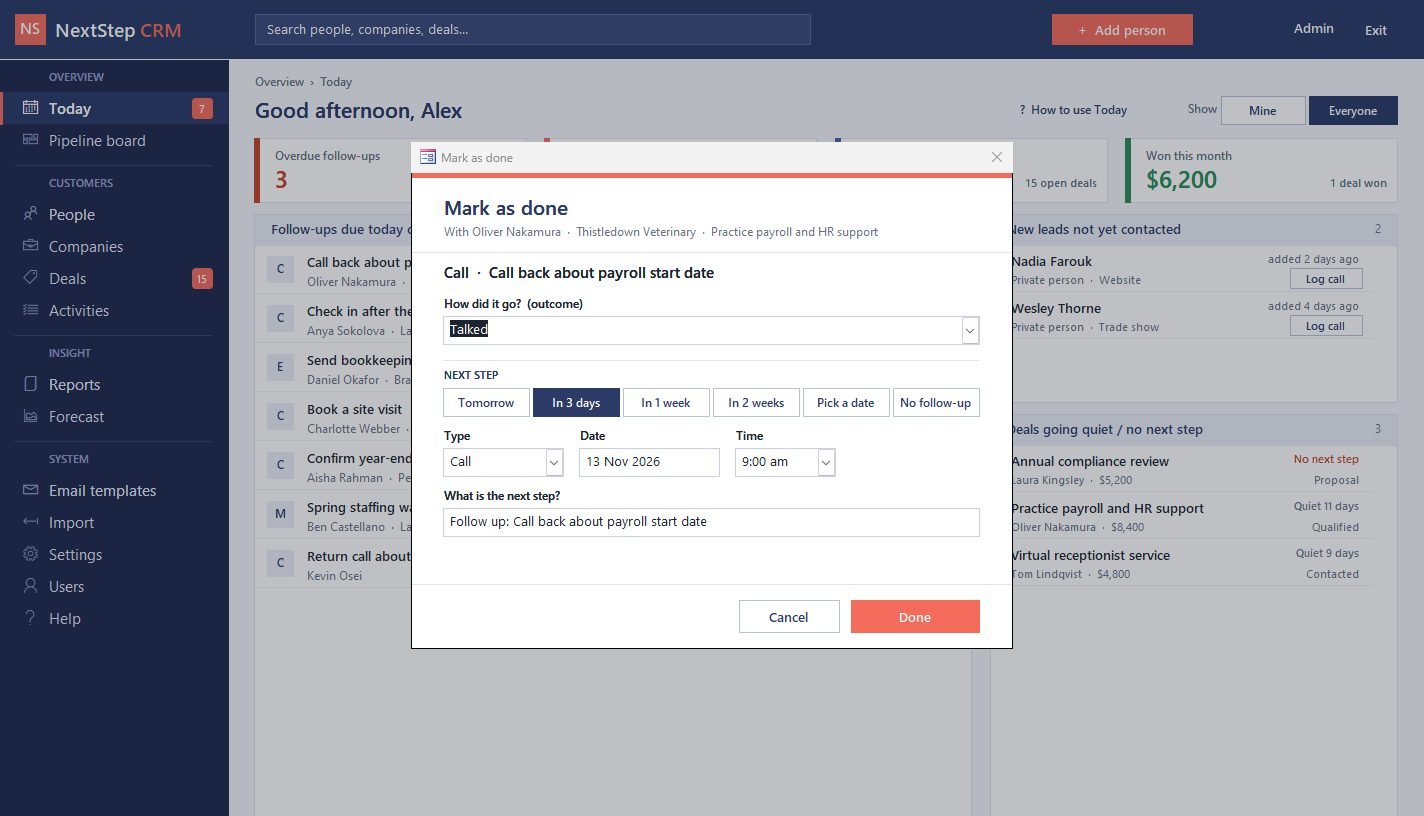 Marking a call done and booking the next step in the same dialog
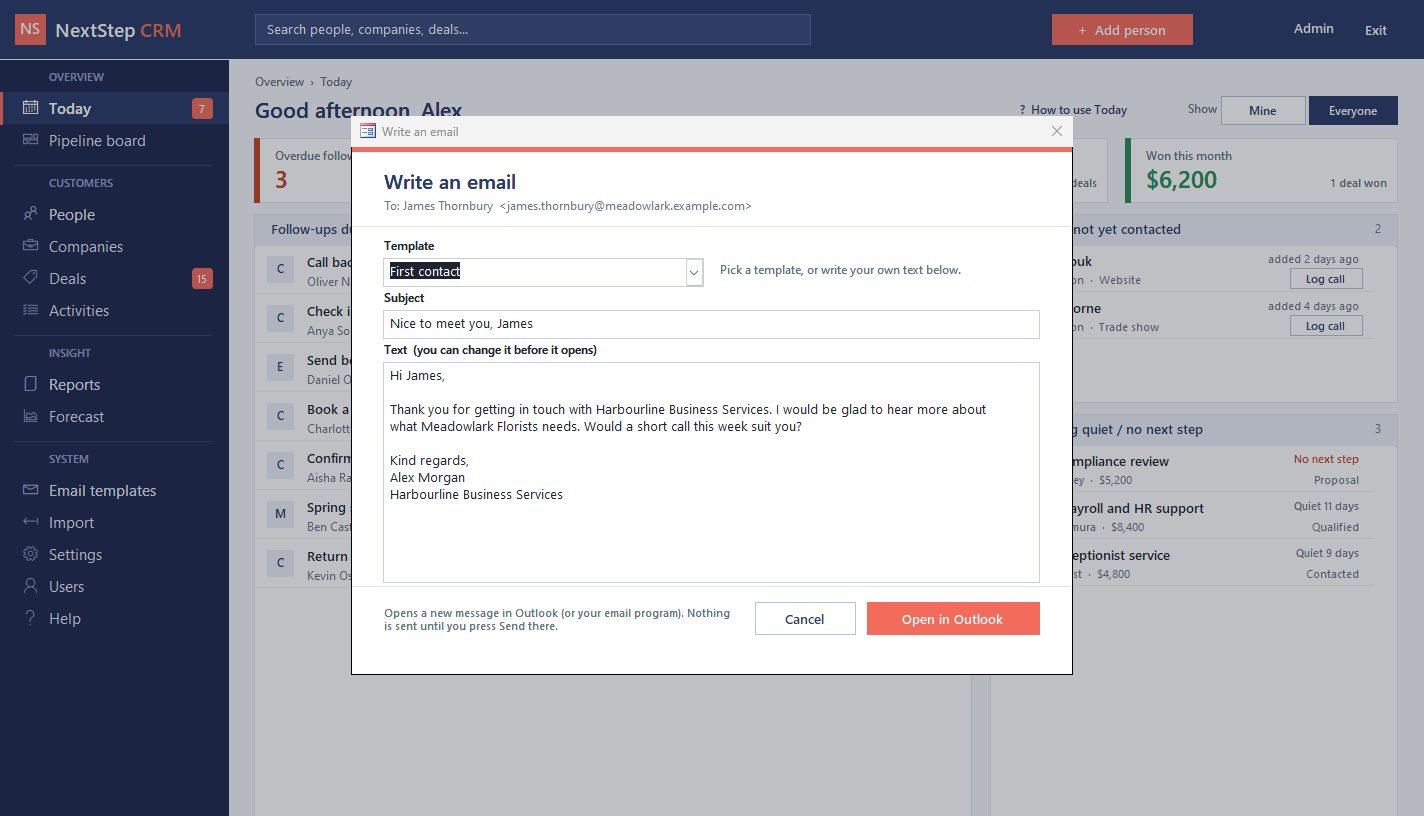 Email from a saved template with the name and company filled in
 Importing a customer list from Excel with automatic column matching
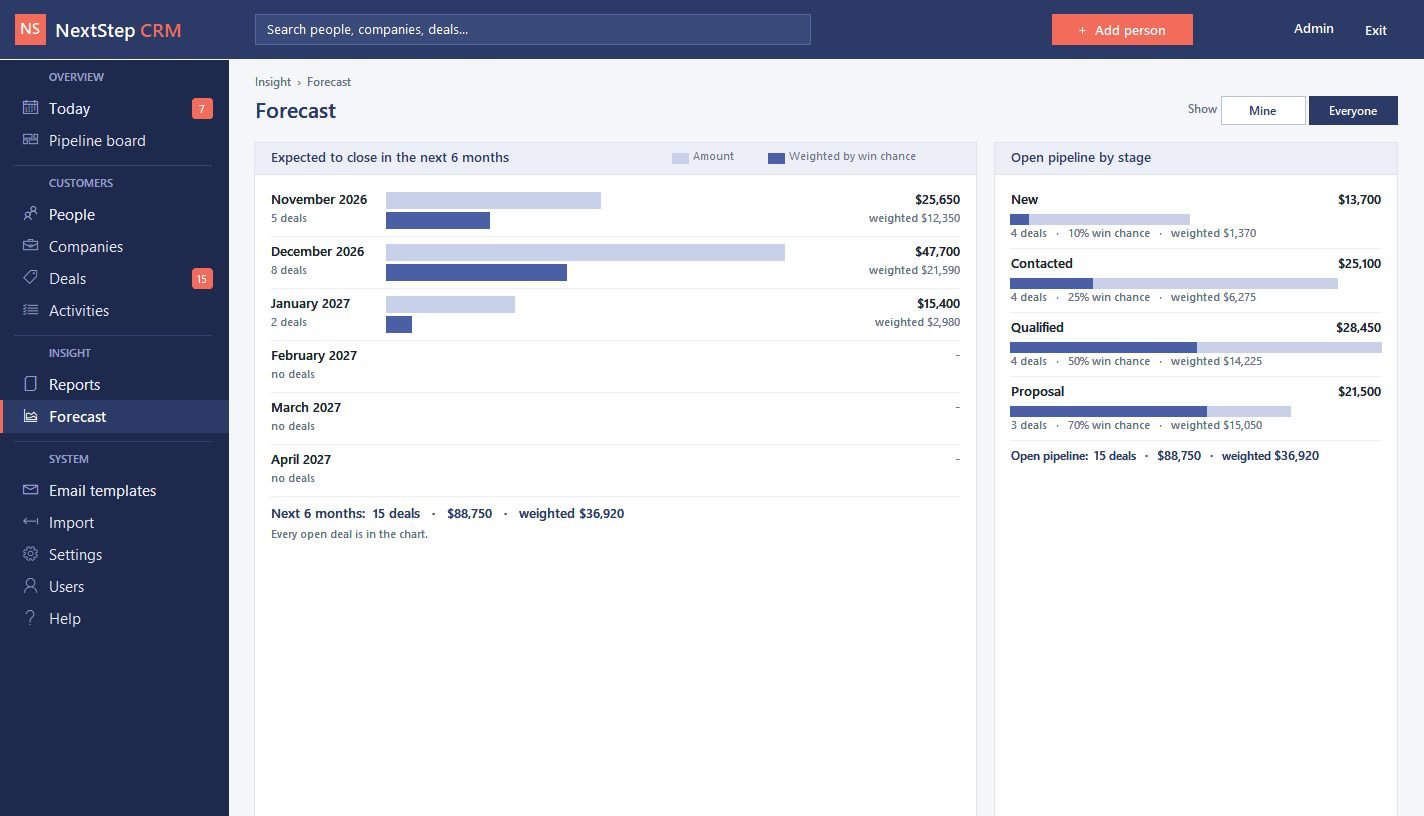 Forecast by month, weighted by each stage's win chance
 Report picker with date, owner and status filters
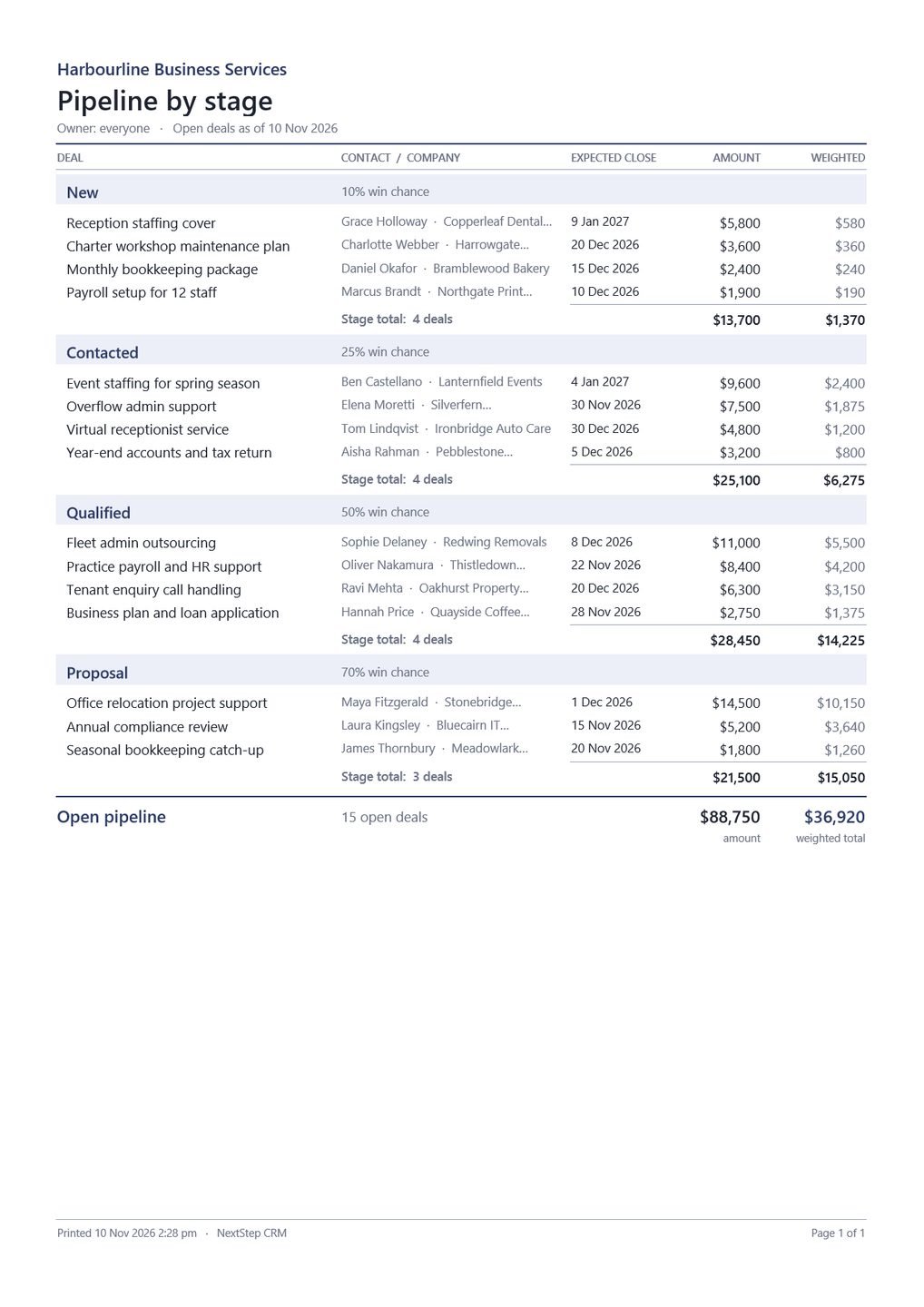 Pipeline by stage report, ready to print or save as PDF
 First-run screen that creates the SQL Server database and links it
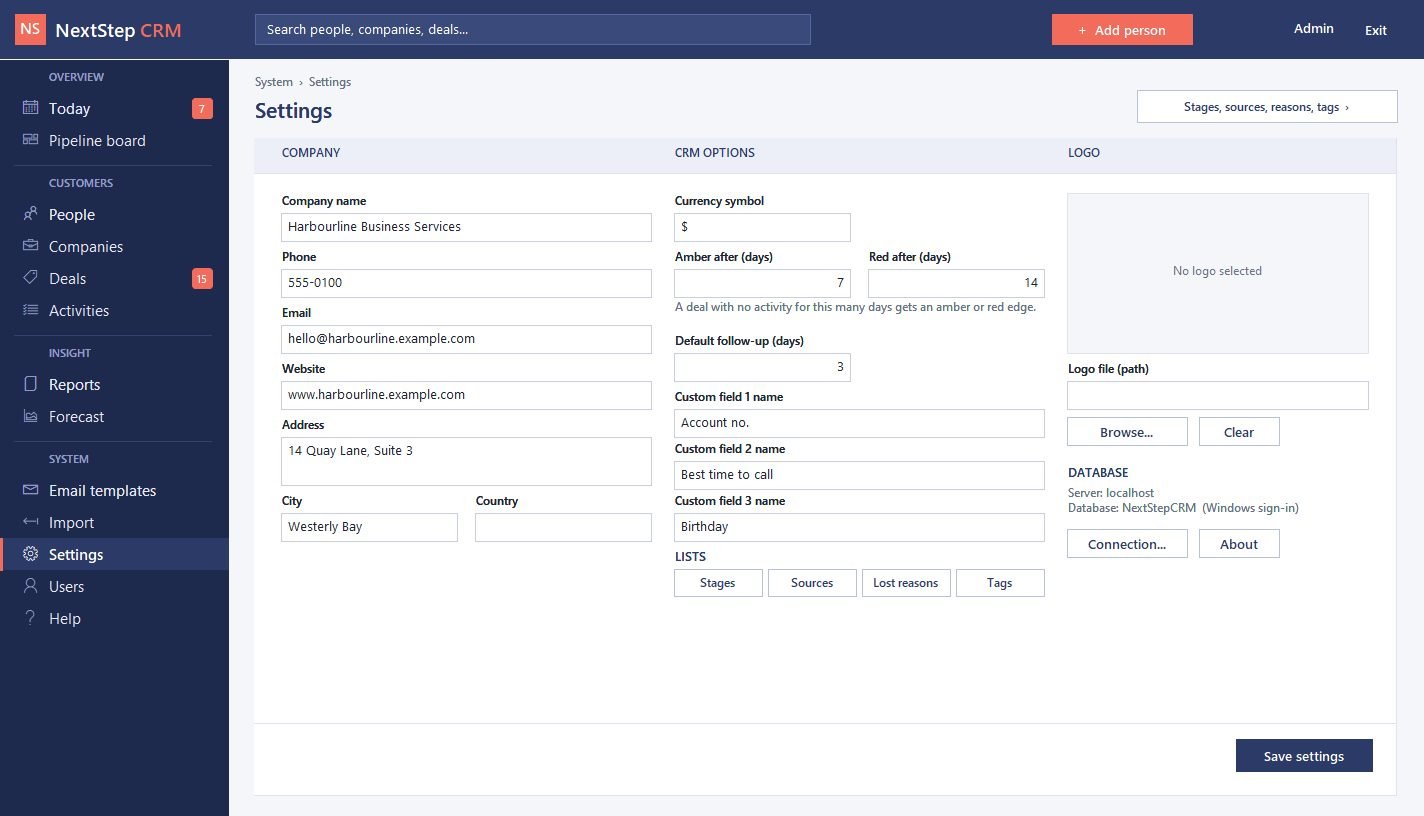 Settings: company details, currency, quiet-deal days and custom fields
 Built-in help written for business owners
 Sign-in screen with Admin and User roles
Want something like this for your business?
Tell us what you're trying to solve — we'll give you a straight answer on scope and cost.