
Case File
Customer Management (CRM)
A secure Microsoft Access customer database with sign-in, role-based access, search-as-you-type, filters, Excel export and a modern black-and-orange interface.
IndustrySmall Business
Built WithMicrosoft Access, VBA, DAO, Windows CNG (SHA-256)
EngagementFull System Build
The client needed a simple, reliable way to store and manage customer details without relying on scattered spreadsheets. The goal was a desktop system their team could use every day to add, edit, search and filter customer records, with proper user accounts so that not everyone had full control.
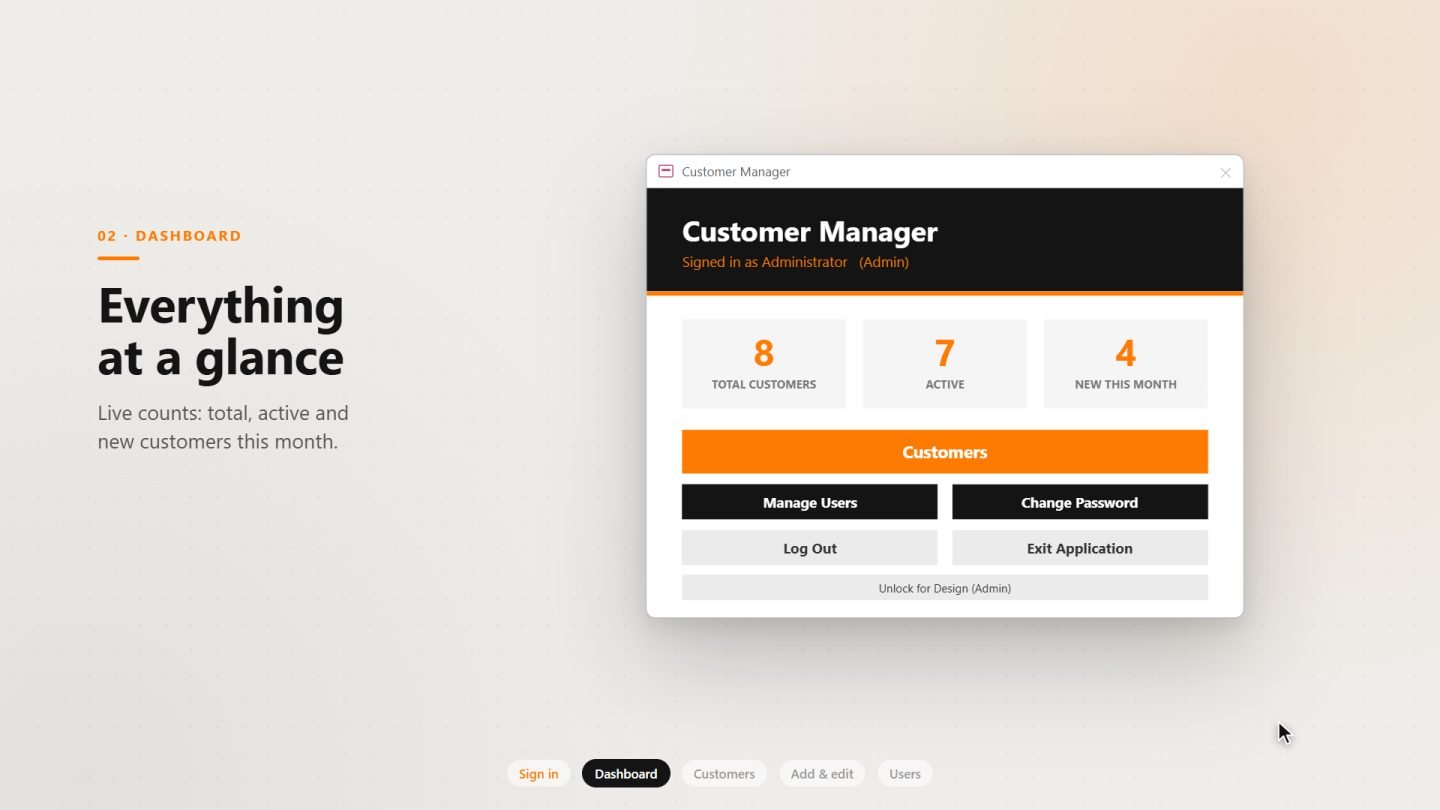
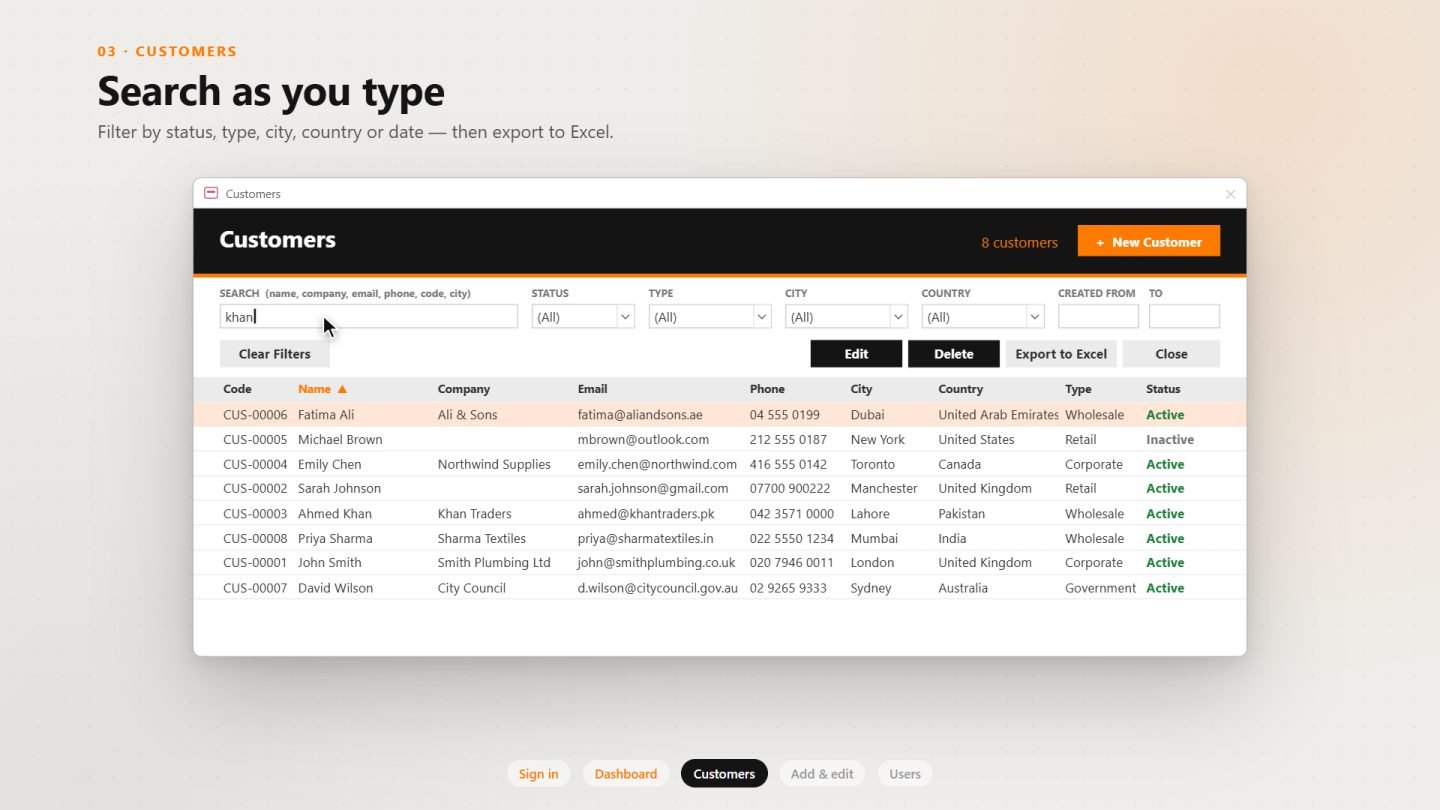
I built a complete customer management system in Microsoft Access with six custom-designed screens. Staff sign in with their own account and land on a dashboard that shows total, active and new customers this month at a glance. From there, the customer list offers instant search as you type across names, companies, emails, phone numbers and cities, along with filters for status, customer type, city, country and date range.
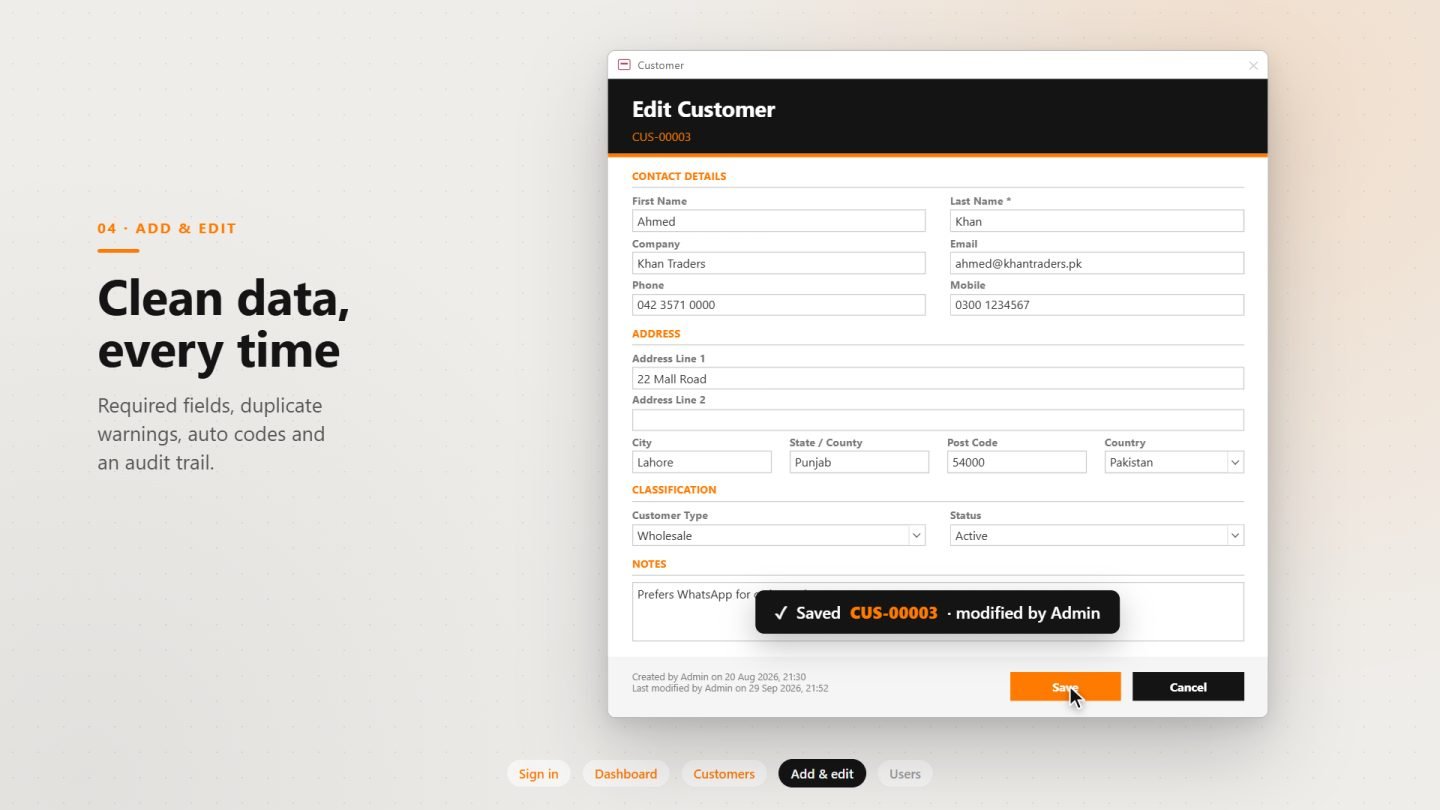
Adding or editing a customer happens in a clean, sectioned form that checks required fields, validates email addresses and warns about possible duplicates before saving. Every record gets an automatic customer code and an audit trail showing who created it and who last changed it.
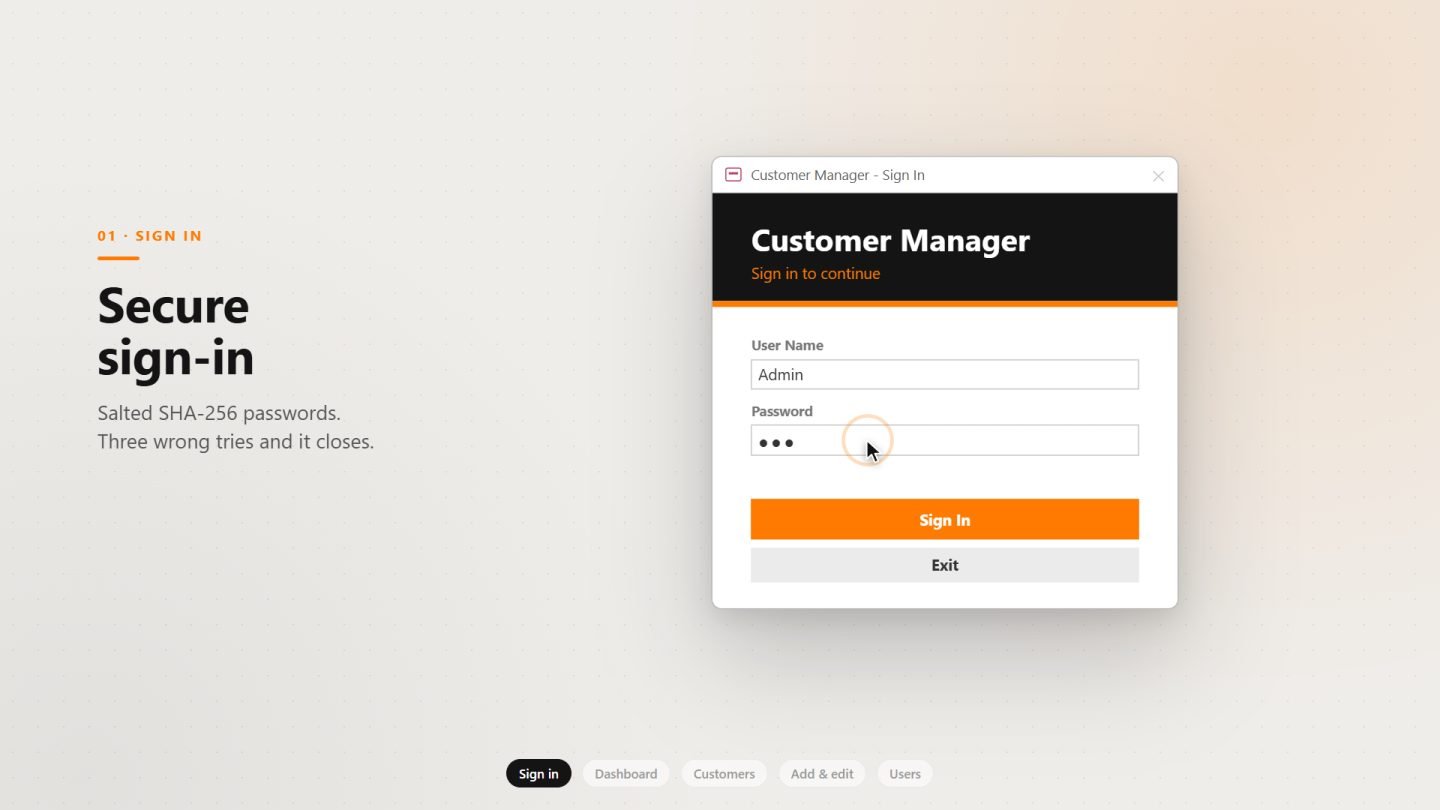
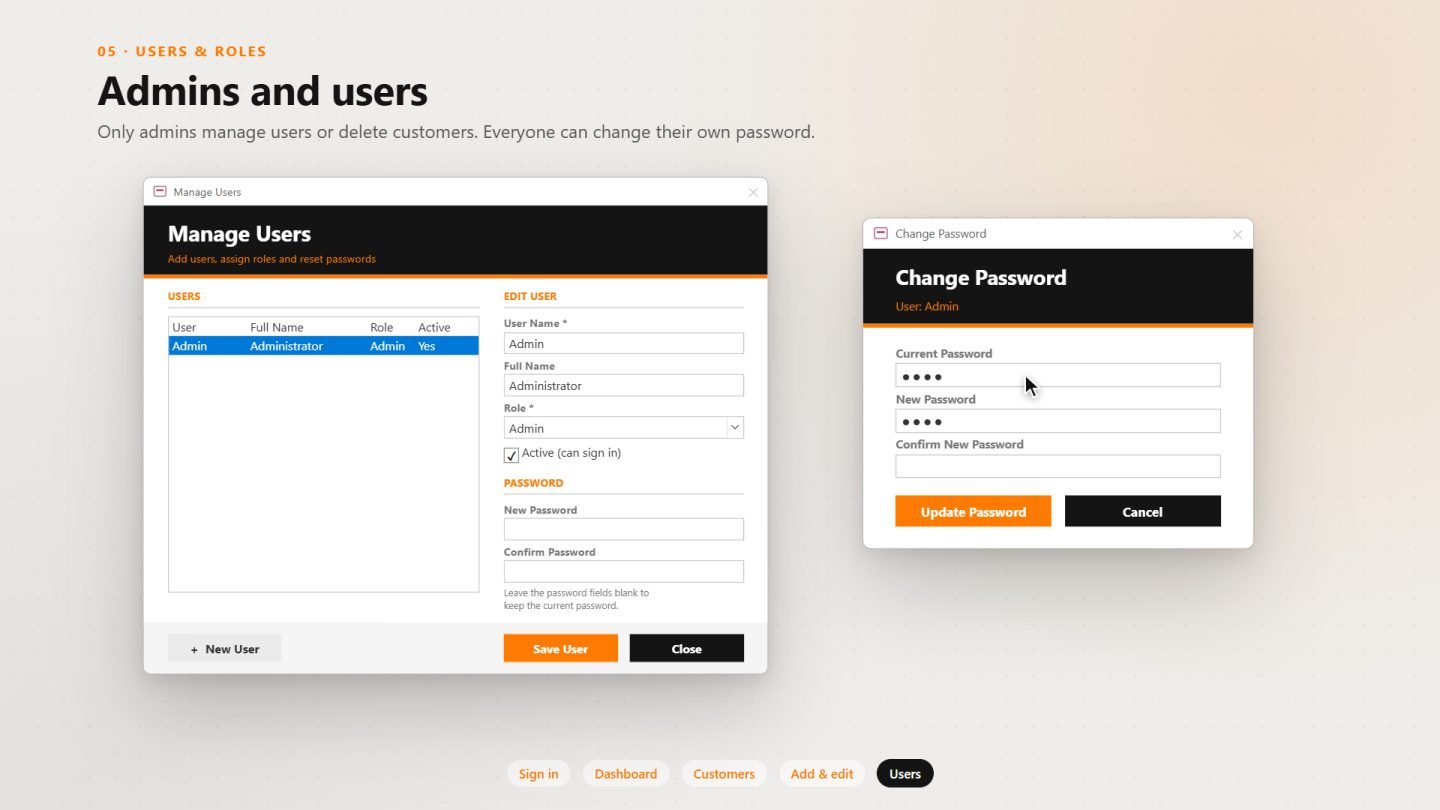
Security was a priority. Passwords are never stored as plain text; they are salted and hashed with SHA-256. Admins can manage users, assign roles and permanently delete records, while standard users can work with customers but can't delete them or change system settings. The finished application is locked down, so the navigation pane, ribbon and design tools stay hidden from everyday users.
The result is an Access application that doesn't look like a typical Access database: fast, easy to learn, and styled in a consistent black, white and orange theme.
I built a complete customer management system in Microsoft Access with six custom-designed screens. Staff sign in with their own account and land on a dashboard that shows total, active and new customers this month at a glance. From there, the customer list offers instant search as you type across names, companies, emails, phone numbers and cities, along with filters for status, customer type, city, country and date range.
Adding or editing a customer happens in a clean, sectioned form that checks required fields, validates email addresses and warns about possible duplicates before saving. Every record gets an automatic customer code and an audit trail showing who created it and who last changed it.
Security was a priority. Passwords are never stored as plain text; they are salted and hashed with SHA-256. Admins can manage users, assign roles and permanently delete records, while standard users can work with customers but can't delete them or change system settings. The finished application is locked down, so the navigation pane, ribbon and design tools stay hidden from everyday users.
The result is an Access application that doesn't look like a typical Access database: fast, easy to learn, and styled in a consistent black, white and orange theme.
- Secure sign-in with salted SHA-256 password hashing
- Automatic lockout after three failed login attempts
- Role-based access for Admin and standard User accounts
- Dashboard with live counts of total, active and new customers
- Search as you type across name, company, email, phone, code and city
- Filters by status, customer type, city, country and date range
- Click-to-sort columns in the customer list
- One-click export of filtered results to Excel
- Add and edit form with required-field and email validation
- Duplicate customer warnings based on email and phone
- Automatic customer codes (CUS-00001, CUS-00002, …)
- Audit trail recording who created and last modified each record
- Admin-only permanent delete with confirmation
- User management for adding users, assigning roles, resetting passwords and deactivating accounts
- Self-service password change for every user
- Login activity log for security tracking
- Editable dropdown lists for customer types, statuses and countries
- Locked-down interface with hidden navigation pane and ribbon
- Modern custom UI in a consistent black, white and orange theme
Want something like this for your business?
Tell us what you're trying to solve — we'll give you a straight answer on scope and cost.