
Accounting & CPA Firms
CPA Client & Deadline Tracker: Microsoft Access and SQL Server System for CPA Firms
A client and deadline system for a small CPA firm, built in Microsoft Access with a SQL Server back end: federal and state deadlines, extensions, document checklists, preparer and reviewer assignments, 8 reports and a one-step new tax year.
- INDUSTRY
- Accounting & CPA Firms
- BUILT_WITH
- Microsoft Access (compiled .accde), VBA, SQL Server (tested on 2025 Express), T-SQL views, triggers and stored procedures, ODBC Driver 18 (DSN-less, encrypted), Access Reports with PDF export
- ENGAGEMENT
- Full System Build
- STATUS
- Delivered
The project
The challenge
A small CPA firm can have a few hundred clients, each with a federal return, one or more state returns, perhaps quarterly payroll filings, and a list of documents that must arrive before anyone can start. In many small firms, all of that lives in a spreadsheet, a shared calendar and several inboxes. The questions that matter in March and October are simple: what is due this week, which clients still owe us paperwork, and who is working on each return. Getting those answers usually means asking around the office.
The solution
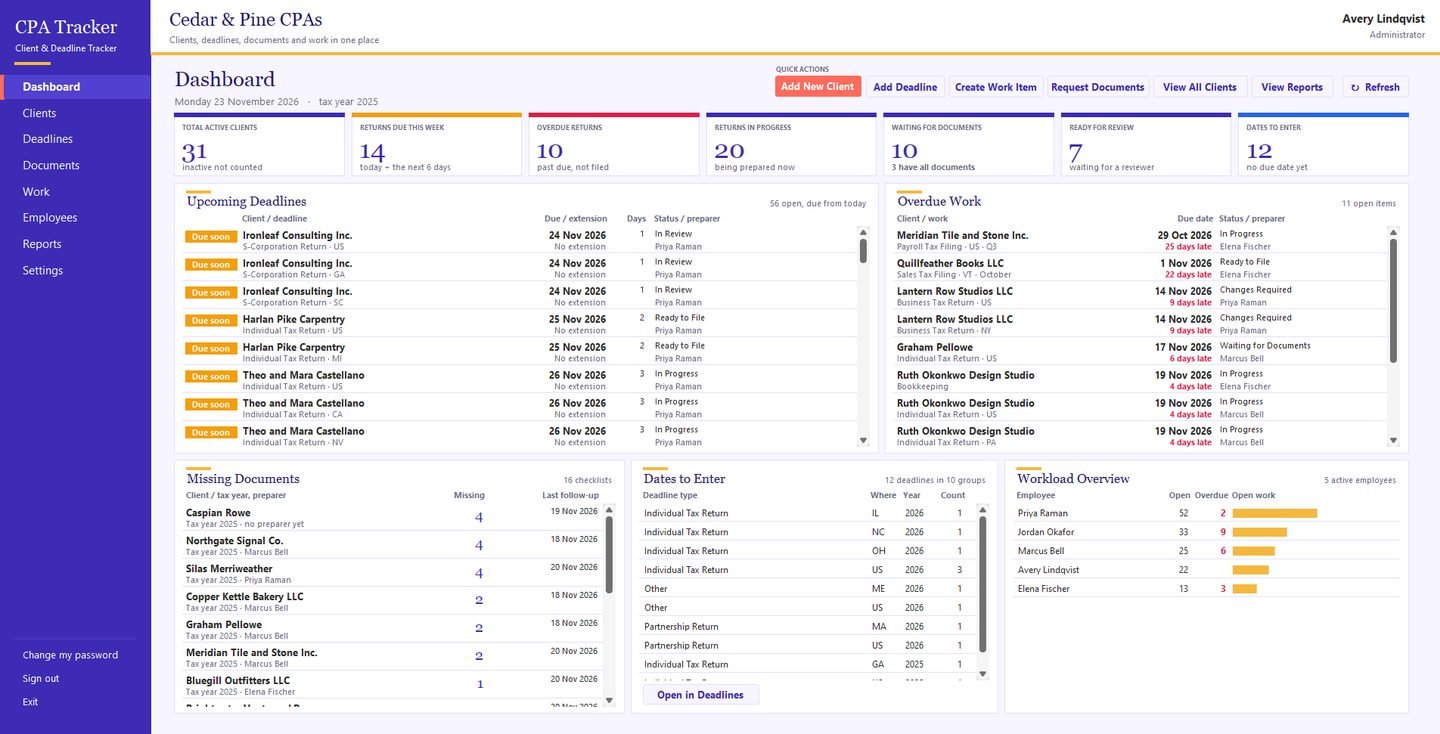
We built the CPA Client & Deadline Tracker so one screen answers those questions. The dashboard opens with seven counts (active clients, returns due this week, overdue, in progress, waiting for documents, ready for review and dates still to enter), followed by upcoming deadlines, overdue work, clients with missing documents and each employee's workload. Double-click any line to open the record behind it.
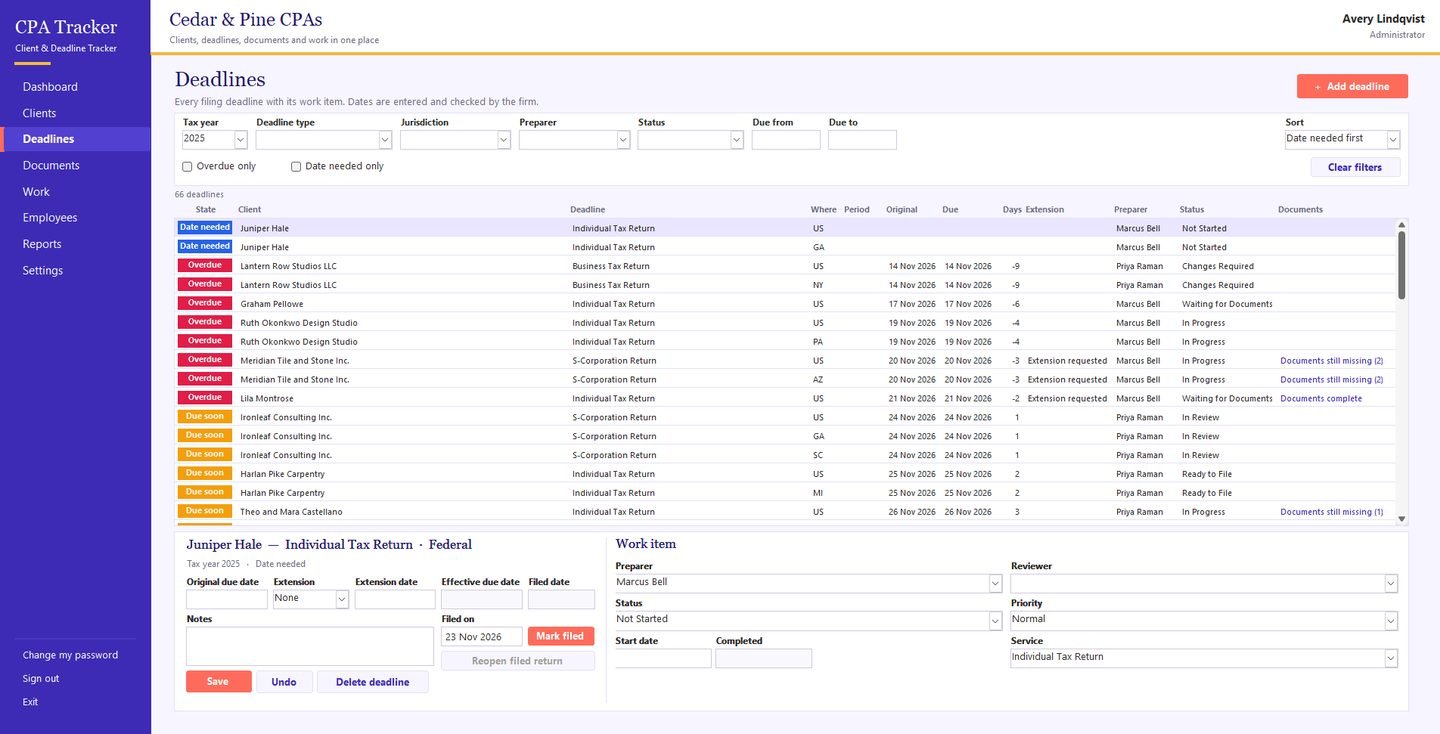
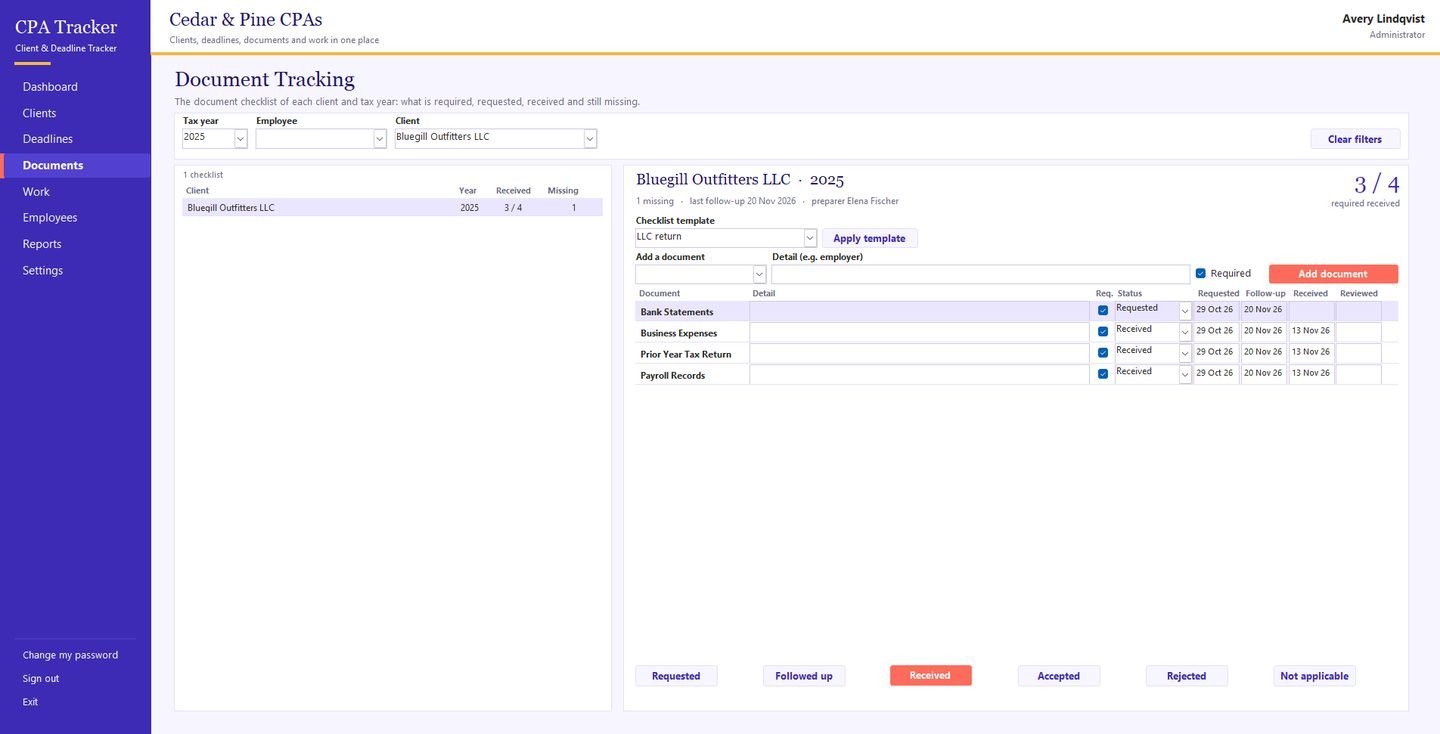
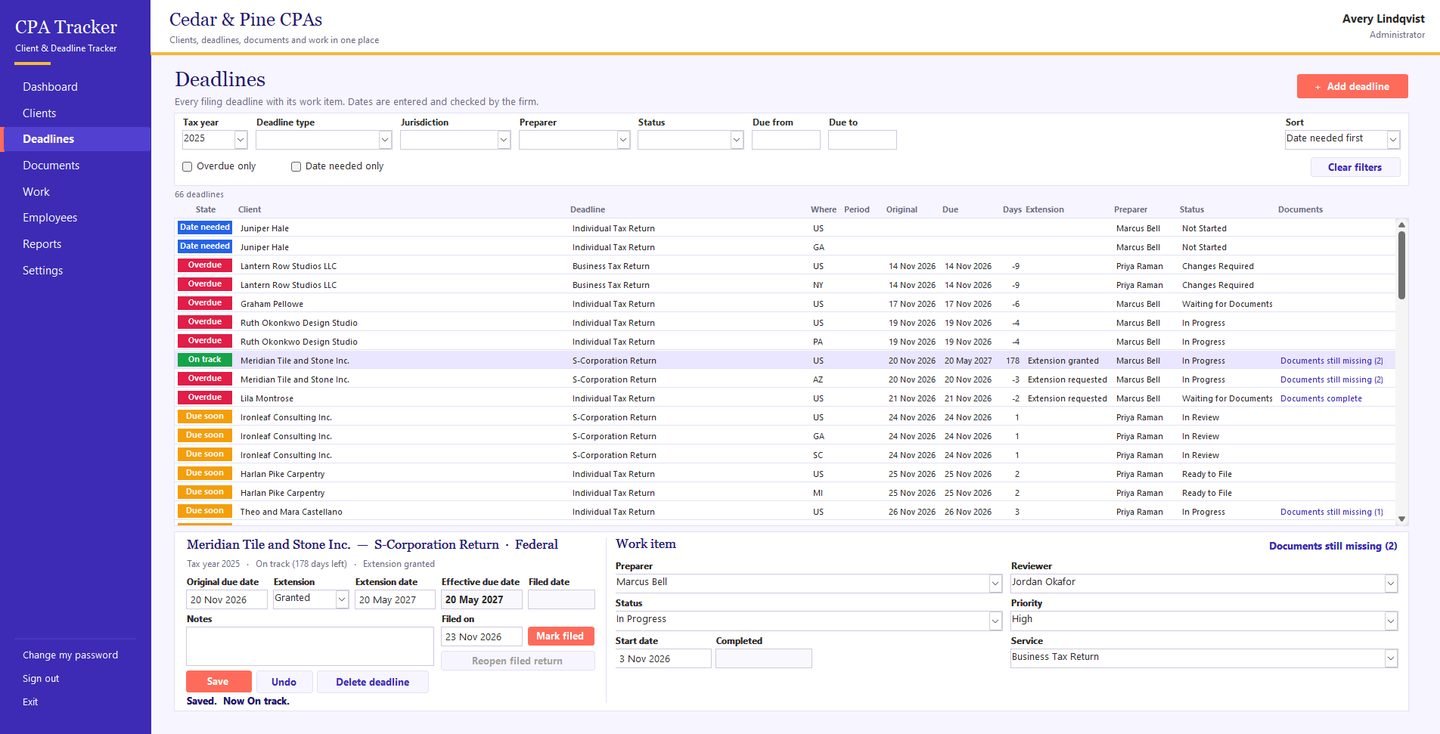
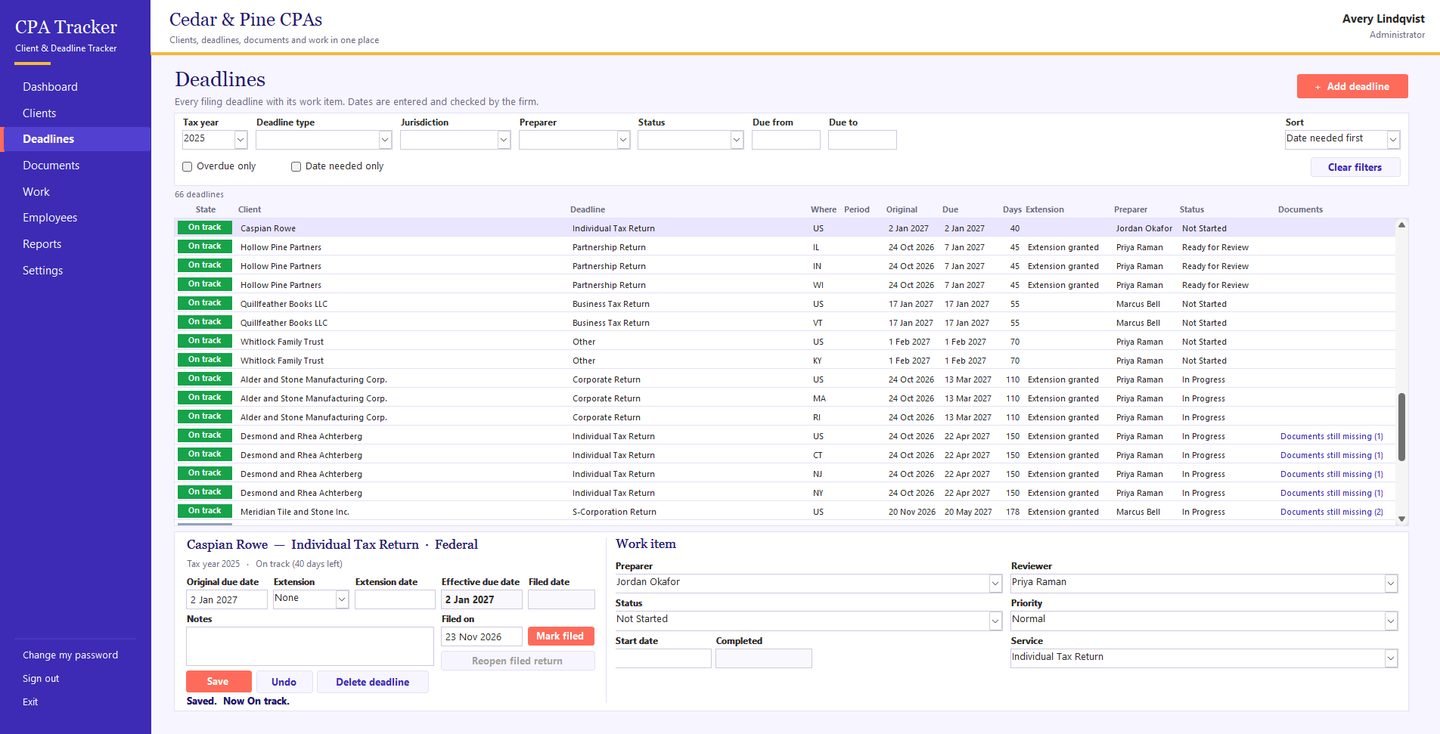
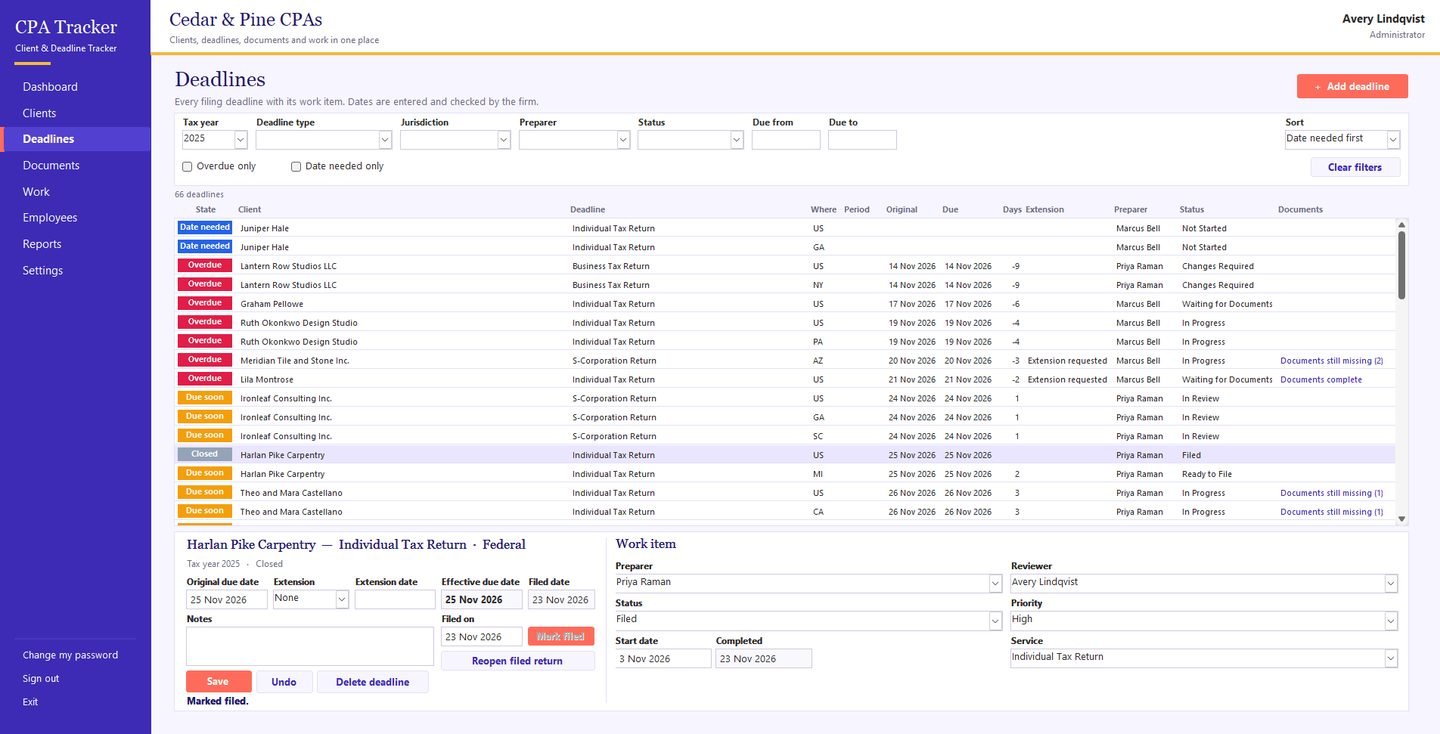
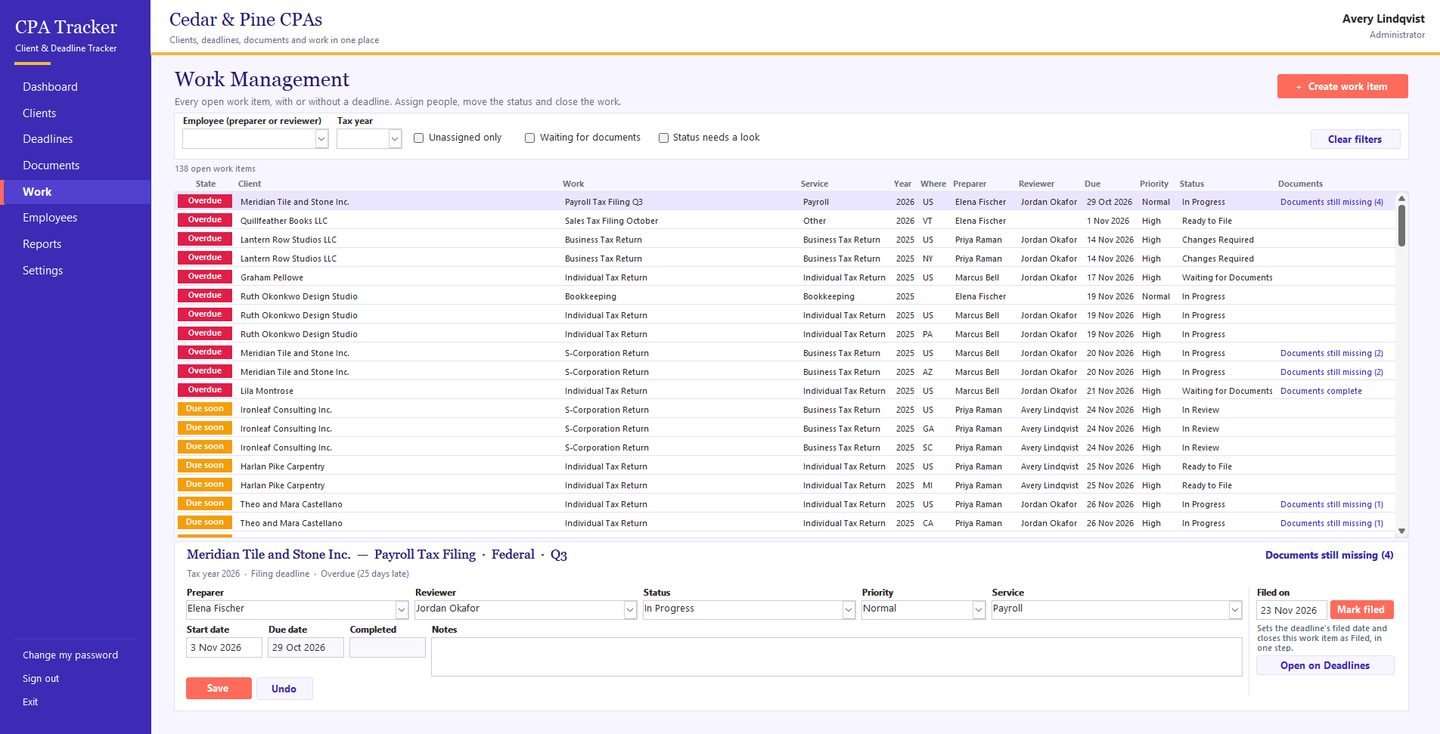
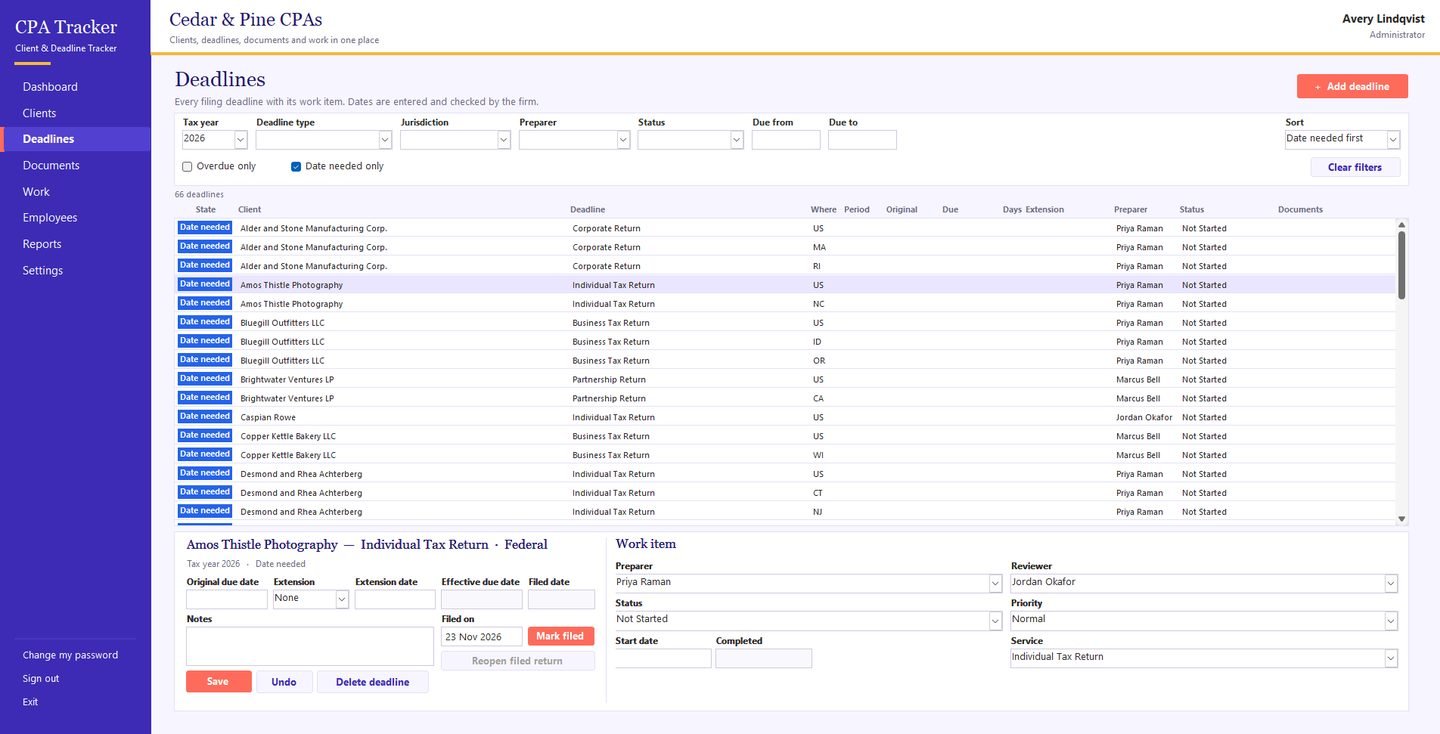
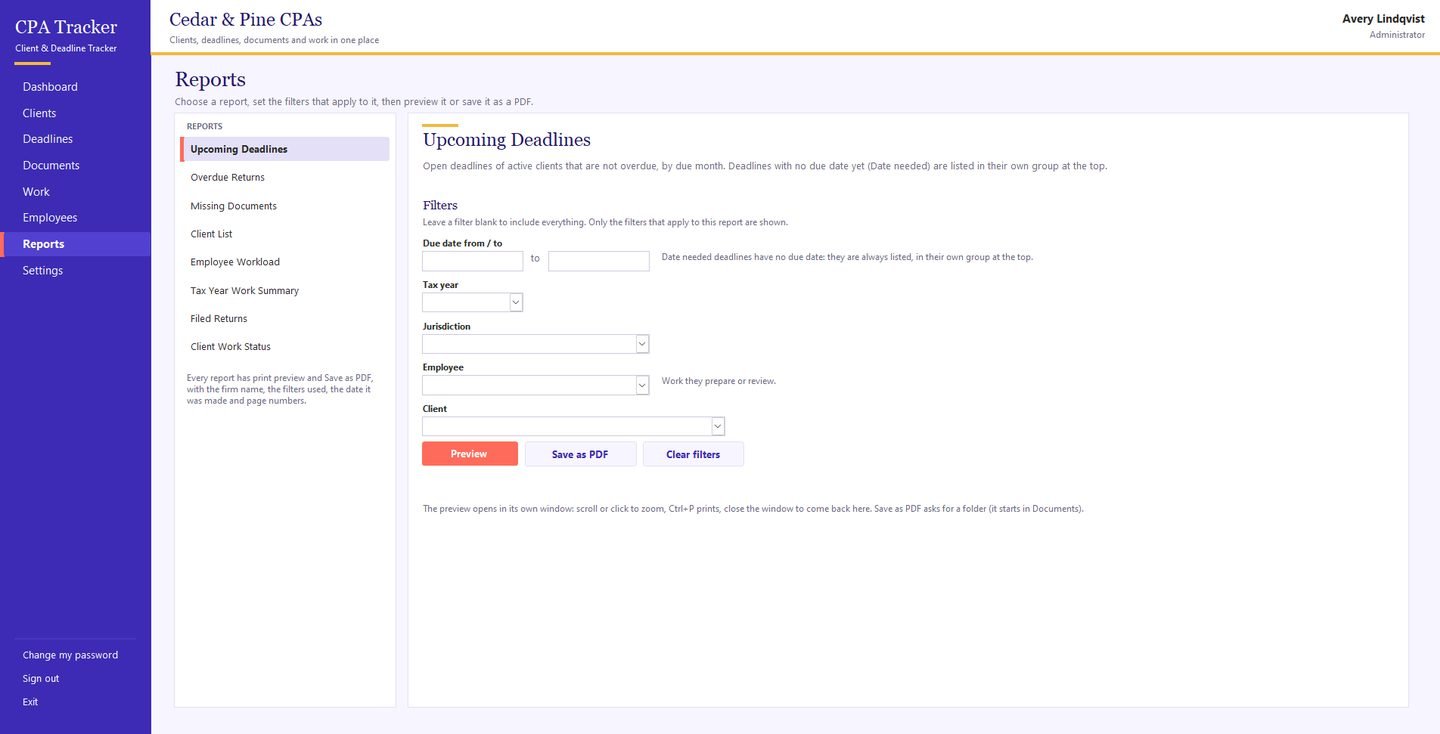
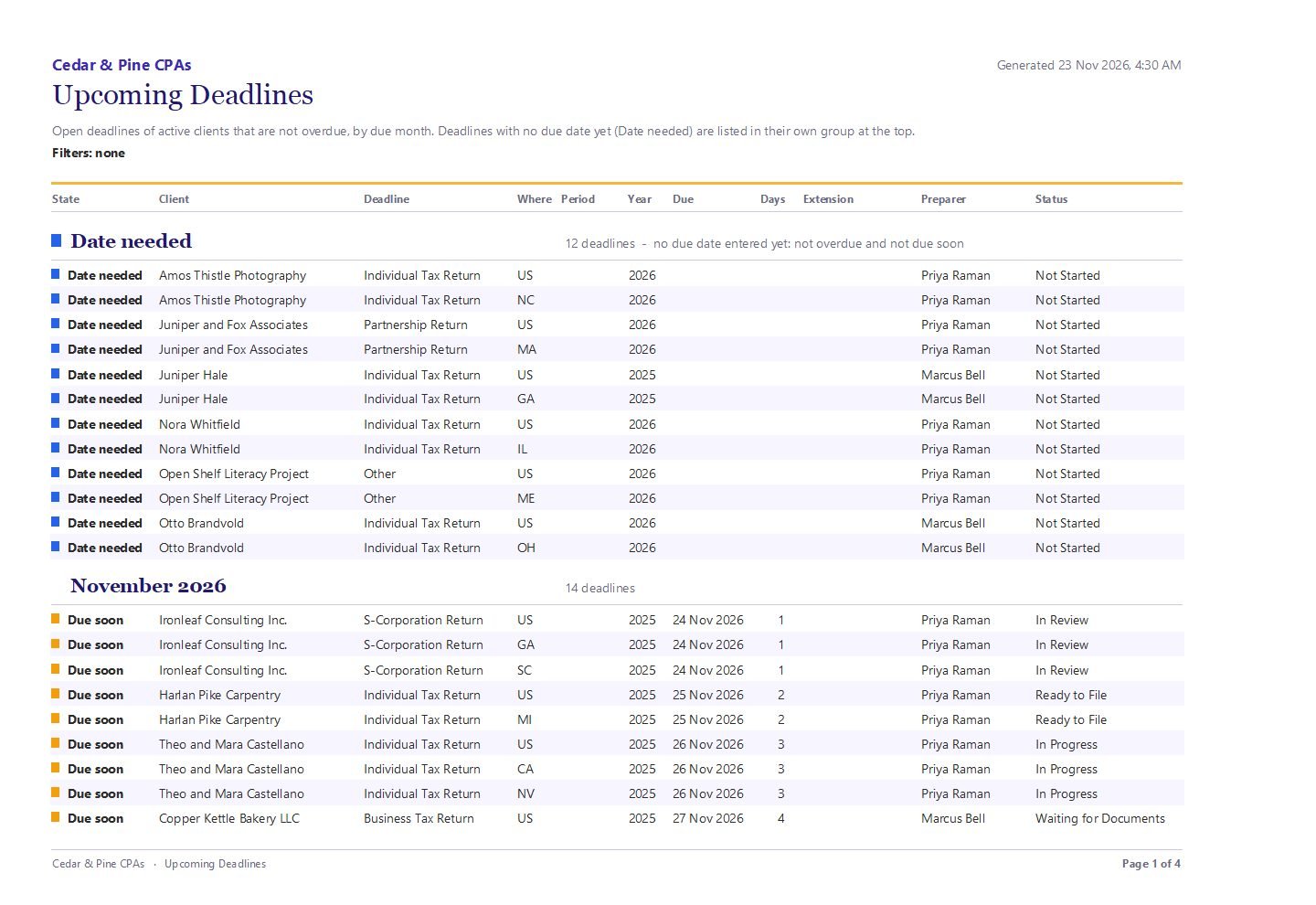
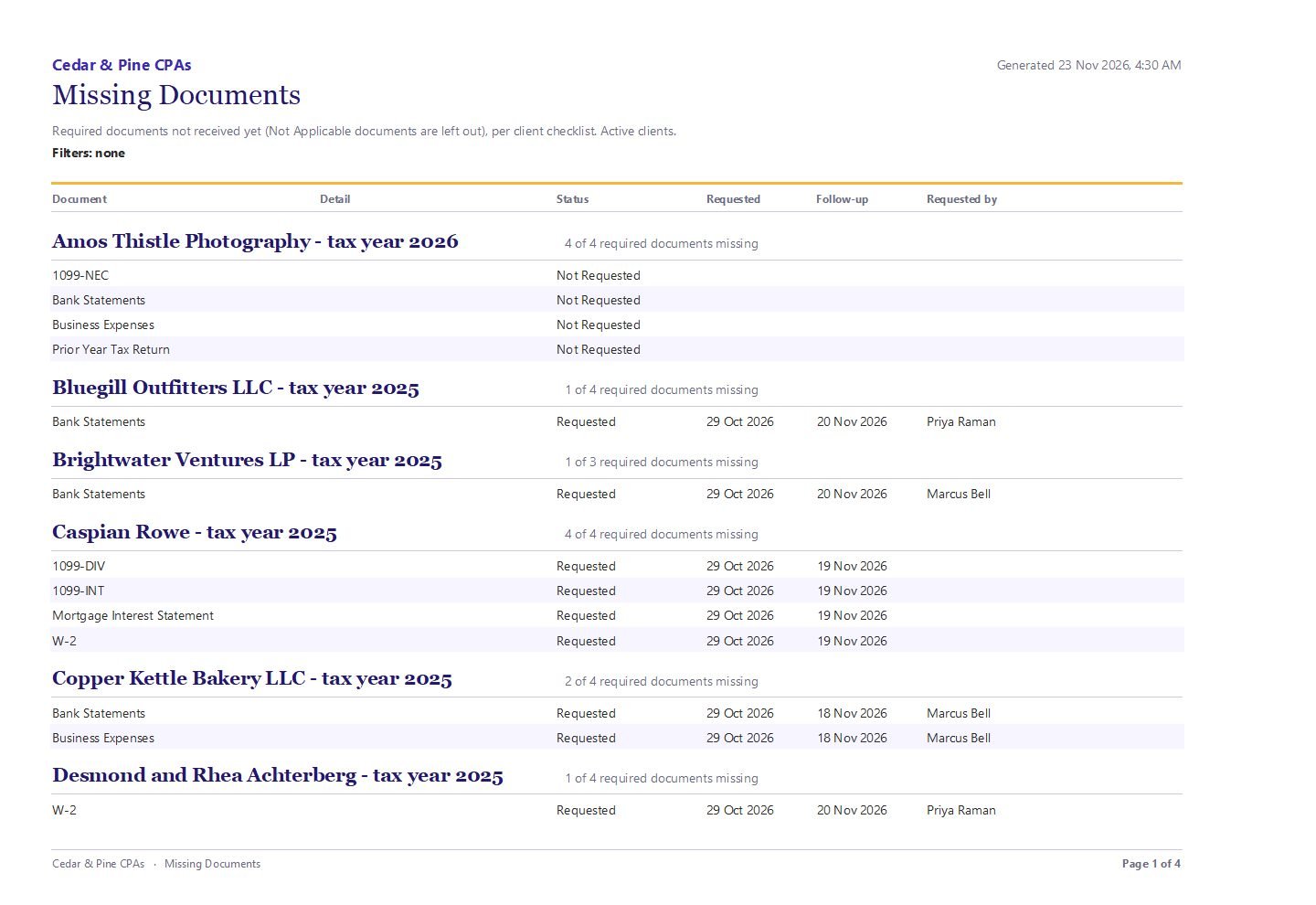
Each client has federal and state deadlines per tax year, including quarterly and monthly ones. When an extension is requested, the original due date stays on record. Once it is granted, the new effective date takes over and an overdue return shows as on track again. Every return has a preparer and a reviewer, and marking it filed records the filed date and closes the work item in one step. Document checklists are applied from templates per return type, and staff mark each item requested, followed up, received or not applicable while the client's count updates. Eight reports cover upcoming deadlines, overdue returns, missing documents, filed returns, employee workload and more, each ready to preview or save as PDF.
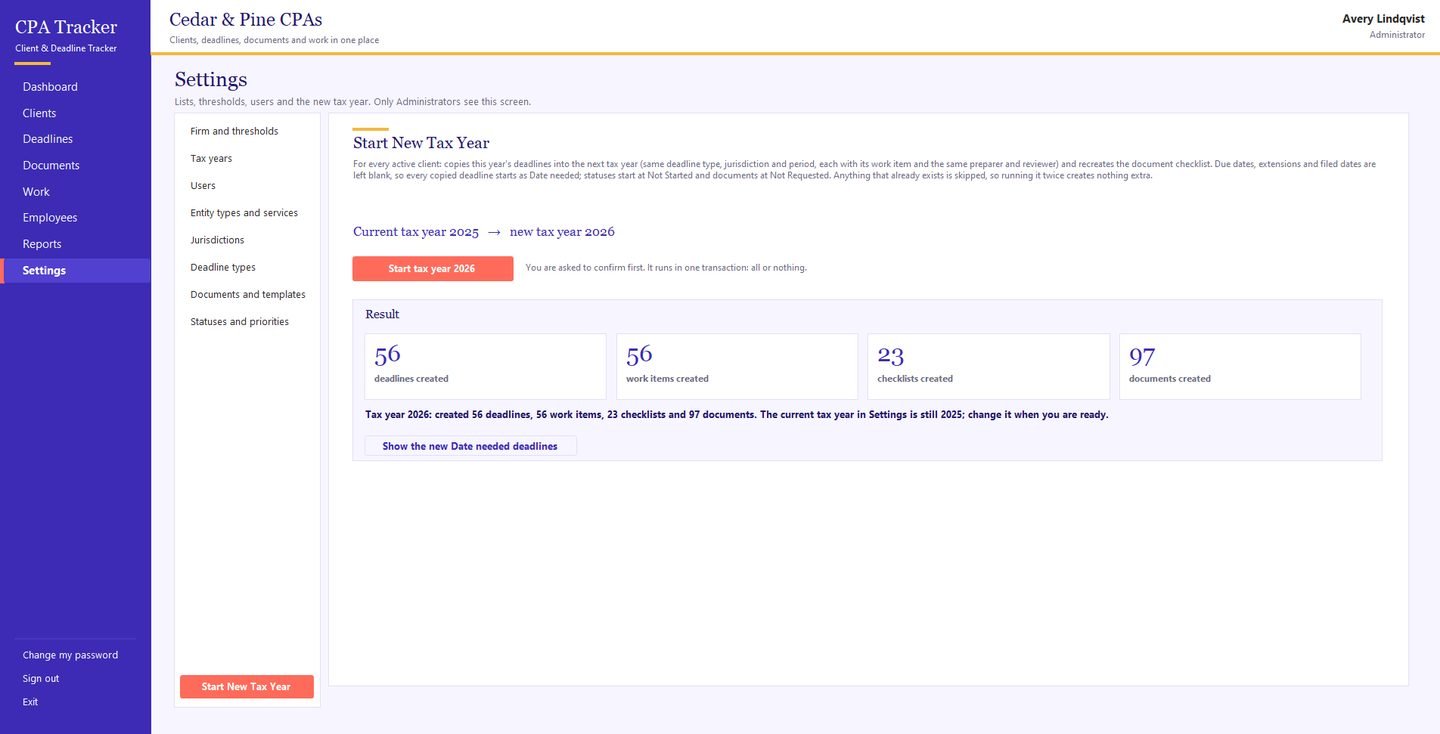
At year end an administrator starts the new tax year with one button. Every active client's deadlines, work items and checklists are copied forward with the due dates left blank and marked Date needed, so nothing is guessed. The firm enters each date once it has confirmed it. The system does not calculate tax due dates, prepare returns or store client files.
How it is built
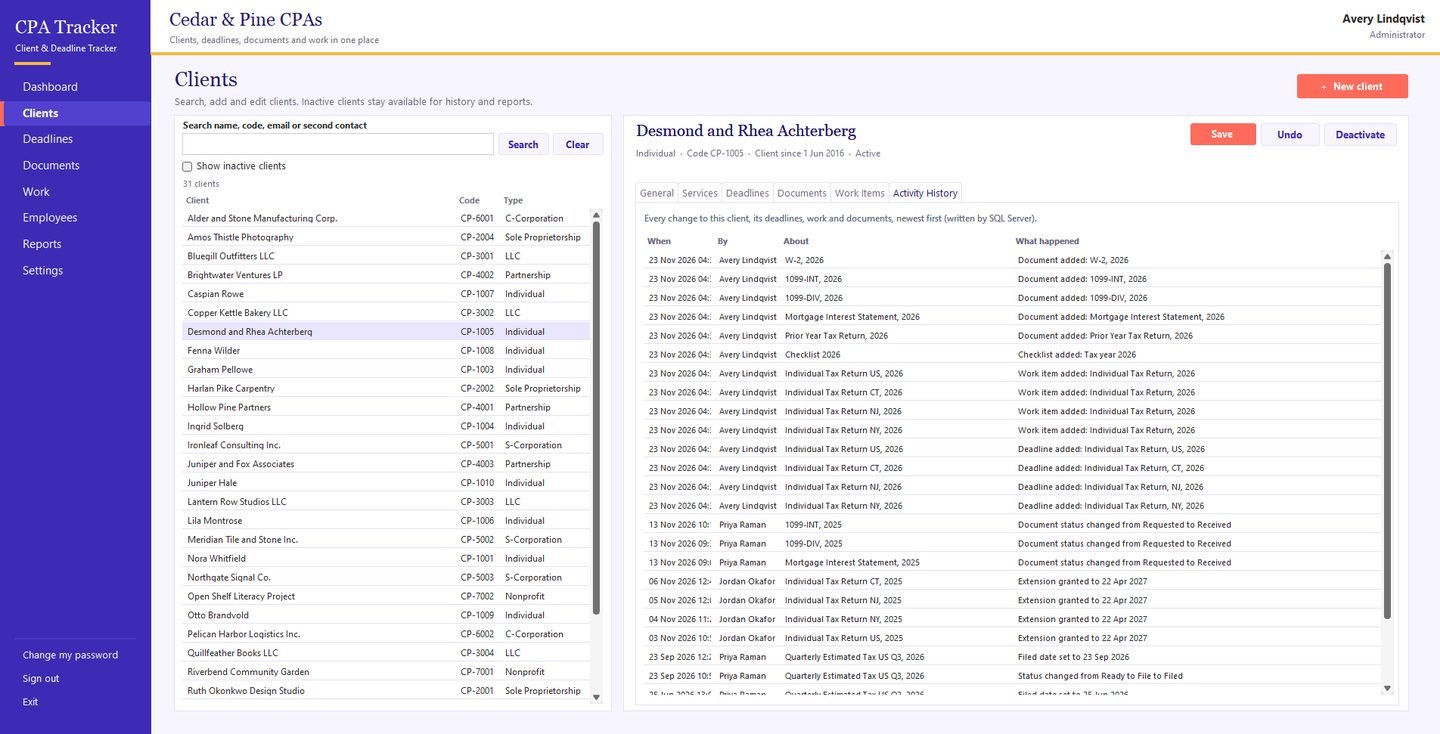
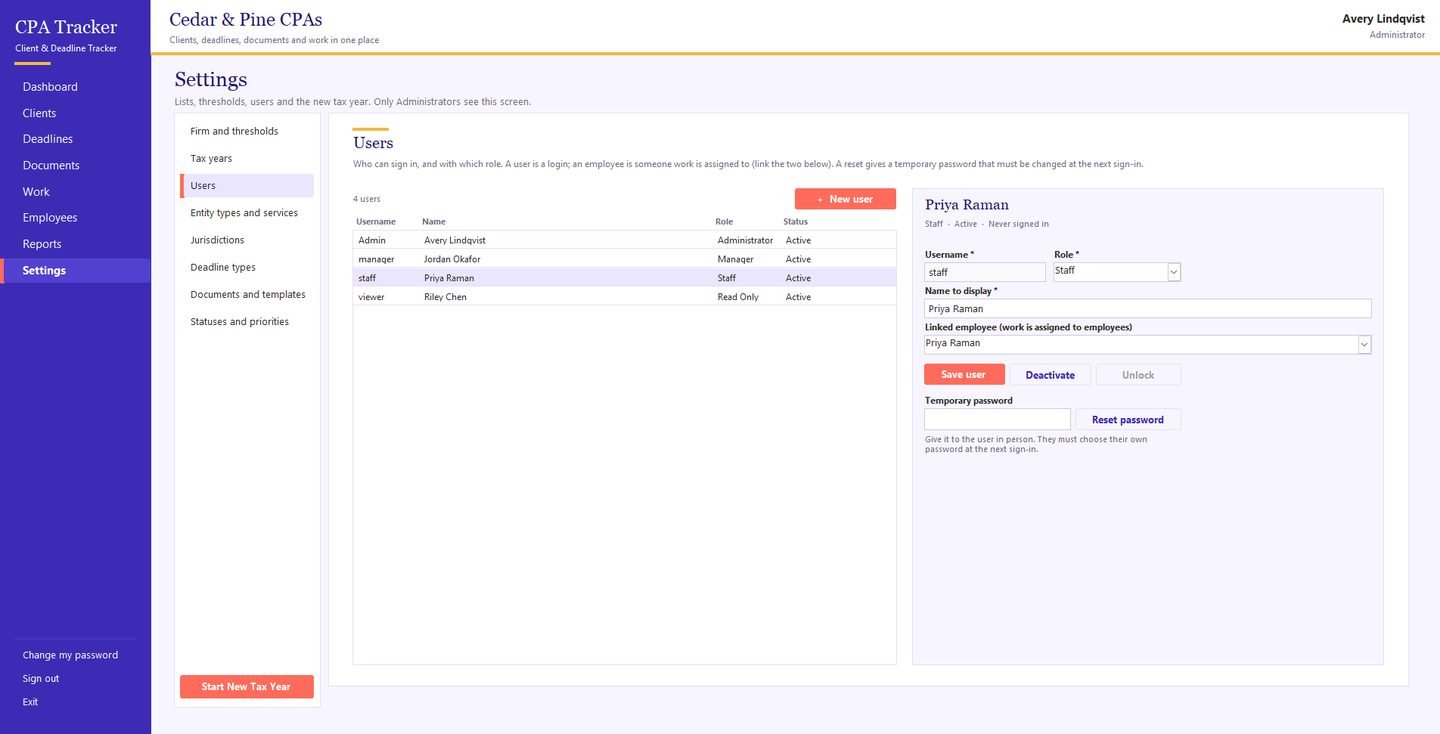
The screens are a compiled Microsoft Access front end installed on each PC, and the data lives in Microsoft SQL Server, so it is designed for firms of 2 to 20 people working at the same time, and the 2 GB Access file limit does not apply. If two people edit the same record, the second one is told instead of overwriting the first (tested with a simulated second user). It was tested with 64-bit Office on SQL Server 2025 Express, the free edition. The install guide also describes full SQL Server and Azure SQL Database, which we have not tested yet. Everyone signs in with their own account under one of four roles (Administrator, Manager, Staff, Read Only). Passwords are stored as salted hashes, and an account locks after five wrong attempts. Each client has an activity history that shows who changed what and when, for changes made through the application. Roles are enforced by the application and every PC connects with one shared database login, so it does not replace the firm's own IT security, and we make no compliance claims.
The finished build passed 1,051 automated checks covering the database rules, every screen and all eight reports. Every screen was also timed against a test database of 5,000 clients and opened in under three seconds, with SQL Server on the same PC. The screenshots and the video show a fictional firm with fictional clients.
Inside the system
SCREEN 01 / 14
What's in the system
What the finished database does, feature by feature.
- Dashboard with seven counts: active clients, due this week, overdue, in progress, waiting for documents, ready for review, dates to enter
- Upcoming deadlines, overdue work, missing documents and workload on the same screen
- One client list for individuals, sole proprietors, LLCs, partnerships, S and C corporations and nonprofits
- Federal and state deadlines per client and tax year, including quarterly and monthly filings
- Extensions that keep the original due date and move the effective date when granted
- Color-coded states: overdue, due soon, on track, Date needed and closed
- Preparer and reviewer on every return, with status from Not Started to Filed
- Mark a return filed in one step from the Deadlines or Work screen
- Document checklists from templates per return type, with requested, followed-up and received dates
- Work Management screen for unassigned work and items waiting on clients
- 8 reports, each previewed on screen or saved as PDF
- Start the new tax year in one step, with due dates left blank until confirmed
- Activity history per client: who changed what and when in the application
- Sign-in with Administrator, Manager, Staff and Read Only roles
- Salted password hashes, lockout after five wrong attempts, forced password change
- Warning instead of a silent overwrite when two people edit the same record
- SQL Server back end, connected and linked by a first-run setup screen
- Settings for firm details, tax years, jurisdictions, deadline types, document templates and statuses
Want something like this for your business?
Tell us what you're trying to solve. We'll give you a straight answer on scope and cost.