
Case File
Inventory Manager: Free Microsoft Access Inventory Template
A free Microsoft Access inventory template with stock across multiple locations, purchase orders with partial receiving, stock counts, a reorder list and 10 ready-made reports.
IndustrySmall Business & Warehousing
Built WithMicrosoft Access, VBA, Access SQL, DAO transactions, Access Reports, Ribbon XML
EngagementFull System Build
The challenge
Most small businesses start tracking stock in a spreadsheet, and it works until it doesn't. The count on the screen stops matching the count on the shelf, nobody can say where the difference came from, and only one person really understands the file. Reordering happens when something runs out, not before.
The solution
Inventory Manager is a complete stock control app built in Microsoft Access, delivered as a single .accdb file that runs on your own computer. Stock on hand is never typed in. Every receipt, issue, transfer and adjustment is recorded as a movement, and the quantity is worked out from that history, so you can always see how a number was reached and correct it with an adjustment instead of overwriting it.
Purchase orders follow each delivery from order to shelf. Receive everything at once or part by part, and stock updates the moment you post. The reorder list shows which items are at or below their reorder point, how many to buy and from which supplier. Stock counts compare the shelf with the system and post only the differences, with a printable count sheet for the warehouse floor.
Built for real use
Stock can be held across several locations, such as a warehouse, a shop floor and a van, and moved between them with transfers. The app refuses to take stock below zero unless you allow it in settings, and each posting either completes in full or not at all. Everyone signs in with their own account: Admins manage settings and users, staff handle day-to-day stock work. Ten ready-made reports cover stock on hand, valuation, low stock, movement history, purchases by supplier, count variances and slow movers, each ready to print or save as PDF. Sample data for a fictional hardware supplier is included, so every screen has something in it from the first minute.
Most small businesses start tracking stock in a spreadsheet, and it works until it doesn't. The count on the screen stops matching the count on the shelf, nobody can say where the difference came from, and only one person really understands the file. Reordering happens when something runs out, not before.
The solution
Inventory Manager is a complete stock control app built in Microsoft Access, delivered as a single .accdb file that runs on your own computer. Stock on hand is never typed in. Every receipt, issue, transfer and adjustment is recorded as a movement, and the quantity is worked out from that history, so you can always see how a number was reached and correct it with an adjustment instead of overwriting it.
Purchase orders follow each delivery from order to shelf. Receive everything at once or part by part, and stock updates the moment you post. The reorder list shows which items are at or below their reorder point, how many to buy and from which supplier. Stock counts compare the shelf with the system and post only the differences, with a printable count sheet for the warehouse floor.
Built for real use
Stock can be held across several locations, such as a warehouse, a shop floor and a van, and moved between them with transfers. The app refuses to take stock below zero unless you allow it in settings, and each posting either completes in full or not at all. Everyone signs in with their own account: Admins manage settings and users, staff handle day-to-day stock work. Ten ready-made reports cover stock on hand, valuation, low stock, movement history, purchases by supplier, count variances and slow movers, each ready to print or save as PDF. Sample data for a fictional hardware supplier is included, so every screen has something in it from the first minute.
- Stock on hand calculated from a full movement history, never typed in
- Multiple locations with transfers between them
- Purchase orders with full or partial receiving
- Cancel an order or close it short when a supplier can't deliver
- Reorder list with suggested quantities and preferred supplier
- Stock counts that post only the differences, with a printable count sheet
- Adjustments with reasons: damaged, lost, found, returned
- Refuses to take stock below zero unless you allow it
- Live dashboard: stock value, low stock, open orders and recent movements
- 10 ready-made reports, each viewable on screen or saved as PDF
- Printable purchase orders with your company details and logo
- Item, supplier, category, location and unit lists with instant search
- Secure sign-in with hashed passwords and Admin and User roles
- Built-in Help & About guide for every screen
- Sample data included for instant testing
- Runs locally in Microsoft Access, no subscription needed
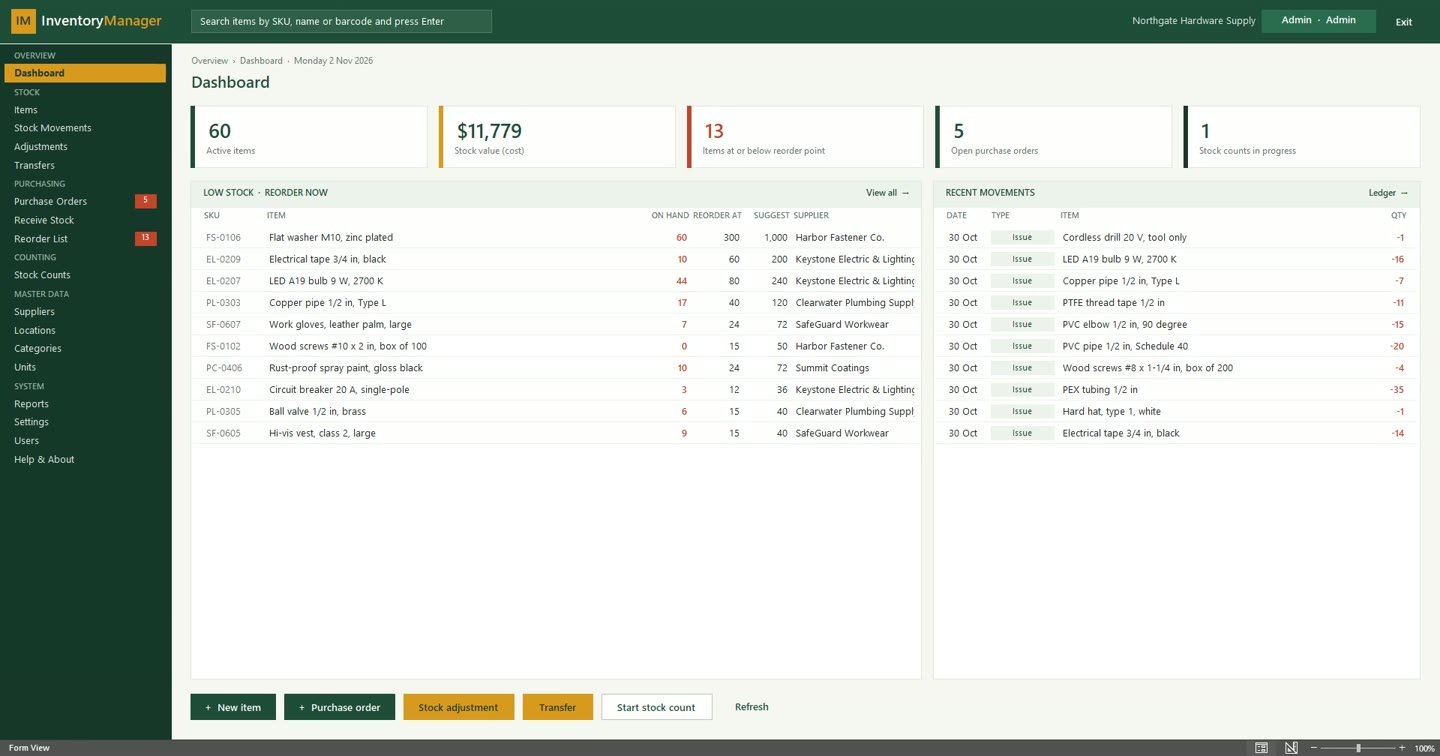 Dashboard with stock value, low stock, open purchase orders and recent movements
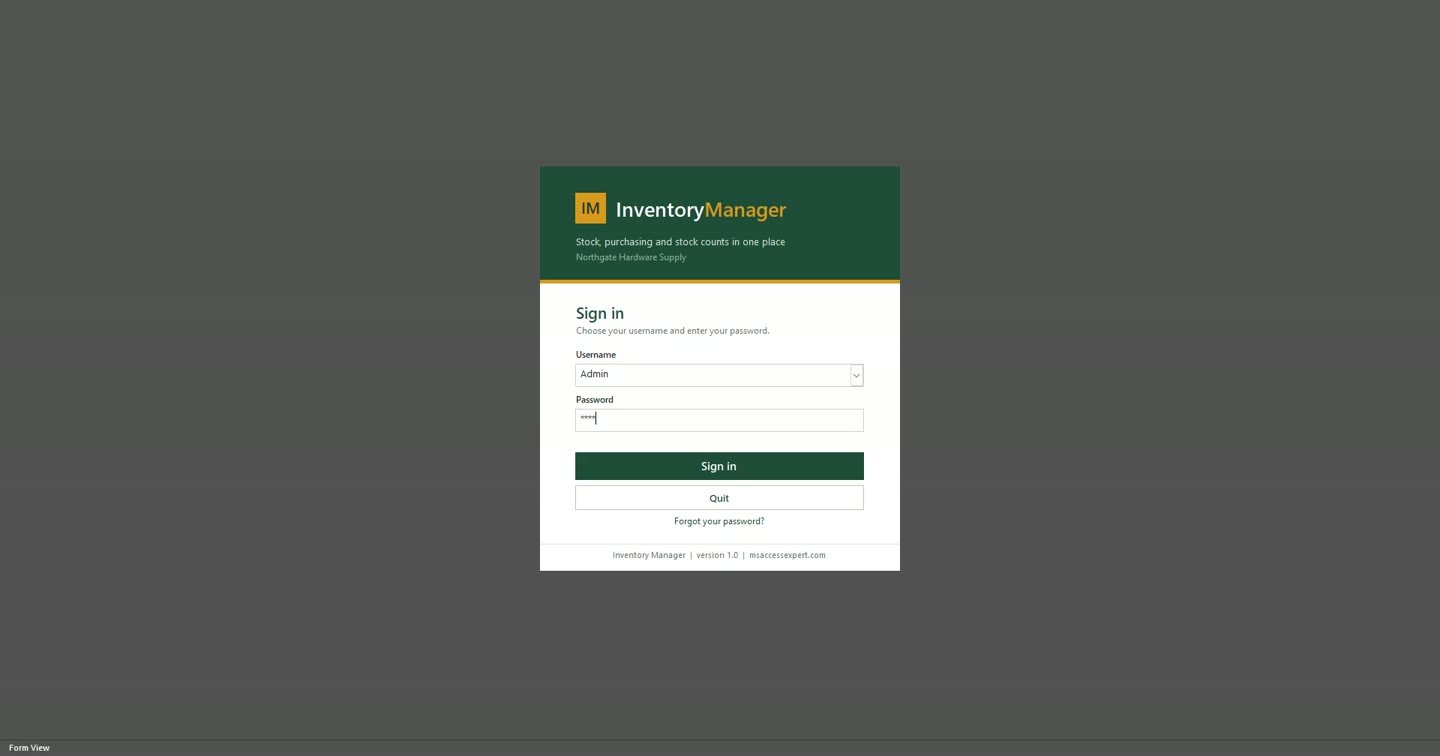 Sign-in screen with Admin and User roles
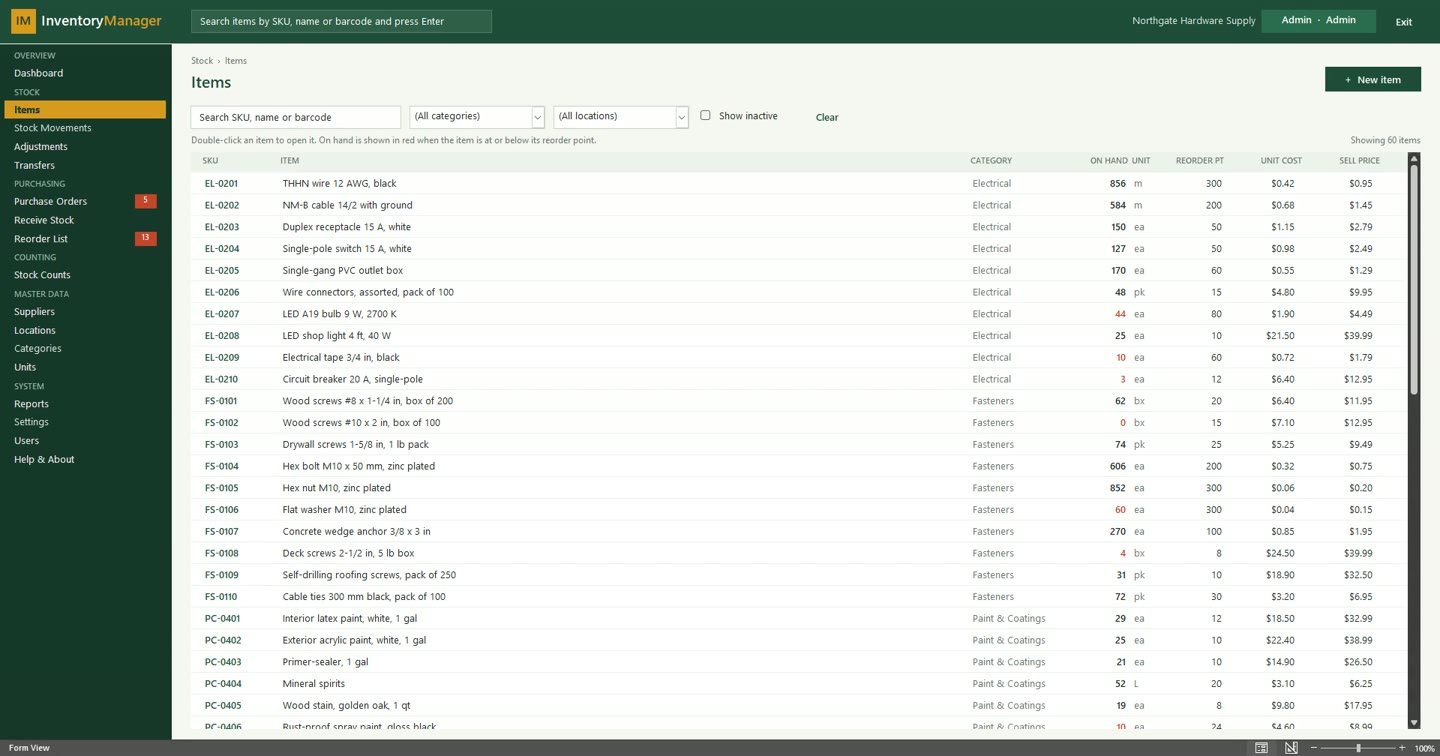 Item list with live stock on hand and instant search
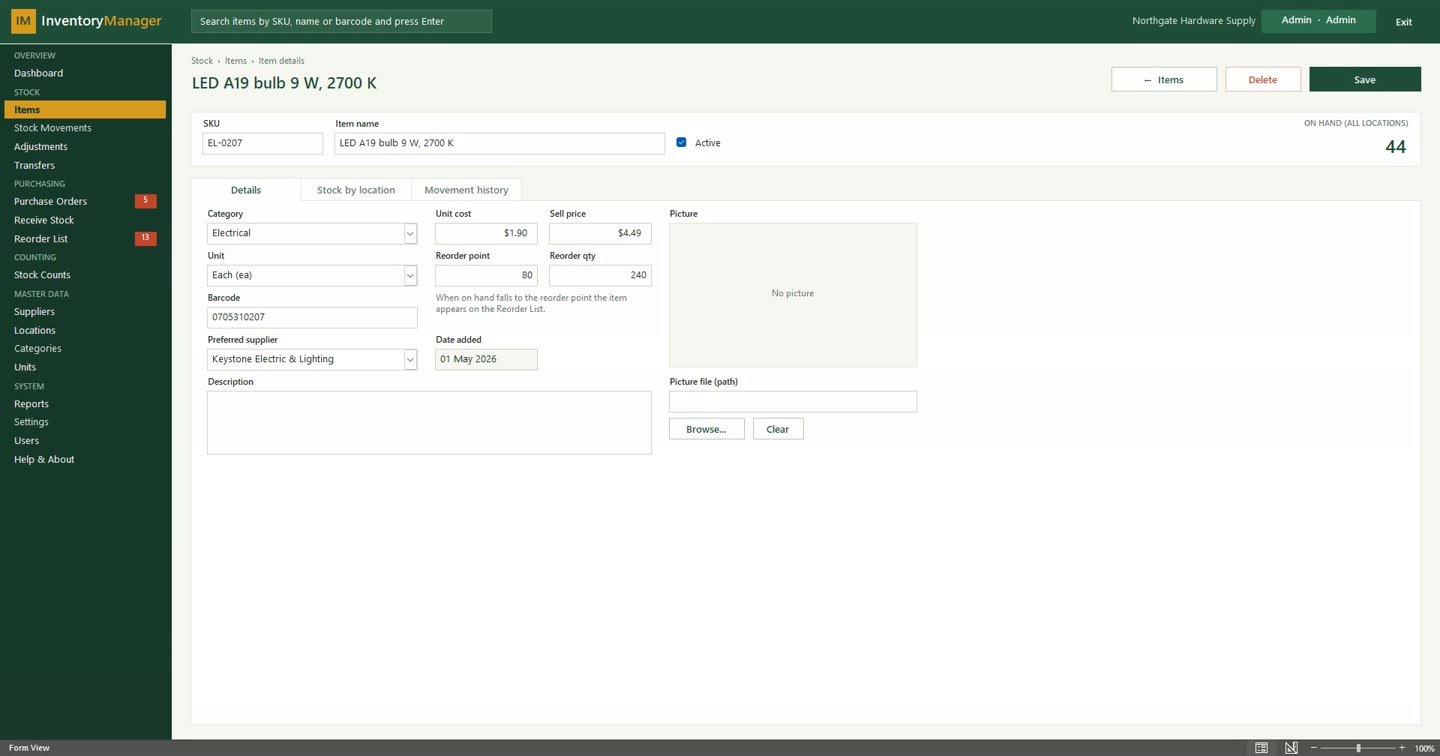 Item details with stock by location and movement history
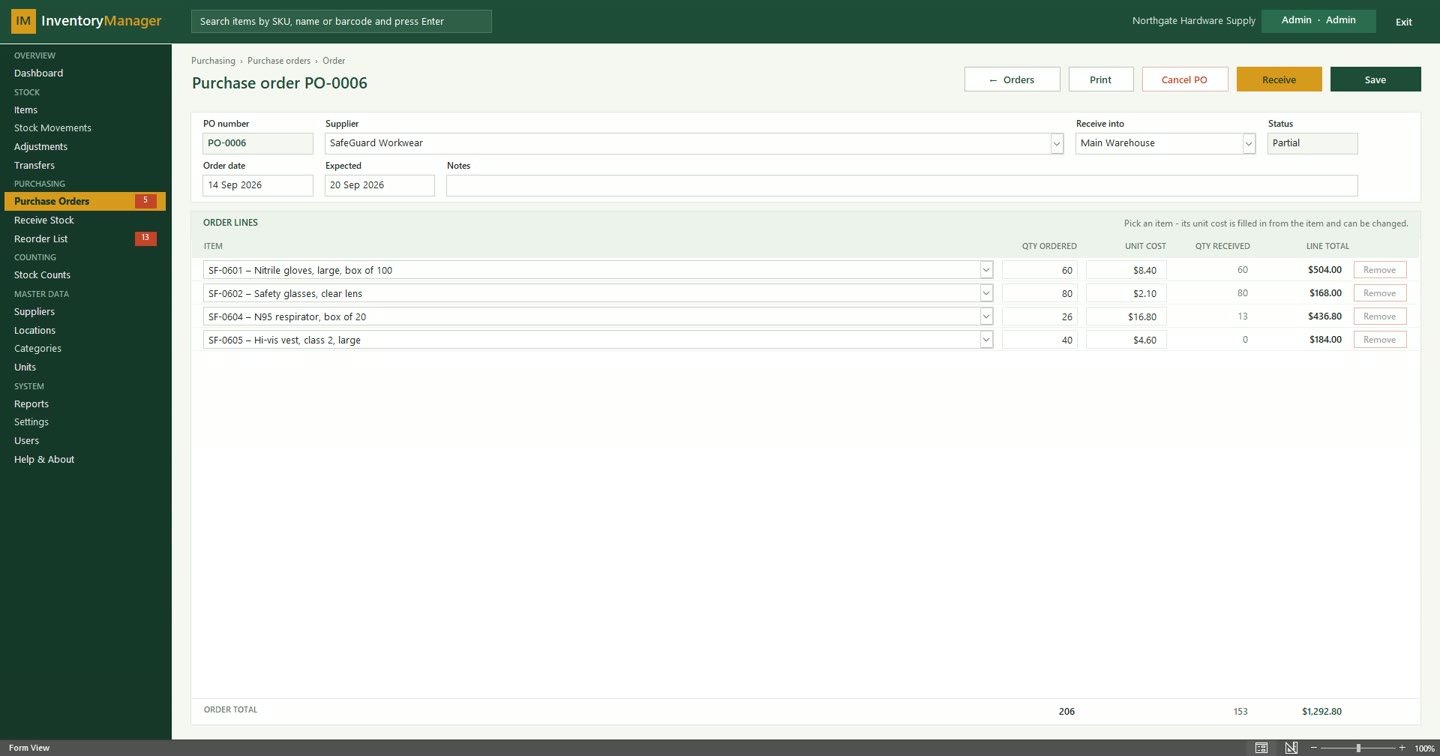 Purchase order with order lines and received quantities
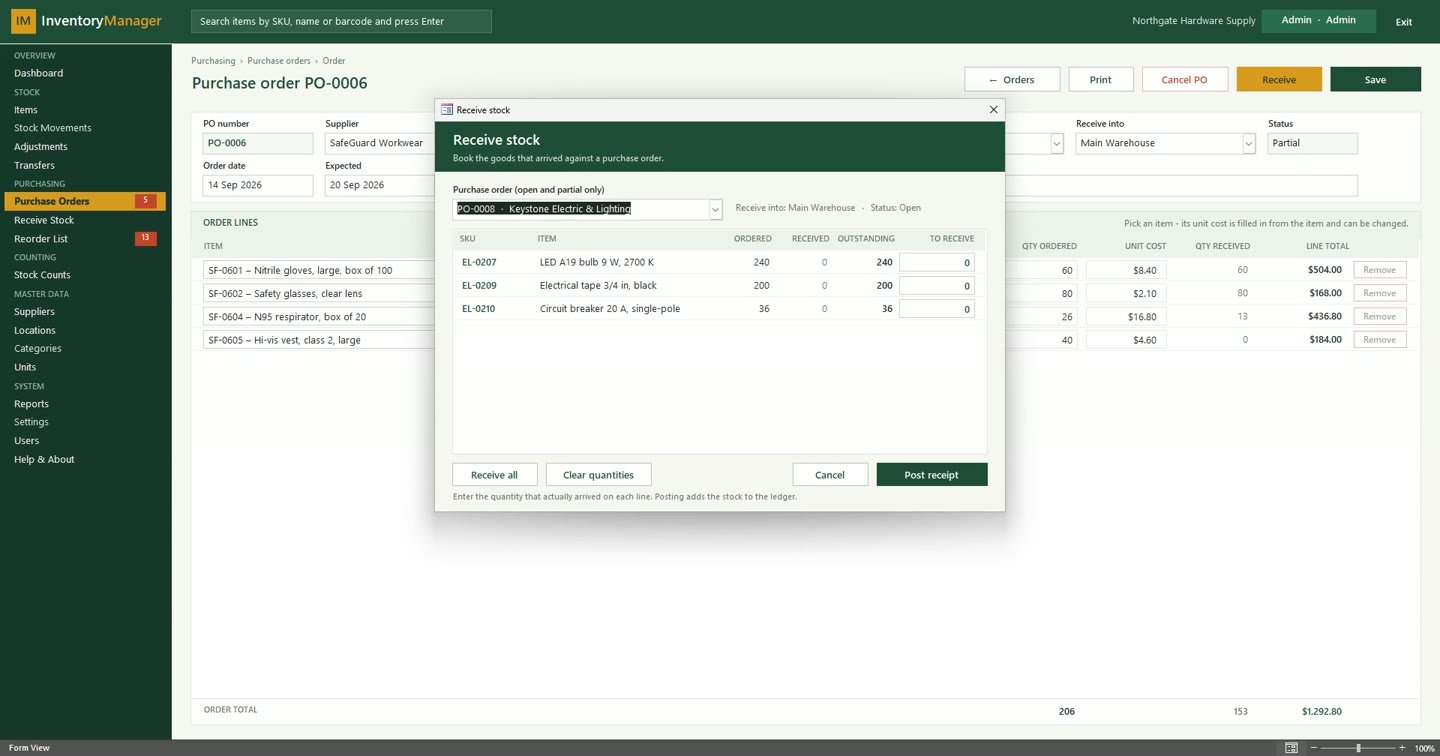 Receiving a delivery against a purchase order
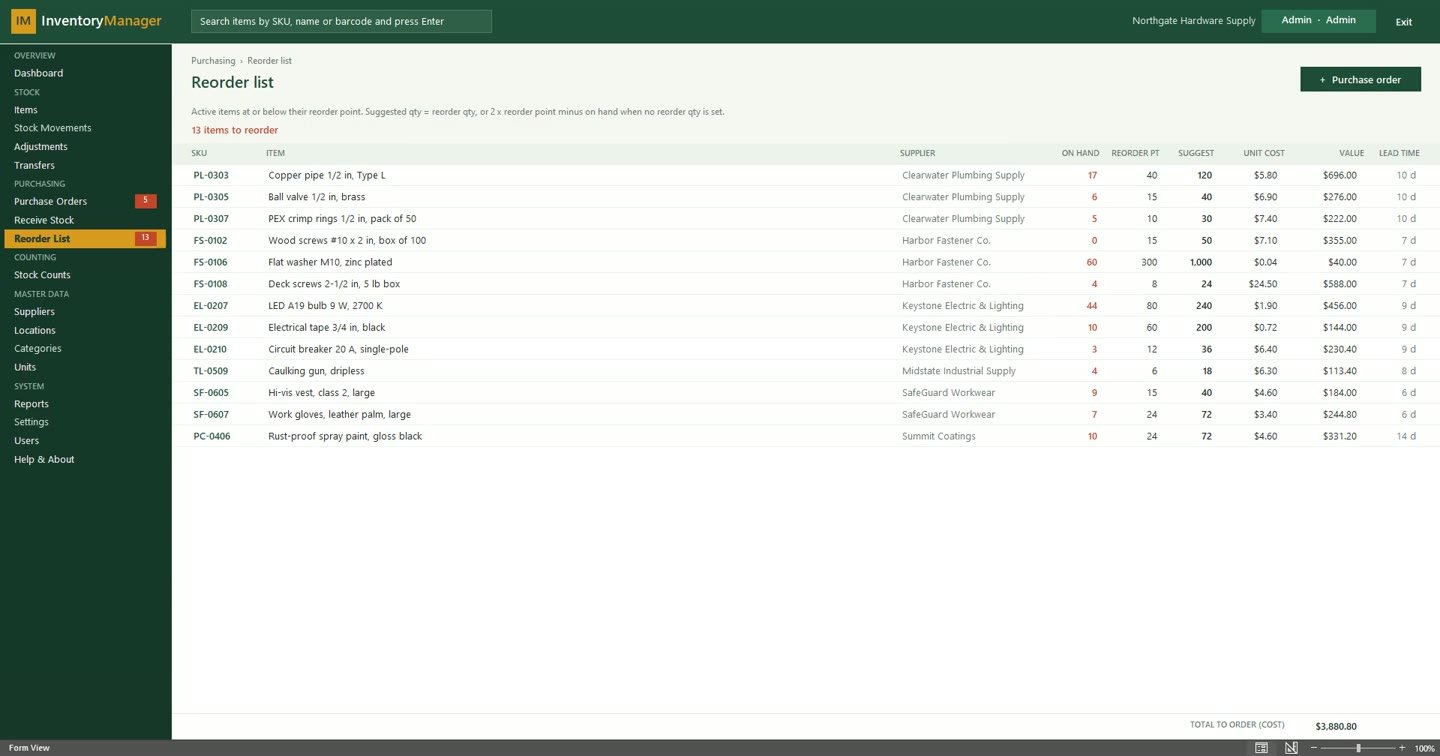 Reorder list with suggested quantities by supplier
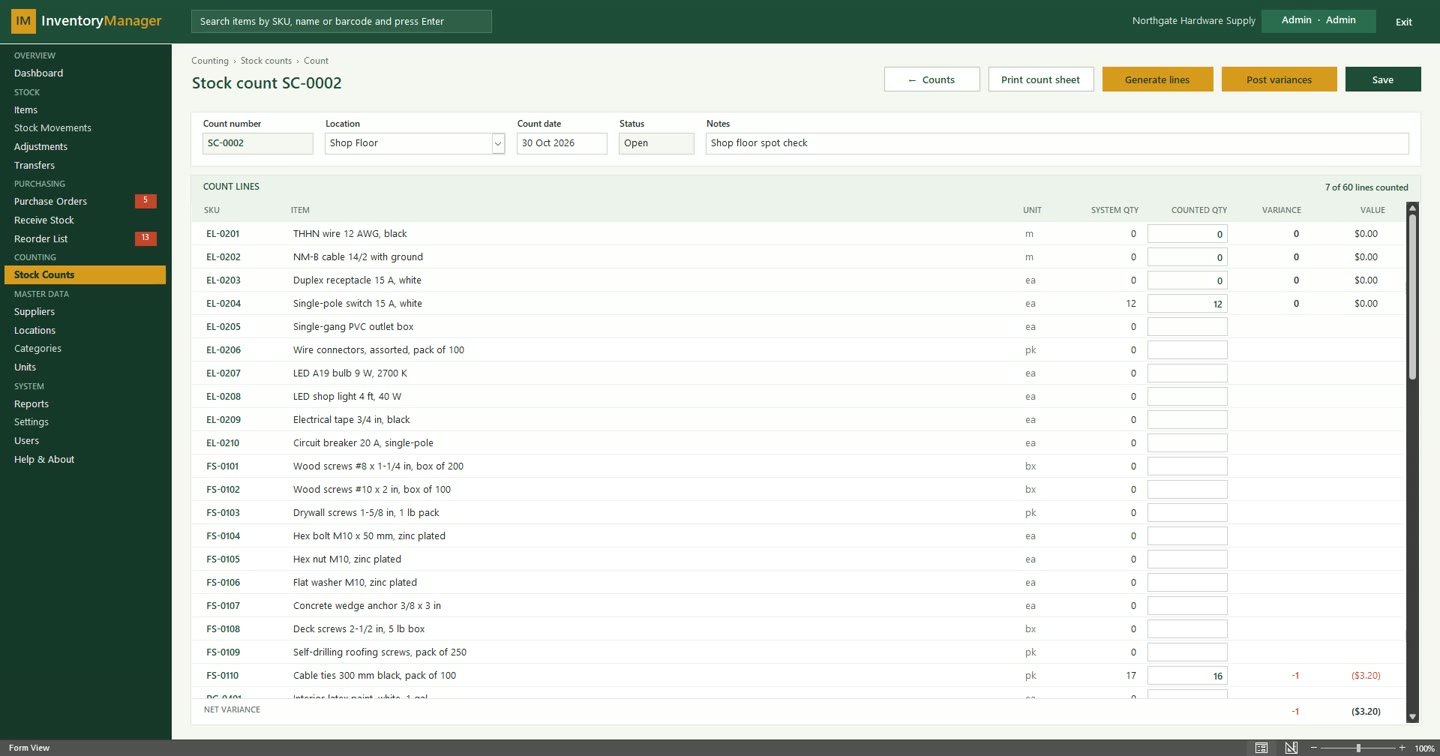 Stock count with system and counted quantities
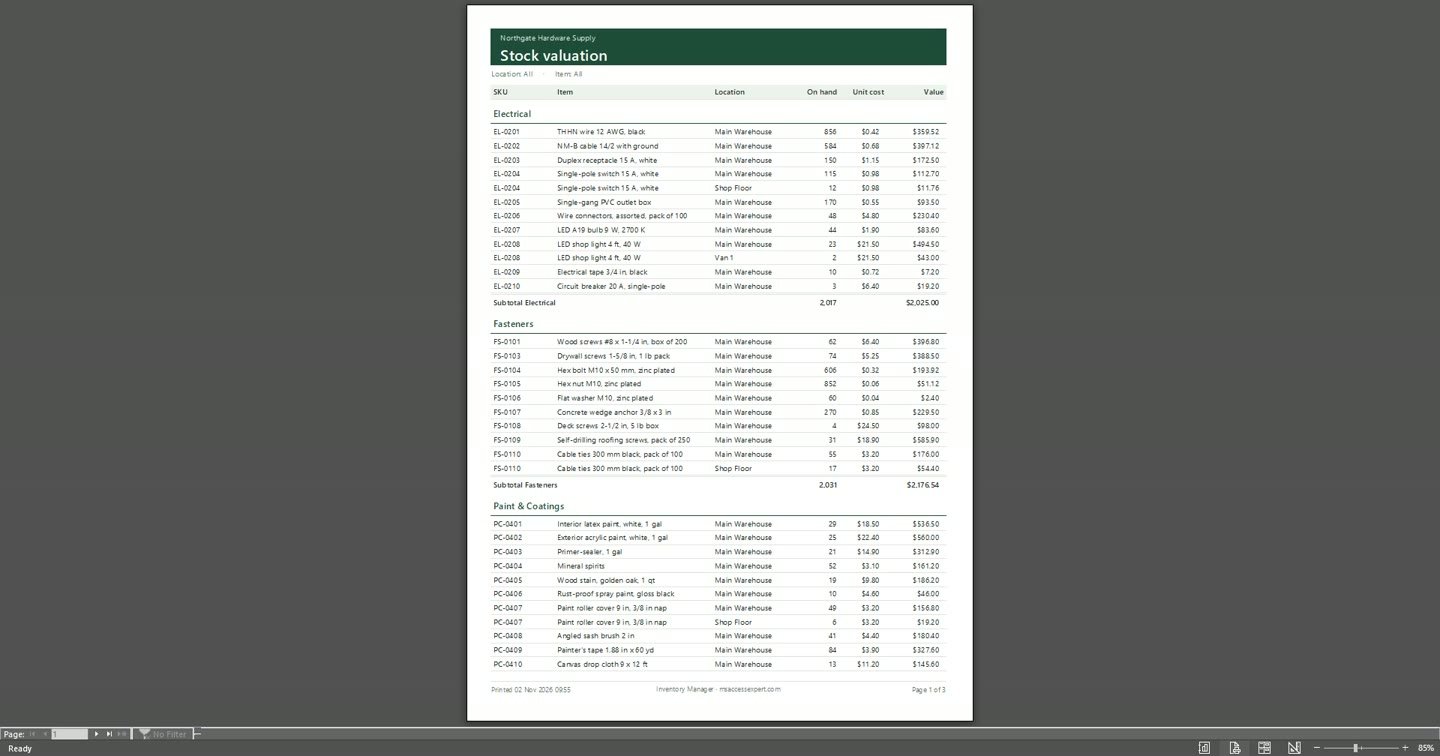 Stock valuation report grouped by category
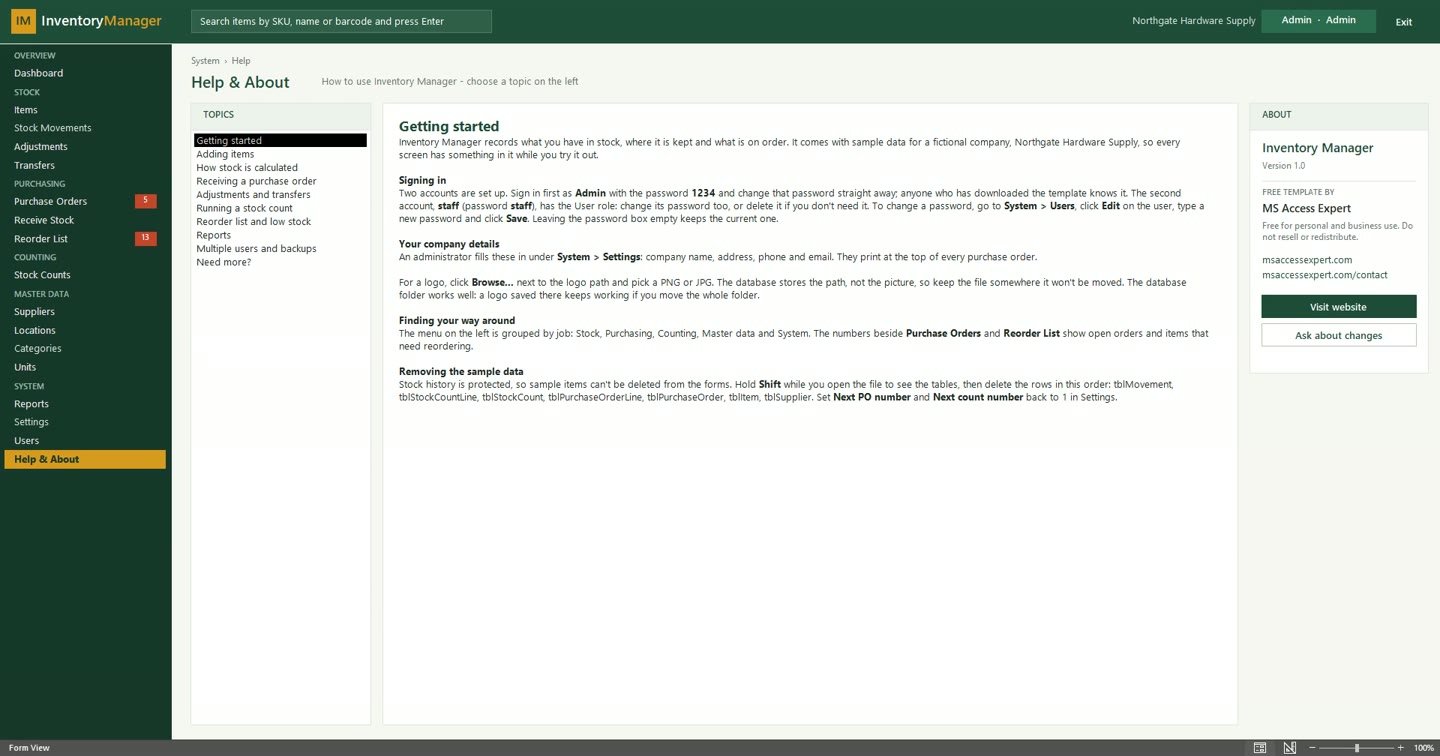 Built-in Help & About guide
Want something like this for your business?
Tell us what you're trying to solve — we'll give you a straight answer on scope and cost.